21
DT2 / DT4 series User Manual
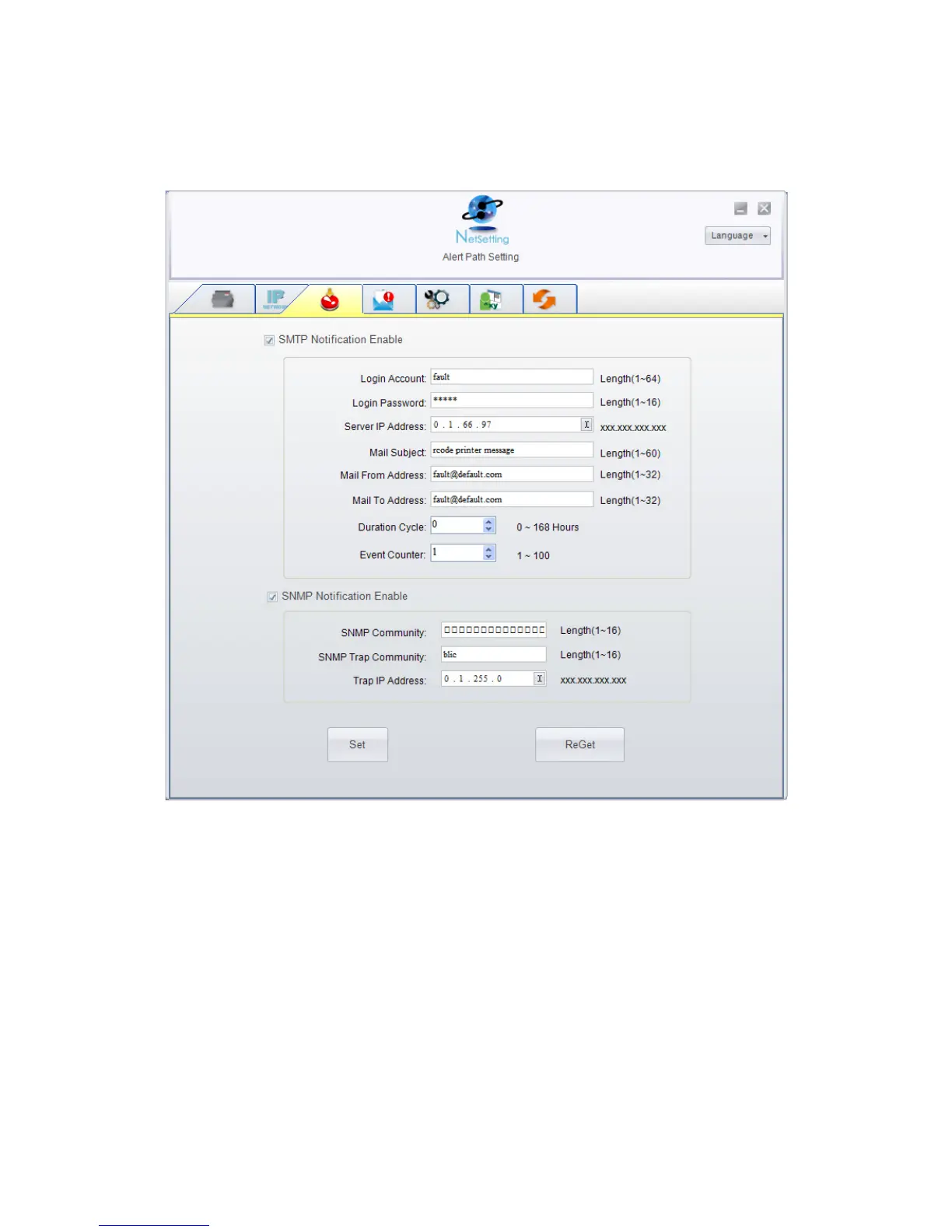
Alert Path Setting
NetSetting will send the alert messages to designated mail account when the error
happened on printer. The alert messages are sent by SMTP (Simple Mail Transfer
Protocol) or SNMP (Simple Network Management Protocol). You can set or change the
configurations of SMTP and SNMP on this “Alert Path Setting” tab.
You can press “Set” button to apply the settings and “ReGet” button to refresh the
setting values.



 To Next Page