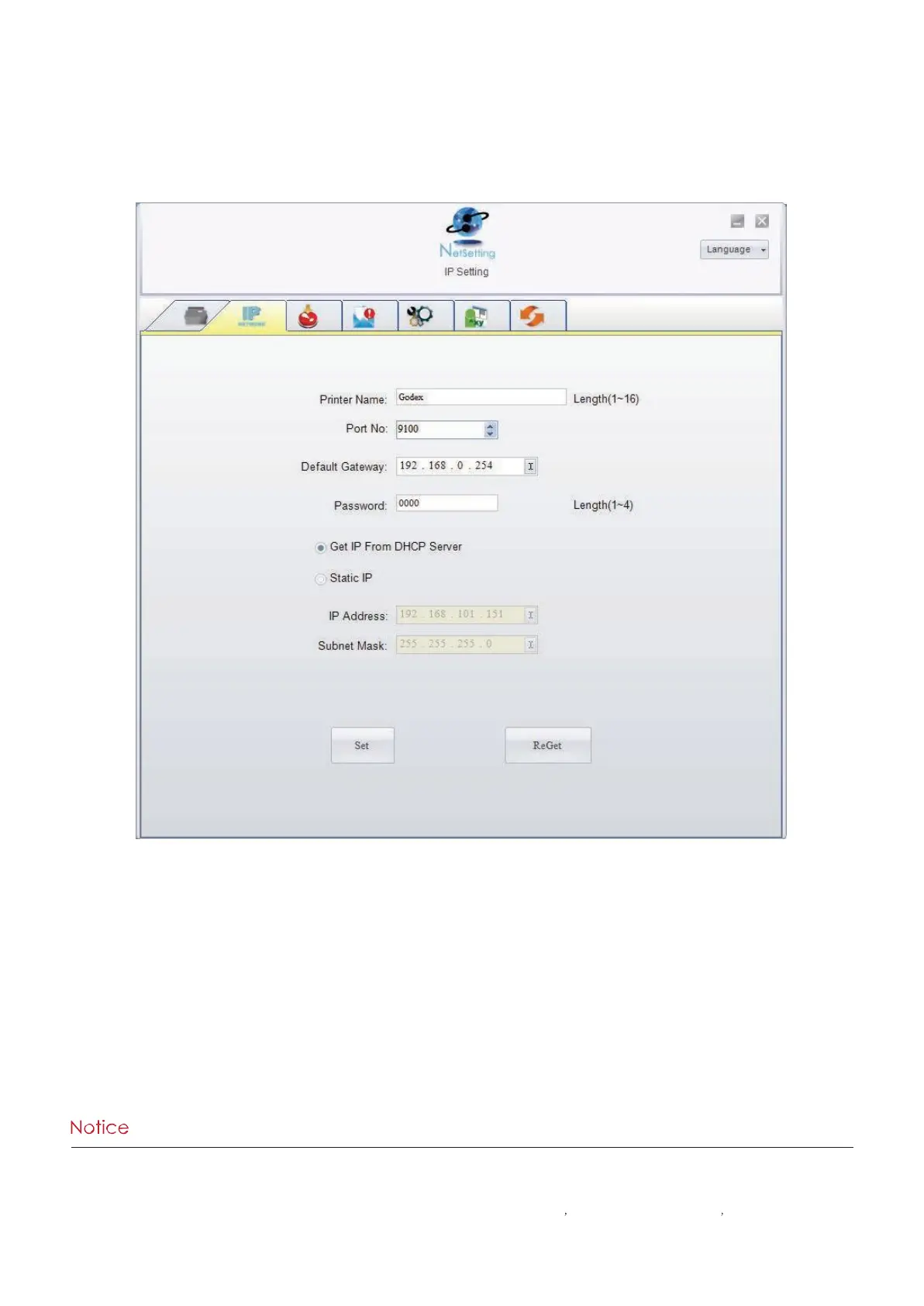
IP Setting
The IP Setting tab can change the printer name, Port number, Gateway setting and the password for configuring the
printer. You can also set the printer’s IP address ether by DHCP or by Static IP.
You can press “Set” button to apply the settings and “ReGet” button to refresh the setting values.
* To fully benefit from the NetSetting software, you should be familiar with basic networking principles. Please
contact your network administrator for related network setting information.
* When enabling DHCP, if you find the IP Address as: IP = 169.254.229.88 Netmask = 255.255.0.0
Gateway = invariable (last value), the IP Address is invalid.



 To Next Page