11
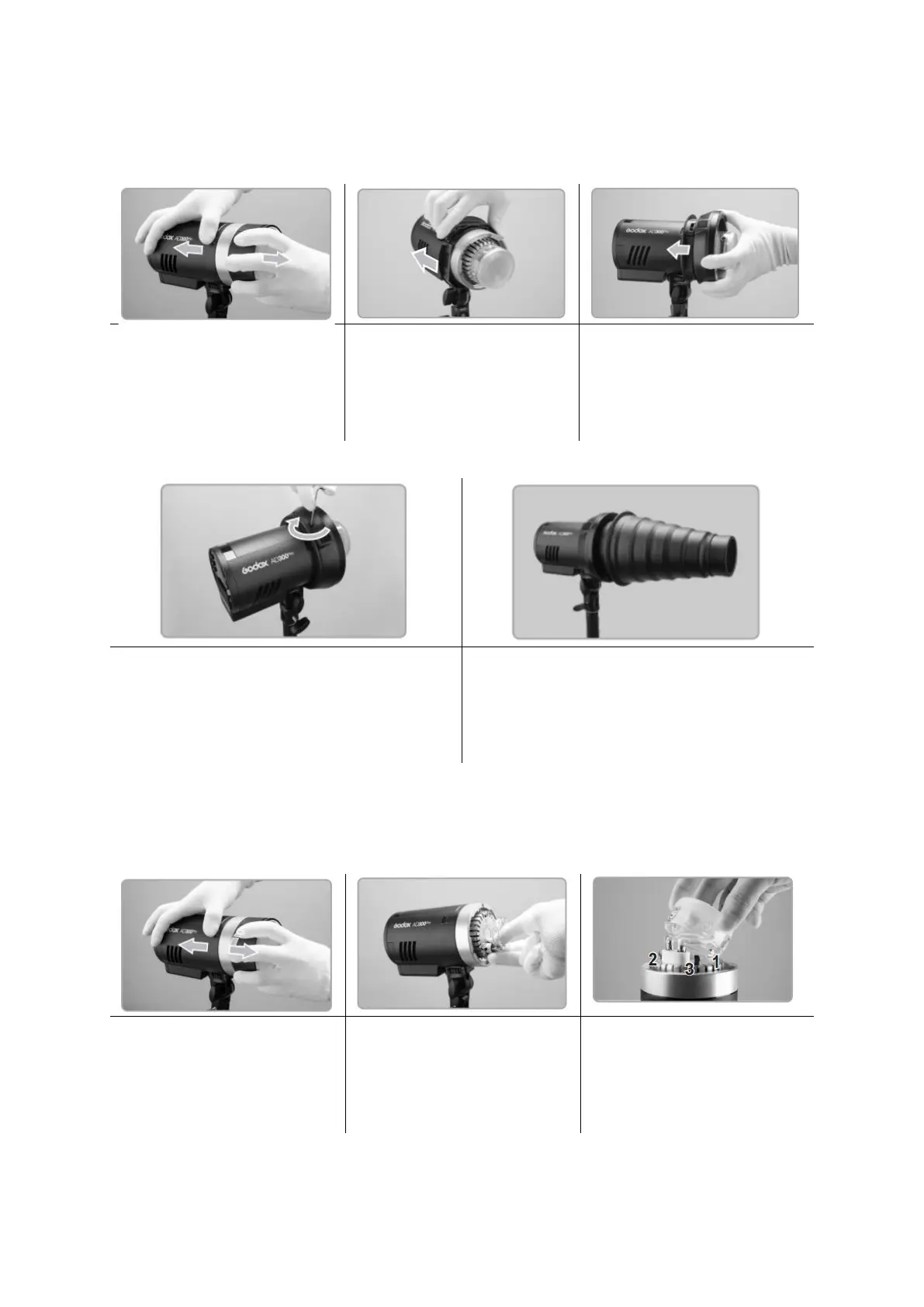
Replacing Adapter Rings and Accessories
Remove the reflector or
other accessories from the
flash head.
Install the first half of
adapter holder into the
fixing slot. Then install
another half to form a
circle.
Match the Bowens mount
or other adapter ring to
the adapter holder.
Install the accessories of different
mounts. If needed to use new Godox-
mount accessories after installing the
adapter ring of another brand, just install
them directly.
Attaching Flash Tube
Install Flash Tube
Remove the reflector or
other accessories from the
flash head.
Match the flash tube in the
Tube Socket. Push the flash
tube in until it is securely
seated into the socket.
Firstly, lock tightly spring 1
and press down the spring
2 and 3 simultaneously.
Then, install the glass
protection cover.


 To Next Page