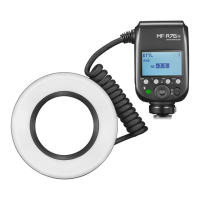
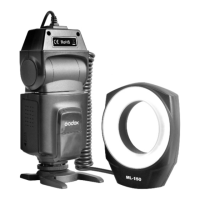
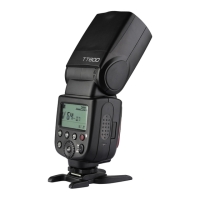
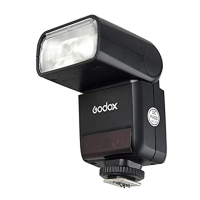
MF12 flash has two modes: TTL autoflash and M manual
flash. In TTL mode, the camera and the flash will work
together to calculate the correct exposure for the subject and
the background.
The main subject is correctly exposed regardless of
background brightness. This is useful when you want to
highlight the main subject or make exposure compensation.
In Manual flash photography, you select the aperture and flash
output level. In this way, you can control the exposure and
flash shooting distance when shooting subjects where the
correct exposure is difficult to obtain in the TTL auto flash
mode.
Short press the < > menu button and turn the select dial to
choose MODE. Then, short press the SET button and turn the
select dial to choose TTL or M mode. Then, short press the
SET button to exit from Mode Selection.
1. Modeling lamp power ON/OFF:
1.1. Short press the < > button to control the on/off of LED
modeling lamp.
1.2. Long press the < > button to enter the modeling lamp
interface and then short press SET button to on/off modeling
lamp.
2. Modeling lamp setting: long press the < > button to enter
modeling lamp interface.
2.1 Brightness setting: turn the select dial to setting the
brightness value from 1 to 10 levels.
Battery Level Indication
3 grids
2 grids
1 grid
Blank grid
is displayed
Meaning
Full
Middle
Low
Low battery, please recharge it.
The battery level is going to be used out immediately. And the flash will auto
power off in 10 seconds. Note: please recharge the battery as soon as possible
(within 10 days). Then, the battery can be used or be placed for long period.
When using off the camera, it is recommended to turn off the “auto power off” mode through
C.Fn-STBY of custom setting functions.
UNLOCK
10
C.Fn
32
CH
TTL
E
Ver 0.5
PHOTOC
WL
MODE
TTL
Battery
1. This adopts Li-ion battery which is non-detachable.
2. It is reliably safe. The inner circuit is against overcharge, overdischarge, overcurrent, and
short circuit.
3. Take only approx. 55 minutes (within 1 hour) to fully charge the battery by using the
5V/2A charger.
• Battery Level Indicator
Power Management
Please turn off the power if not used for a long time.
Auto Power off Mode Setting
Press the menu button, turn the Dial to select STBY, press the
SET button, and then turn the Dial to select 30min/60min/
90min/OFF. After setting the auto power off mode, the flash will
automatically shut down when unattended operation for a long
time(more than 30/60/90 minutes). When it is automatically
shut down, please press the power on button to restart it, the
boot animation appears, turn the Dial to operate.
Modeling Lamp
Flash Mode Selection
• TTL Autoflash Mode
Choose TTL mode and press the < > menu button to back to the interface and the flash will
enter TTL autoflash mode.
- 25 - - 26 -


 To Next Page