EasyManua.ls Logo

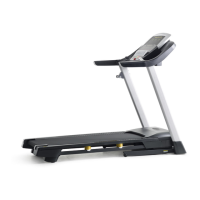
Gold's Gym 450 - User Manual

Gold's Gym 450
28 pages
Print Icon
To Next Page IconTo Next Page
Loading...
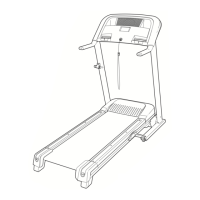
Serial
Number
Decal
Model No. GGTL03607.0
Serial No.
CAUTION
Read all precautions and instruc-
tions in this manual before using
this equipment. Save this manual
for future reference.
USER’S MANUAL
QUESTIONS?
As a manufacturer, we are com-
mitted to providing complete cus-
tomer satisfaction. If you have
questions, or if parts are missing,
PLEASE DO NOT CONTACT
THE STORE; please contact
Customer Care.
IMPORTANT: You must note the
product model number and
serial number (see the drawing
above) before contacting us:
CALL
TOLL-FREE:
1-877-776-4777
Mon.–Fri. 6 a.m.–6 p.m. MST
Sat. 8 a.m.–4 p.m. MST
ON THE WEB:
www.goldsgympowerflex.com
Write the serial number in the space
above for future reference.

Questions and Answers

  • M
    Michele PetersonJul 26, 2025
    What to do if Gold's Gym Treadmill power turns off during use?
    • M
      Michael TuckerJul 26, 2025
      If your Gold's Gym Treadmill turns off during use, try the following: * Check the reset/off circuit breaker. If tripped, wait five minutes, then press the switch back in. * Ensure the power cord is plugged in correctly. If it is, unplug it, wait five minutes, and plug it back in. * Remove and reinsert the key from the console.
  • A
    Amy SmithJul 31, 2025
    How to fix Gold's Gym Treadmill walking belt that slips or is off-center?
    • K
      Karen PetersonJul 31, 2025
      To fix a walking belt that is off-center or slips on your Gold's Gym Treadmill: * First, remove the key and unplug the power cord. * If the belt is off-center, turn the rear roller bolt (clockwise if the belt is shifted to the left, counterclockwise if shifted to the right) by 1/2 turn using a hex key. Be careful not to overtighten the belt. * If the belt slips, turn both rear roller bolts clockwise 1/4 of a turn. The belt should be tight enough that you can lift each edge 2 to 3 inches off the platform. * Plug in the power cord, insert the key, and run the treadmill for a few minutes. Repeat adjustments until the belt is centered and properly tightened.
  • C
    Christy RobinsonAug 5, 2025
    How to fix Gold's Gym Treadmill if the power does not turn on?
    • M
      munozjamesAug 5, 2025
      If your Gold's Gym Treadmill power does not turn on: * Ensure the power cord is plugged into a surge suppressor and the suppressor into a grounded outlet. Use a single-outlet surge suppressor meeting the specified requirements. Note: The treadmill is incompatible with GFCI outlets. * Make sure the key is inserted into the console. * Check the reset/off circuit breaker on the treadmill frame. If the switch protrudes, the breaker has tripped. Wait five minutes, then press the switch back in to reset it.
  • W
    wilsonrobertAug 11, 2025
    Why does the walking belt slow when I walk on my Gold's Gym 450?
    • S
      Sherry EllisAug 11, 2025
      The walking belt on your Gold's Gym Treadmill might slow down when walked on due to several reasons: * Ensure you are using a single-outlet surge suppressor that meets the required specifications. * The walking belt may be overtightened. Remove the key and unplug the power cord. Use a hex key to turn both rear roller bolts counterclockwise 1/4 of a turn. The walking belt should be tightened enough to lift each edge 2 to 3 inches off the walking platform. Plug the cord back in, insert the key, and run the treadmill for a few minutes. Repeat until properly tightened.
  • J
    Jonathan DukeAug 16, 2025
    What to do if Gold's Gym 450 Treadmill incline does not change correctly?
    • J
      Jeffery RussellAug 16, 2025
      If the incline on your Gold's Gym Treadmill isn't changing correctly, with the key in the console, press one of the Incline buttons. While the incline is changing, remove the key. After a few seconds, re-insert the key. The treadmill will automatically rise to the maximum incline level and then return to the minimum level. This will recalibrate the incline system.
  • S
    Stephen CollinsAug 20, 2025
    How to turn off demo mode on Gold's Gym 450 Treadmill?
    • B
      Beverly TurnerAug 21, 2025
      If the console displays on your Gold's Gym Treadmill remain lit after removing the key, the demo mode may be activated. To turn it off, hold down the Stop button for a few seconds. If the displays are still lit, see THE INFORMATION MODE on page 16 to turn off the demo mode.

Summary

Important Precautions

Before You Begin

Assembly

Operation and Adjustment

The Pre-Lubricated Walking Belt

Information on the belt's lubricant and what substances to avoid applying.

How to Plug in the Power Cord

Instructions for safely connecting the treadmill's power cord to a grounded outlet via a surge suppressor.

Console Diagram

Features of the Console

Description of the console's functionalities, including manual mode, workouts, and heart rate monitoring.

How to Turn on the Power

How to Use the Manual Mode

Guide to operating the treadmill using manual speed and incline controls.

How to Use a Classic Workout

How to Use the Weight Loss Workout

The Information Mode

Explanation of how to access and use the information mode for usage tracking and unit measurement selection.

How to Fold and Move the Treadmill

How to Fold the Treadmill for Storage

Steps for safely folding the treadmill into its storage position.

How to Move the Treadmill

Instructions for safely moving the folded treadmill using its wheels.

How to Lower the Treadmill for Use

Steps for unfolding the treadmill from its storage position to ready it for use.

Troubleshooting

Exercise Guidelines

Exercise Intensity

Guidance on determining appropriate exercise intensity levels using heart rate zones.

Workout Guidelines

Recommendations for warming up, training duration, and cooling down during workouts.

Exercise Frequency

Advice on how often to exercise for maintaining or improving fitness levels.

Part List

Exploded Drawing A

Exploded Drawing B

Exploded Drawing C

Exploded Drawing D

Ordering Replacement Parts

Limited Warranty

Gold's Gym 450 Specifications

General IconGeneral
BrandGold's Gym
Model450
CategoryTreadmill
LanguageEnglish

Related product manuals