EasyManua.ls Logo

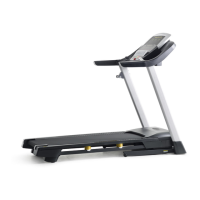
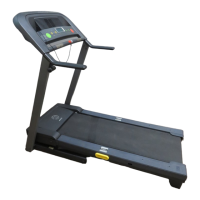
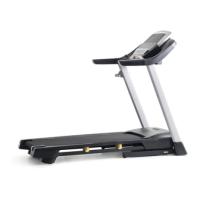
Gold's Gym Trainer 550 - User Manual

Gold's Gym Trainer 550
32 pages
Print Icon
To Next Page IconTo Next Page
Loading...
Model No. GGTL04607.1
Serial No.
CAUTION
Read all precautions and instruc-
tions in this manual before using
this equipment. Save this manual
for future reference.
Serial Number
Decal
USER'S MANUAL
QUESTIONS?
As a manufacturer, we are com-
mitted to providing complete cus-
tomer satisfaction. If you have
questions, or if parts are missing,
PLEASE DO NOT CONTACT THE
STORE; please contact
Customer Care.
IMPORTANT: You must note the
product model number and
serial number (see the drawing
above) before contacting us:
CUSTOMER HOT LINE:
1-877-776-4777
Mon.–Fri. 6 a.m.–6 p.m. MST
Sat. 8 a.m.–4 p.m. MST
ON THE WEB:
www.workoutwarehouse.com
Write the serial number in the space
above for reference.
Visit our website at
www.workoutwarehouse.com
new products, prizes,
fitness tips, and much more!
V

Questions and Answers

  • R
    Rhonda ZimmermanJul 30, 2025
    How to turn on Gold's Gym Trainer 550 Treadmill?
    • A
      Austin SerranoJul 30, 2025
      First, ensure the power cord is properly plugged into a surge suppressor, and the surge suppressor is connected to a grounded outlet. Note that the treadmill isn't compatible with GFCI-equipped outlets. Then, make sure the key is correctly inserted into the console. Lastly, check the reset/off circuit breaker on the treadmill frame near the power cord. If the switch protrudes, the breaker has tripped; wait five minutes, then press the switch back in to reset it.
  • T
    Tyler HerreraAug 5, 2025
    How to fix Gold's Gym Trainer 550 walking belt that slips?
    • A
      Andrea RobertsAug 5, 2025
      If the walking belt is off-center, remove the key and unplug the power cord first. If the belt is shifted to the left, turn the left rear roller bolt clockwise 1/2 turn using the hex key; if it's shifted to the right, turn the left bolt counterclockwise 1/2 turn. Avoid overtightening. Plug in the power cord, insert the key, and run the treadmill briefly, repeating until centered. If the belt slips, remove the key and unplug the power cord. Turn both rear roller bolts clockwise 1/4 turn. Ensure proper tightness, allowing you to lift each edge 2 to 3 inches off the platform. Keep the belt centered. Plug in the power cord, insert the key, and carefully walk on it for a few minutes, repeating until properly tightened.
  • E
    ebrownAug 10, 2025
    What to do if Gold's Gym Trainer 550 turns off during use?
    • M
      Melissa HardyAug 11, 2025
      If your treadmill shuts off while you're using it, first check the circuit breaker located on the frame near the power cord. If tripped, wait five minutes before resetting it. Also, ensure the power cord is securely plugged in; if it is, try unplugging it, waiting five minutes, and then plugging it back in. Another solution is to remove and reinsert the key from the console.
  • J
    Jordan CrawfordAug 16, 2025
    Why does Gold's Gym Trainer 550 Treadmill walking belt slow down when I walk on it?
    • T
      Tara RichardAug 16, 2025
      The walking belt may slow down if the treadmill isn't using a compatible surge suppressor. Ensure you're using a single-outlet surge suppressor that meets the specifications. Also, if the walking belt is too tight, it can decrease performance and damage the belt. To correct this, remove the key and unplug the power cord. Use a hex key to turn both rear roller bolts counterclockwise 1/4 turn. When the belt is properly tightened, you should be able to lift each edge 2 to 3 inches off the platform. Keep the belt centered, then plug the power cord back in, insert the key, and test the treadmill for a few minutes. Repeat as needed.
  • R
    robertsjamesAug 23, 2025
    Why do the Gold's Gym Treadmill console displays stay on when the key is removed?
    • J
      jblakeAug 23, 2025
      If the console displays remain lit after removing the key, the demo mode is likely activated. This mode is intended for in-store displays. To deactivate it, press and hold the Stop button for a few seconds.

Summary

WARNING DECAL PLACEMENT

IMPORTANT PRECAUTIONS

General Safety Guidelines

Essential safety precautions and warnings to read before using the treadmill.

BEFORE YOU BEGIN

Product Overview and Registration

Familiarize with treadmill parts and register for warranty service.

ASSEMBLY

Assembly Hardware and Steps

Detailed instructions and required hardware for assembling the treadmill.

INSTALLING OPTIONAL CHEST PULSE SENSOR

OPERATION AND ADJUSTMENT

Power Cord and Surge Protection

Proper connection of the power cord and the importance of surge suppressors for protection.

Walking Belt Lubrication

Information on the walking belt's pre-lubricated state and care instructions.

CONSOLE OVERVIEW

Console Diagram and Features

Diagram of console buttons and explanation of its various features and modes.

POWERING AND BASIC OPERATION

Turning On the Treadmill

Steps to safely power on the treadmill, including key insertion and circuit breaker use.

Manual Mode Operation

Guide to operating the treadmill in manual mode, controlling speed and incline.

MANUAL MODE OPERATION DETAILS

Tracking Progress and Heart Rate

How to read the display for workout progress and measure heart rate.

Finishing Exercise Safely

Procedures for stopping the treadmill and storing it safely after use.

WORKOUT MODES

Using Heart Rate Workouts

Instructions for selecting and performing heart rate controlled workouts.

Using Event Training Workouts

Guide to performing timed distance-based workouts like 5K or 10K runs.

Using Weight Loss Workouts

Steps to select and perform weight loss workouts for calorie burning.

Using Classic Workouts

Instructions for selecting and performing pre-set classic treadmill workouts.

CONSOLE MODES AND FEATURES

Information, Stereo, and Pulse Sensor

Accessing data, using stereo, and optional pulse sensor features.

FOLDING AND MOVING THE TREADMILL

Folding for Storage

Step-by-step guide to safely fold the treadmill into its storage position.

Moving the Treadmill

Instructions on how to safely tilt and move the folded treadmill using its wheels.

LOWERING THE TREADMILL FOR USE

TROUBLESHOOTING

Power and Display Issues

Solutions for common problems like no power, power turning off, or console display errors.

Walking Belt Performance Issues

Troubleshooting steps for a slow, off-center, or slipping walking belt.

EXERCISE GUIDELINES

Exercise Intensity and Zones

Guidance on setting exercise intensity using heart rate zones for fat burning and aerobic fitness.

Workout and Frequency Recommendations

Advice on warming up, training duration, cooling down, and exercise frequency for optimal results.

SUGGESTED STRETCHES

Basic Stretching Exercises

Illustrated guide to basic stretches for hamstrings, calves, quads, and inner thighs.

PART LIST

EXPLODED DRAWINGS

Drawing A

Diagram illustrating treadmill components and assembly points.

Drawing B

Diagram illustrating treadmill components and assembly points.

Drawing C

Diagram illustrating treadmill components and assembly points.

Drawing D

Diagram illustrating treadmill components and assembly points.

ORDERING REPLACEMENT PARTS

LIMITED WARRANTY

Gold's Gym Trainer 550 Specifications

General IconGeneral
Running Area20" x 55"
Weight Capacity300 lbs
Incline Range0-10%
Running Surface20" x 55"
Motor Power2.5 HP
InclineUp to 10%
SpeedUp to 10 mph
Motor2.5 HP continuous duty
Speed Range0-10 mph
Heart Rate MonitoringPulse grip sensors

Related product manuals