EasyManua.ls Logo

Gold's Gym Trainer 690 - User Manual

Gold's Gym Trainer 690
24 pages
Print Icon
To Next Page IconTo Next Page
Loading...
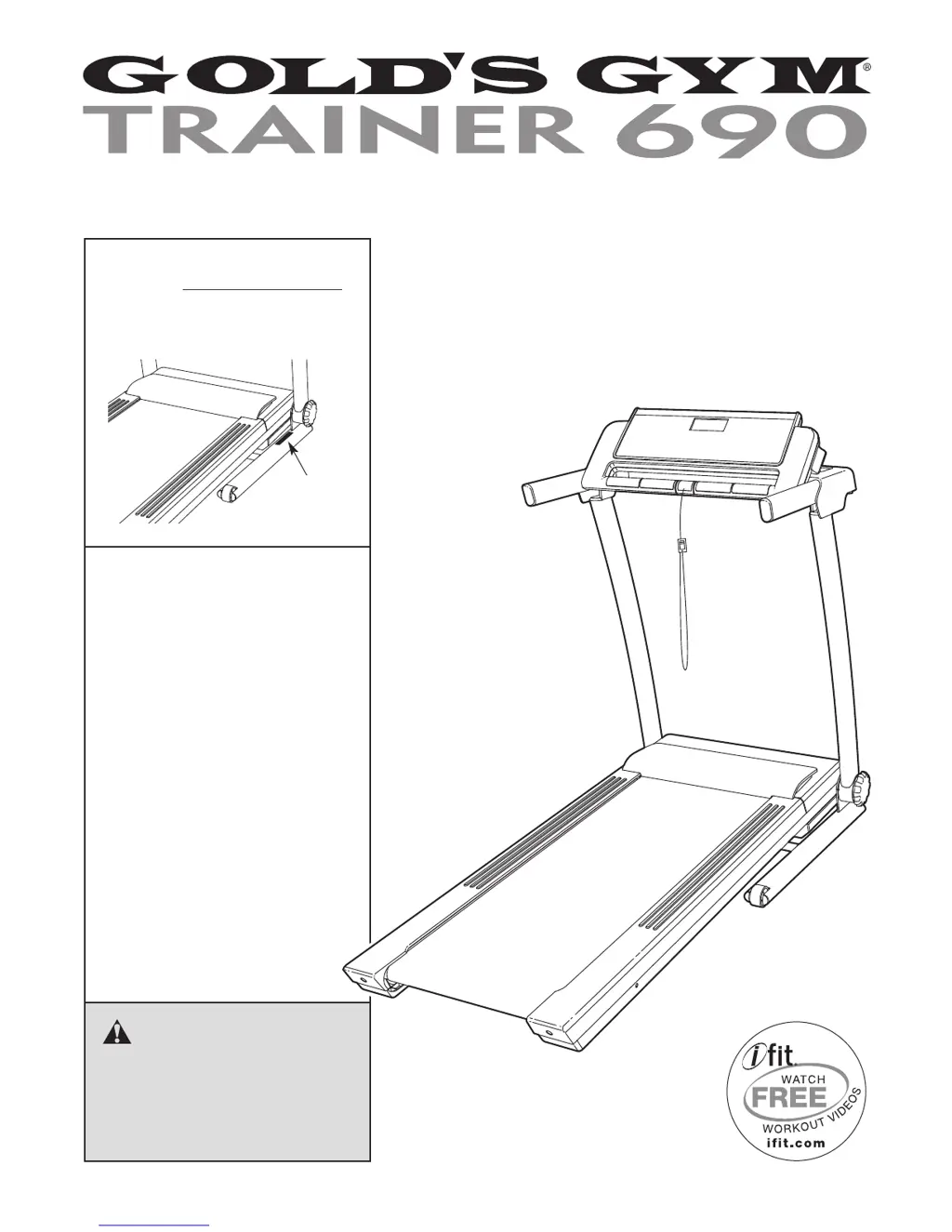
Serial
Number
Decal
Model No. GGTL05609.0
Serial No.
Write the serial number in the space
above for reference.
CAUTION
Read all precautions and instruc-
tions in this manual before using
this equipment. Save this manual
for future reference.
QUESTIONS?
If you have questions, or if parts are
damaged or missing, DO NOT CON-
TACT THE STORE; please contact
Customer Care.
IMPORTANT: Please register this
product (see the limited warranty
on the back cover of this manual)
before contacting Customer Care.
CALL TOLL-FREE:
1-877-776-4777
Mon.–Fri. 6 a.m.–6 p.m. MT
Sat. 8 a.m.–4 p.m. MT
ON THE WEB:
www.workoutwarehouse.com
USER'S MANUAL
www.workoutwarehouse.com

Questions and Answers

  • A
    Annette ChavezJul 29, 2025
    Why does my Gold's Gym Trainer 690 Treadmill power turn off during use?
    • G
      Gabrielle WilkinsJul 29, 2025
      If your Gold's Gym Treadmill turns off during use, there might be a few reasons. First, check the reset/off circuit breaker. Also ensure the power cord is securely plugged in; if it is, unplug it, wait five minutes, and plug it back in. Finally, try removing and reinserting the key from the console.
  • M
    Melinda FloydAug 3, 2025
    What to do if my Gold's Gym Trainer 690 power does not turn on?
    • V
      Vincent RogersAug 3, 2025
      If your Gold's Gym Treadmill power does not turn on, ensure the power cord is plugged into a surge suppressor, and that the surge suppressor is plugged into a grounded outlet, using a single-outlet surge suppressor meeting specific specifications. Also, ensure the key is correctly inserted into the console. Finally, check the reset/off circuit breaker on the treadmill frame; if it protrudes, wait five minutes, then press it back in to reset it.
  • S
    Suzanne RichardsAug 7, 2025
    Why is my Gold's Gym Trainer 690 walking belt slowing when walked on?
    • A
      Adam HansonAug 7, 2025
      If the walking belt on your Gold's Gym Treadmill slows down when you walk on it, make sure you are using a single-outlet surge suppressor that meets the required specifications. If the belt is overtightened, remove the key and unplug the power cord, then use a hex key to turn both idler roller bolts counterclockwise, 1/4 of a turn. If the issue persists, refer to the front cover of this manual.
  • T
    Timothy Walker MDAug 11, 2025
    What to do if my Gold's Gym Trainer 690 Treadmill walking belt is off-center or slips?
    • J
      Jill GarciaAug 11, 2025
      If the walking belt on your Gold's Gym Treadmill is off-center or slips, first remove the key and unplug the power cord. If the belt has shifted left, use a hex key to turn the left idler roller bolt clockwise 1/2 turn. If it has shifted right, turn the bolt counterclockwise 1/2 turn. If the belt slips, turn both idler roller bolts clockwise 1/4 turn.
  • M
    Melissa BarnesAug 15, 2025
    How to fix incline on Gold's Gym Treadmill?
    • C
      Carlos OconnorAug 15, 2025
      To address incline issues on your Gold's Gym Treadmill, insert the key into the console and press one of the Incline buttons. While the incline is changing, remove the key, wait a few seconds, and then re-insert it.
  • A
    Alfred LewisAug 20, 2025
    What to do if Gold's Gym Treadmill console displays don't function properly?
    • E
      ericlopezAug 20, 2025
      If the displays on your Gold's Gym Treadmill console are not functioning properly, remove the key and unplug the power cord. Then, locate the Reed Switch and the Magnet on the left side of the Pulley. Turn the Pulley until the Magnet aligns with the Reed Switch, ensuring the gap between them is correct.
  • L
    Lisa BarnettAug 25, 2025
    How to turn off demo mode on Gold's Gym Treadmill?
    • S
      Sheila WattsAug 25, 2025
      To turn off demo mode on your Gold's Gym Treadmill, hold down the Stop button for a few seconds. If the displays are still lit, see THE INFORMATION MODE on page 13 to turn off the demo mode.

Summary

Warning Decal Placement and Safety

Critical Safety Precautions

Lists essential warnings for preventing serious injury during treadmill use.

Important Precautionary Measures

Additional Safety Instructions

Safe Operation and Maintenance

Emphasizes unattended operation, unplugging for maintenance, and proper usage.

Treadmill Assembly Procedures

Assembly Finalization

Treadmill Operation Basics

Walking Belt and Power Connection

Explains belt lubrication and proper power cord connection with surge suppressor.

Powering On and Manual Mode

Powering On and Safety Key

Guides on turning on power, using the safety key, and handling demo mode.

Workout Controls and Tracking

Using Preset Workouts

Folding, Moving, and Lowering

Folding Treadmill for Storage

Provides step-by-step instructions for folding the treadmill safely.

Moving and Lowering Procedures

Guides on safely moving the folded unit and unfolding it for use.

Troubleshooting Common Issues

Power and Console Display Problems

Addresses issues like the treadmill not powering on, turning off, or console displays malfunctioning.

Troubleshooting Performance Issues

Incline and Belt Speed Corrections

Offers solutions for incorrect incline changes and the walking belt slowing down.

Troubleshooting Belt Alignment

Belt Centering and Slipping Fixes

Details procedures for adjusting the walking belt to prevent it from being off-center or slipping.

Exercise Guidelines and Recommendations

Ordering Replacement Parts

Gold's Gym Trainer 690 Specifications

General IconGeneral
BrandGold's Gym
ModelTrainer 690
CategoryTreadmill
LanguageEnglish

Related product manuals