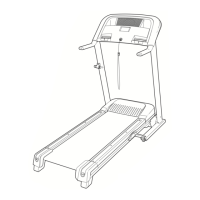
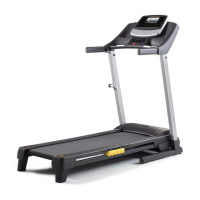
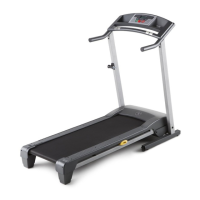
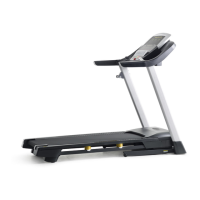
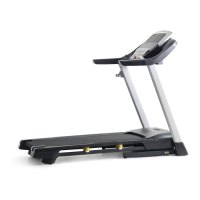
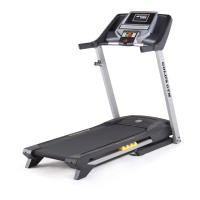
The Gold's Gym Trainer 520 is a treadmill designed for home use, offering a range of features to enhance workouts and promote cardiovascular fitness. It allows users to engage in walking or running exercises with adjustable speed and incline settings. The console provides continuous exercise feedback and includes preset workouts for varied training.
Function Description
The primary function of the Gold's Gym Trainer 520 treadmill is to provide a platform for cardiovascular exercise through walking or running. It features a motorized walking belt that moves at adjustable speeds, and an incline system that allows users to simulate uphill walking or running. The console acts as the central control unit, enabling users to start/stop workouts, adjust speed and incline, and monitor their progress. The built-in handgrip heart rate monitor helps users track their heart rate during exercise, aiding in maintaining target training zones. The treadmill also includes a sound system, allowing users to connect an MP3 player or other audio device to listen to music or audio books during their workout.
Usage Features
Getting Started:
Before using the treadmill, it's crucial to ensure proper assembly and connection to a power source. The treadmill requires a surge suppressor (not included) to protect against voltage changes. Users must plug the power cord into a surge suppressor, and then the suppressor into a properly grounded outlet. The power switch, located on the treadmill frame near the power cord, must be in the reset position.
Safety Key:
A key with an attached clip is a critical safety feature. The clip should be attached to the user's waistband, and the key inserted into the console. In an emergency, pulling the key from the console will cause the walking belt to slow to a stop. Users are advised to test this emergency stop procedure before each workout.
Manual Mode:
Upon inserting the key, the treadmill defaults to manual mode. In this mode, users can manually control the speed and incline.
- Starting the Walking Belt: Pressing the "Start" button, "Speed increase" button, or one of the "Quick Speed" buttons will initiate movement. If "Start" or "Speed increase" is pressed, the belt starts at 1 mph. "Quick Speed" buttons allow for direct selection of a specific speed.
- Adjusting Speed: Speed can be increased or decreased using the dedicated buttons. Each press changes the speed by 0.1 mph, while holding the button down changes it in 0.5 mph increments.
- Adjusting Incline: The incline can be changed using the "Incline increase" and "decrease" buttons, or "Quick Incline" buttons. Each press changes the incline by 0.5 percent.
- Stopping the Walking Belt: Pressing the "Stop" button will halt the walking belt. The time display will flash, and the workout can be restarted by pressing "Start" or "Speed increase."
- Heart Rate Monitoring: Users can measure their heart rate by placing their hands on the metal contacts on the handrails. For accuracy, hands should remain still for about 15 seconds.
Preset Workouts:
The treadmill offers preset workouts, including "Weight Loss Workouts" and "Performance Workouts."
- Selecting a Workout: Repeatedly pressing the "Weight Loss Workouts" or "Performance Workouts" button will cycle through the available programs.
- Workout Structure: Each workout is divided into 30 one-minute segments, with programmed speed and incline settings for each. The console displays a profile of the speed settings, showing current progress and upcoming segments.
- Manual Override: During a preset workout, users can manually adjust speed and incline. However, the treadmill will automatically revert to the programmed settings for the next segment.
Information Mode:
The information mode provides usage statistics and allows for unit of measurement selection.
- Accessing Information Mode: Insert the key while holding down the "Stop" button, then release "Stop."
- Displays: The upper display shows total hours of use, and the lower left display shows total miles or kilometers traveled. The lower right display indicates the selected unit ("E" for English miles, "M" for metric kilometers), which can be changed with the "Speed increase" button.
- Demo Mode: The information mode also allows users to turn the display demo mode on or off using the "Speed decrease" button.
- Exiting Information Mode: Remove the key from the console.
Sound System:
The console includes a sound system. Users can connect a 3.5 mm male-to-male audio cable (not included) from their MP3 player, CD player, or other personal audio player to the console's jack. Volume is controlled via the personal audio player.
Folding and Moving:
The treadmill can be folded for storage.
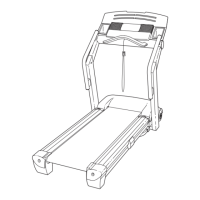
- Folding: Adjust the incline to zero, remove the key, and unplug the power cord. Hold the metal frame firmly (avoiding plastic foot rails), bend legs, and keep the back straight while raising the frame until the latch pin aligns with the platform cushion hole. Release the latch knob to secure it.
- Moving: With the treadmill folded and latched, hold the frame and one handrail, place one foot against a wheel, and pull back on the handrail to roll the treadmill to the desired location. Avoid tipping it back or moving it over uneven surfaces.
- Lowering: Hold the upper end of the treadmill, pull the latch knob, and lower the frame past the latch pin. Release the knob, then hold the metal frame firmly with both hands and lower it to the floor, again avoiding plastic foot rails and dropping the frame.
Maintenance Features
Regular maintenance is essential for the optimal performance and longevity of the Gold's Gym Trainer 520 treadmill.
Cleaning:
- Frequency: The treadmill and walking belt should be cleaned regularly.
- Procedure: First, press the power switch to the off position and unplug the power cord. Wipe exterior parts with a damp cloth and a small amount of mild soap. Avoid spraying liquids directly onto the treadmill console to prevent damage. Thoroughly dry the treadmill with a soft towel.
Part Inspection and Tightening:
- Frequency: Inspect and properly tighten all parts each time the treadmill is used.
Walking Belt Adjustment:
- Slowing Belt: If the walking belt slows when walked on, it might be overtightened. Remove the key and unplug the power cord. Use the included hex key to turn both idler roller screws counterclockwise by 1/4 of a turn. The belt should be lifted 2 to 3 inches (5 to 7 cm) off the walking platform. Re-center the belt if necessary. Plug in the power cord, insert the key, and run the treadmill for a few minutes. Repeat until properly tightened.
- Off-Center Belt: If the walking belt is off-center, remove the key and unplug the power cord. If the belt shifted left, turn the left idler roller screw clockwise 1/2 of a turn. If it shifted right, turn the left idler roller screw counterclockwise 1/2 of a turn. Avoid overtightening. Plug in the power cord, insert the key, and run the treadmill for a few minutes until the belt is centered.
- Slipping Belt: If the walking belt slips, remove the key and unplug the power cord. Turn both idler roller screws clockwise by 1/4 of a turn. The belt should be lifted 2 to 3 inches (5 to 7 cm) off the walking platform. Re-center the belt if necessary. Plug in the power cord, insert the key, and carefully walk on the treadmill for a few minutes. Repeat until properly tightened.
Lubrication:
The walking belt is coated with a high-performance lubricant. Users should never apply silicone spray or other substances to the walking belt or platform unless instructed by an authorized service representative, as this can cause deterioration and excessive wear. If more lubricant is suspected to be needed, contact customer care.
Incline System Calibration:
If the incline does not change correctly, it may need recalibration. Hold down the "Stop" and "Speed increase" buttons, insert the key, then release the buttons. Press "Stop" again, then press "Incline increase" or "decrease." The treadmill should automatically rise to maximum incline and then return to minimum, calibrating the system. If it doesn't start, repeat the "Stop" and "Incline" button presses. Remove the key once calibrated.
Power Switch Reset:
If the power turns off during use or does not turn on, check the power switch on the treadmill frame. If it protrudes, it has tripped. Wait five minutes, then press the switch back in to reset.
Storage:
When storing the treadmill, ensure it is folded and the storage latch is fully engaged. Keep the treadmill indoors, away from moisture, dust, direct sunlight, and temperatures above 85° F (30° C).


 To Next Page
 General