EasyManua.ls Logo

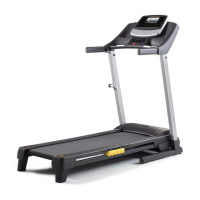
Gold's Gym Trainer 480 - User Manual

Gold's Gym Trainer 480
28 pages
Print Icon
To Next Page IconTo Next Page
Loading...
Model No. GGTL39608.8
Serial No.
Write the serial number in the
space above for reference.
USER'S MANUAL
CAUTION
Read all precautions and instruc-
tions in this manual before using
this equipment. Keep this manual
for future reference.
www.workoutwarehouse.com
QUESTIONS?
If you have questions, or if parts are
damaged or missing, DO NOT
CONTACT THE STORE; please
contact Customer Care.
IMPORTANT: Please register this
product (see the limited warranty
on the back cover of this manual)
before contacting Customer Care.
CALL TOLL-FREE:
1-877-776-4777
Mon.–Fri. 6 a.m.–6 p.m. MT
Sat. 8 a.m.–12 p.m. MT
ON THE WEB:
www.workoutwarehouse.com
Serial Number
Decal

Questions and Answers

  • E
    ejacksonAug 2, 2025
    Why does Gold's Gym Treadmill power turn off during use?
    • O
      ofrazierAug 2, 2025
      If your Gold's Gym Treadmill turns off during use, try these steps: * Check the power switch located on the treadmill frame near the power cord. If the power switch has tripped, wait five minutes and then press the switch back in. * Ensure the power cord is properly plugged in. If it is, unplug it, wait five minutes, and then plug it back in. * Remove and reinsert the key from the console.
  • L
    linalyssaAug 7, 2025
    How to fix Gold's Gym Trainer 480 walking belt slips?
    • J
      Jeffrey PenaAug 7, 2025
      If the walking belt slips when walked on your Gold's Gym Treadmill, first remove the key and unplug the power cord. Then, use the hex key to turn both idler roller bolts clockwise, 1/4 of a turn. The walking belt should be tightened correctly when you can lift each edge of the walking belt 2 to 3 inches off the walking platform. Be careful to keep the walking belt centered. Plug in the power cord, insert the key, and carefully walk on the treadmill for a few minutes. Repeat until the walking belt is properly tightened.
  • C
    Cindy TorresAug 12, 2025
    How to fix Gold's Gym Treadmill that won't turn on?
    • D
      Dr. Mallory Savage DVMAug 12, 2025
      If your Gold's Gym Treadmill does not turn on, check the following: 1. Ensure the power cord is plugged into a surge suppressor, and that the surge suppressor is plugged into a properly grounded outlet. Use only a single-outlet surge suppressor. 2. Make sure that the key is inserted into the console. 3. Check the power switch located on the treadmill frame near the power cord. If the switch protrudes, the switch has tripped. To reset it, wait five minutes and then press the switch back in.
  • J
    Joseph Cruz DDSAug 17, 2025
    What to do if Gold's Gym Trainer 480 walking belt slows down?
    • C
      Christopher LyonsAug 17, 2025
      If the walking belt slows down when walked on your Gold's Gym Treadmill: * Use only a single-outlet surge suppressor. * If the walking belt is overtightened, treadmill performance may decrease and the walking belt may become damaged. Remove the key and unplug the power cord. Using the hex key, turn both idler roller bolts counterclockwise, 1/4 of a turn. When the walking belt is properly tightened, you should be able to lift each edge of the walking belt 2 to 3 inches off the walking platform. Then, plug in the power cord, insert the key, and run the treadmill for a few minutes. Repeat until the walking belt is properly tightened.
  • T
    Terri PerezAug 22, 2025
    Why Gold's Gym Trainer 480 Treadmill incline does not change correctly?
    • K
      Kelli WilliamsAug 22, 2025
      If the incline of your Gold's Gym Treadmill does not change correctly, with the key in the console, press one of the Incline buttons. While the incline is changing, remove the key. After a few seconds, re-insert the key. The treadmill will automatically rise to the maximum incline level and then return to the minimum level. This will recalibrate the incline system.
  • C
    Cameron LambAug 27, 2025
    How to turn off demo mode on Gold's Gym Trainer 480 Treadmill?
    • T
      Travis CarpenterAug 27, 2025
      The console on your Gold's Gym Treadmill features a display demo mode, designed to be used if the treadmill is displayed in a store. If the displays remain lit when you remove the key, the demo mode is turned on. To turn off the demo mode, hold down the Stop button for a few seconds.

Summary

Users Manual Overview

Product Identification and Contact Information

Details model number, serial number, and customer support contact methods.

Important Safety Caution

General warning to read precautions and instructions before use.

Warning Decal Placement

Decal Location Illustration

Shows placement of warning decals on the treadmill for user safety.

Critical Safety Warnings

Lists essential safety instructions for treadmill operation.

Important Precautions

Health and Usage Guidelines

Covers physician consultation, user responsibility, and general usage rules.

Environmental and Safety Placement

Dictates treadmill placement, moisture, and electrical safety.

Operating Safety Rules

Details safe practices for operating the treadmill, including speed and emergency stops.

Additional Precautions

Specific Usage and Maintenance Warnings

Covers dumbbell use, pulse sensor, regular inspection, and proper servicing.

Usage Limitations and Overexertion

Outlines intended use, weight limits, and risks of overexertion.

Before You Begin

Treadmill Features and Manual Review

Introduces treadmill features and emphasizes reading the manual.

Console and Part Identification

Identifies key components of the treadmill console and frame.

Assembly Instructions

Hiring Assembly Service and Tools

Information on professional assembly and required tools for self-assembly.

Hardware Identification

Visual guide to identify all hardware components needed for assembly.

Assembly Steps

Attaching Uprights to Base

Step-by-step instructions for connecting the uprights to the treadmill base.

Installing Treadmill Wheels

Details the process for attaching the wheels to the treadmill base.

Continued Assembly

Routing Upright Wires

Instructions for properly routing the internal wiring through the uprights.

Attaching Frame Spacers

Guidance on greasing and attaching the frame spacers between uprights and frame.

Further Assembly

Connecting Console Wiring

Steps for connecting the console wire harness to the upright wire.

Securing Left Frame Spacer

Instructions for attaching the remaining frame spacer to the left side.

Console and Handrail Assembly

Attaching Console Assembly

Securing the console assembly to the uprights using bolts and washers.

Attaching Handrails and Pulse Assembly

Instructions for attaching handrails and the pulse sensor assembly.

Final Assembly Steps

Connecting Handrail Wiring

Connecting the handrail wire harness to the console assembly harness.

Securing Handrails to Console

Final steps to attach handrails and secure them to the console frame.

Assembly Completion

Final Upright and Frame Tightening

Tightening all bolts and ensuring the frame is centered between uprights.

Ground Wire and Latch Pin Installation

Attaching the ground wire and the latch pin assembly for secure operation.

Operation and Adjustment

Walking Belt Lubrication

Information about the pre-lubricated walking belt and maintenance warnings.

Power Connection and Surge Protection

Details on plugging in the power cord, surge suppressors, and grounding.

Console Overview

Console Diagram and Labels

Visual identification of all buttons and displays on the console.

Console Features and Modes

Explains the console's functions, including manual and preset workouts.

Starting and Manual Mode

Powering On the Treadmill

Step-by-step instructions for safely turning on the treadmill power.

Using the Manual Mode

Guide on how to operate the treadmill using manual speed and incline controls.

Tracking Progress and Heart Rate

Understanding Console Displays

Explains how to interpret the various data displayed during a workout.

Measuring Heart Rate and Finishing Workout

Instructions for using the pulse sensor and concluding a workout session.

Preset Workouts

Selecting and Starting Preset Workouts

How to choose and begin a pre-programmed exercise routine.

Using Dumbbells with Workouts

Guidance on incorporating dumbbells into specific workout programs.

Information and Demo Modes

Information Mode Usage

How to access and use the information mode for usage stats and unit selection.

Demo Mode and Dumbbell Use

Explains the store demo mode and basic dumbbell exercise techniques.

Folding and Moving the Treadmill

Folding the Treadmill for Storage

Step-by-step instructions on how to safely fold the treadmill.

Moving and Lowering the Treadmill

Guidance on safely moving the folded treadmill and preparing it for use.

Troubleshooting

Power and Console Errors

Solutions for common power-on issues and console display problems.

Operation and Display Malfunctions

Troubleshooting steps for power interruptions and non-functioning console displays.

Troubleshooting Continued

Walking Belt Performance Issues

Addresses issues with belt slowing, slipping, or being off-center.

Incline System Calibration

Steps to recalibrate the incline system if it's not functioning correctly.

Exercise Guidelines

Exercise Intensity and Heart Rate Zones

Using heart rate to determine appropriate intensity for fat burning and aerobic exercise.

Workout Structure and Frequency

Recommendations for warming up, training duration, cooling down, and workout frequency.

Parts List

Component Identification by Key Number

A detailed list of all parts with corresponding key numbers for reference.

Exploded Drawings

Exploded Drawing A: Main Frame Assembly

Visual breakdown of the treadmill's main frame and associated components.

Exploded Drawings Continued

Exploded Drawing B: Console Components

Detailed view of the console's internal components and their assembly.

Exploded Drawings Additional

Exploded Drawing C: Uprights and Base

Illustration showing the assembly of uprights, handrails, and the base structure.

Exploded Drawings Final

Exploded Drawing D: Console and Tray Assembly

Visual breakdown of the console, trays, and smaller accessory components.

Parts and Warranty

Ordering Replacement Parts Procedure

Information and requirements for ordering replacement parts.

Limited Warranty Details

Outlines the terms, conditions, and duration of the product warranty.

Gold's Gym Trainer 480 Specifications

General IconGeneral
BrandGold's Gym
ModelTrainer 480
CategoryTreadmill
LanguageEnglish

Related product manuals