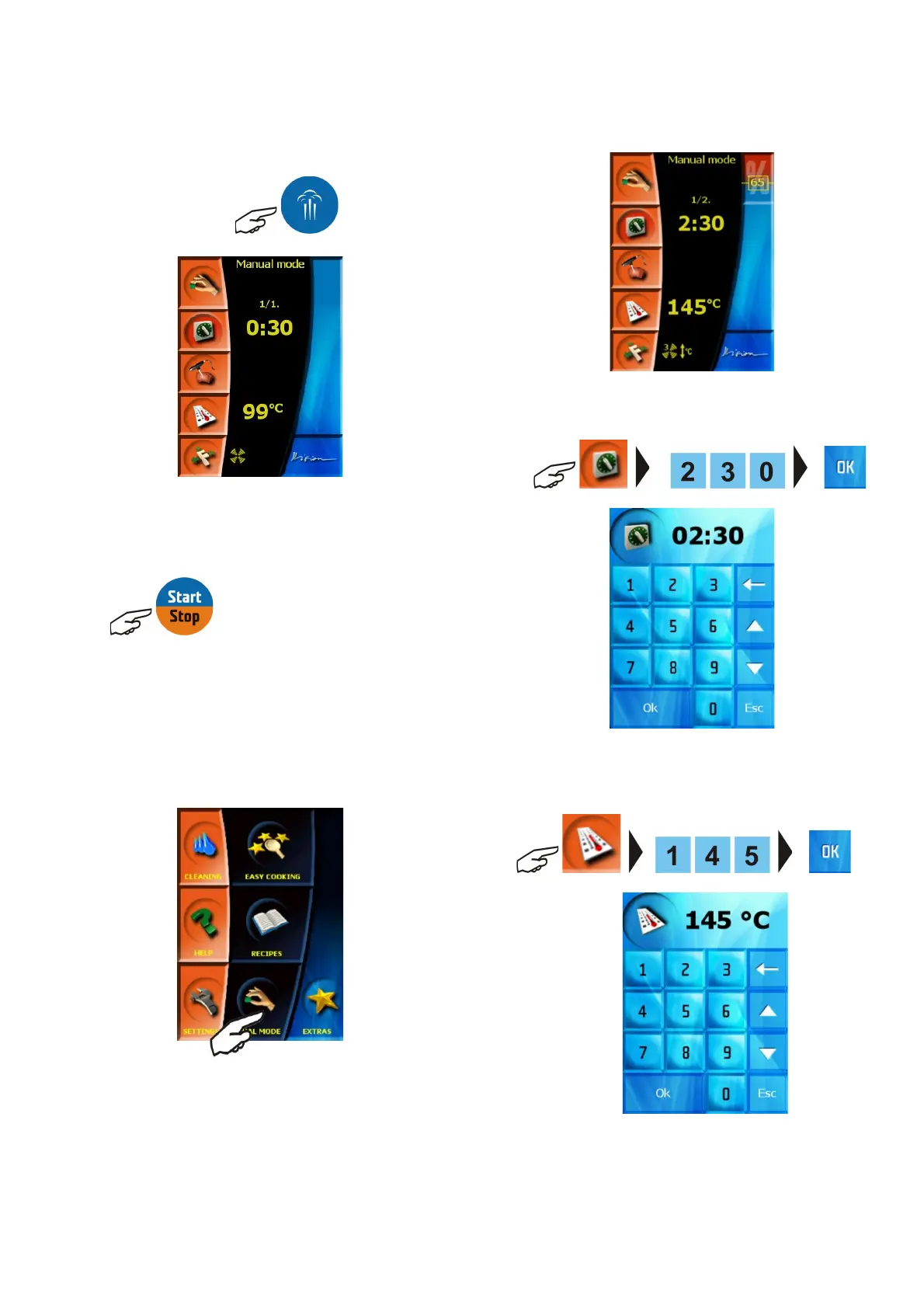
Steaming” mode
When the pre-set values comply with required values for the
preparation of an actual food, the process will be initiated by pressing
the button
cooking process. We can stop the process by pressing the same
button at any time.
b) by pressing the manual control button and choosing
the setting of parameters according to your own requirements
The same procedure of adjusting the pre-set values according to
own needs and processes applies to all the three cooking modes!!
Sample setting of cooking process to:
Mode Hot air and steam
Time 2hrs 30min
Temperature 145˚C
Humidity 65%
Ventilator speed Lower ventilator speed – ¾”
Preheating YES
1. Set the desired preparation time; confirm the selection by
pressing “OK”
2. Set the desired preparation temperature; confirm the selection
by pressing “OK”
3. Select “Hot air and steam” mode; you can also set the value
of humidity in the cooking chamber:
11
OPERATION MANUAL FOR GOLDSTEIN VISION COOKING CENTRES


 To Next Page