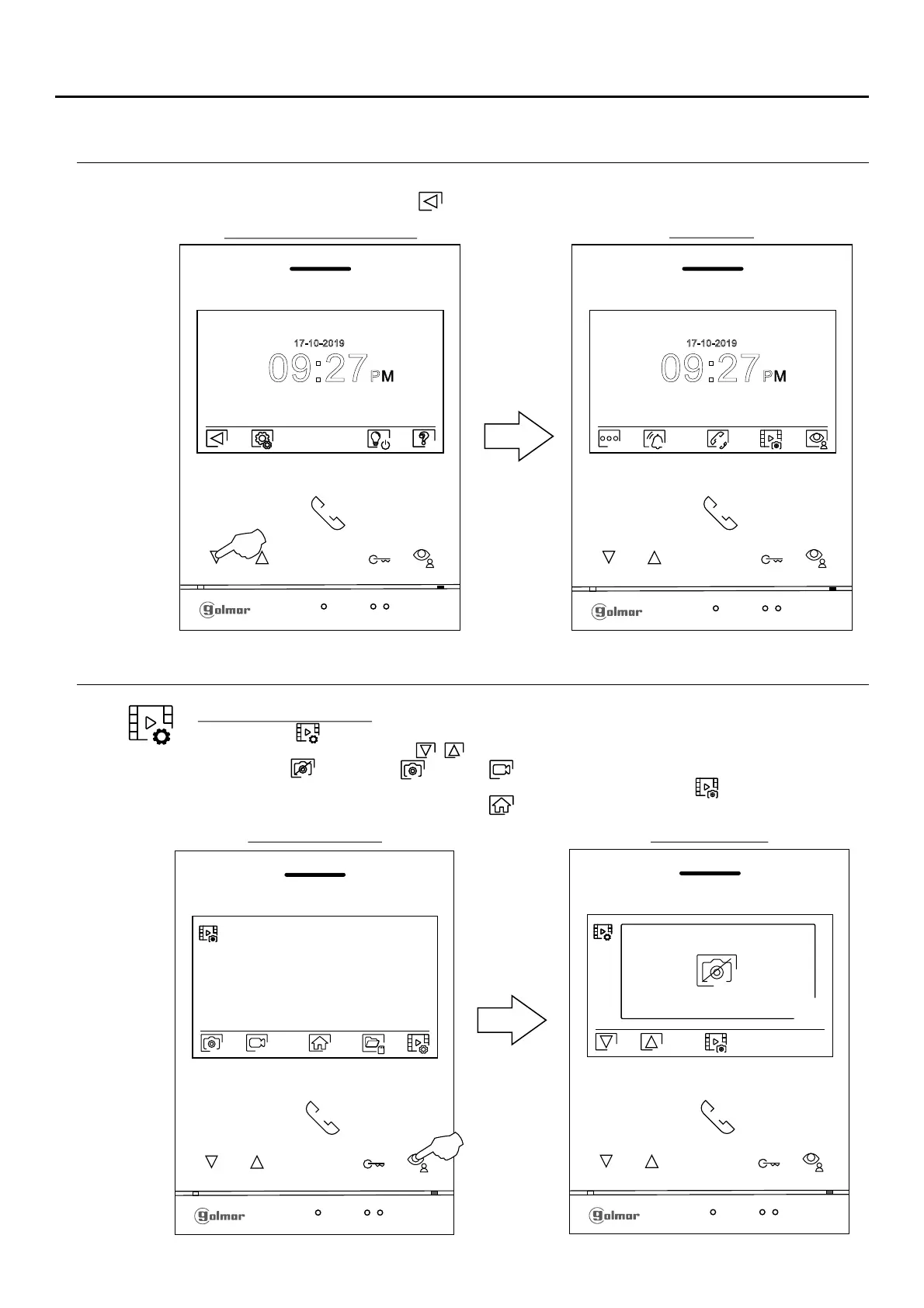
RECORDING MODE SETTINGS SCREEN
Recording mode settings: Access the recordings menu as described on p. . Then press the button
below icon to access the settings screen.
6
Press the buttons below icons / to select image recording mode during call reception: no
recording , still image or video . The latter is only available when a MicroSD card is
inserted. To return to the recordings menu, press the button below icon . Then, to return to the
main menu, press the button below icon .
Recordings menu
Settings menu 1st screen
09:27PM
17 10 9- -201
Then press the button below icon to return to the main menu.
09:27PM
17 10 9- -201
Main menu
Settings screen
SETTINGS MENU
12
Continued from previous page.
ART 4/G2+MONITOR

 To Next Page
 Loading...