10
ART 7W/G2+ MONITOR
The 'About' screen provides information about the device, such as the monitor version and itsfirmware
address.
Press 'Instructions manual' or 'Apps' to display the QR code that will take you to the updated downloads
of this instruction manual and the G2Call app for your mobile phone./ G2Call+ Depending onNote:
the version of your monitor, see the previous section .
Use icon to restore factory settings, such as language, melodies, etc. Wi-Fi parameters will not be
modified.
Use icon to return to the settings menu.
About
During the first startup of the device, we recommend resetting the Wi-Fi parameters using icon .
Note that .only the master monitor can activate Wi-Fi transmission
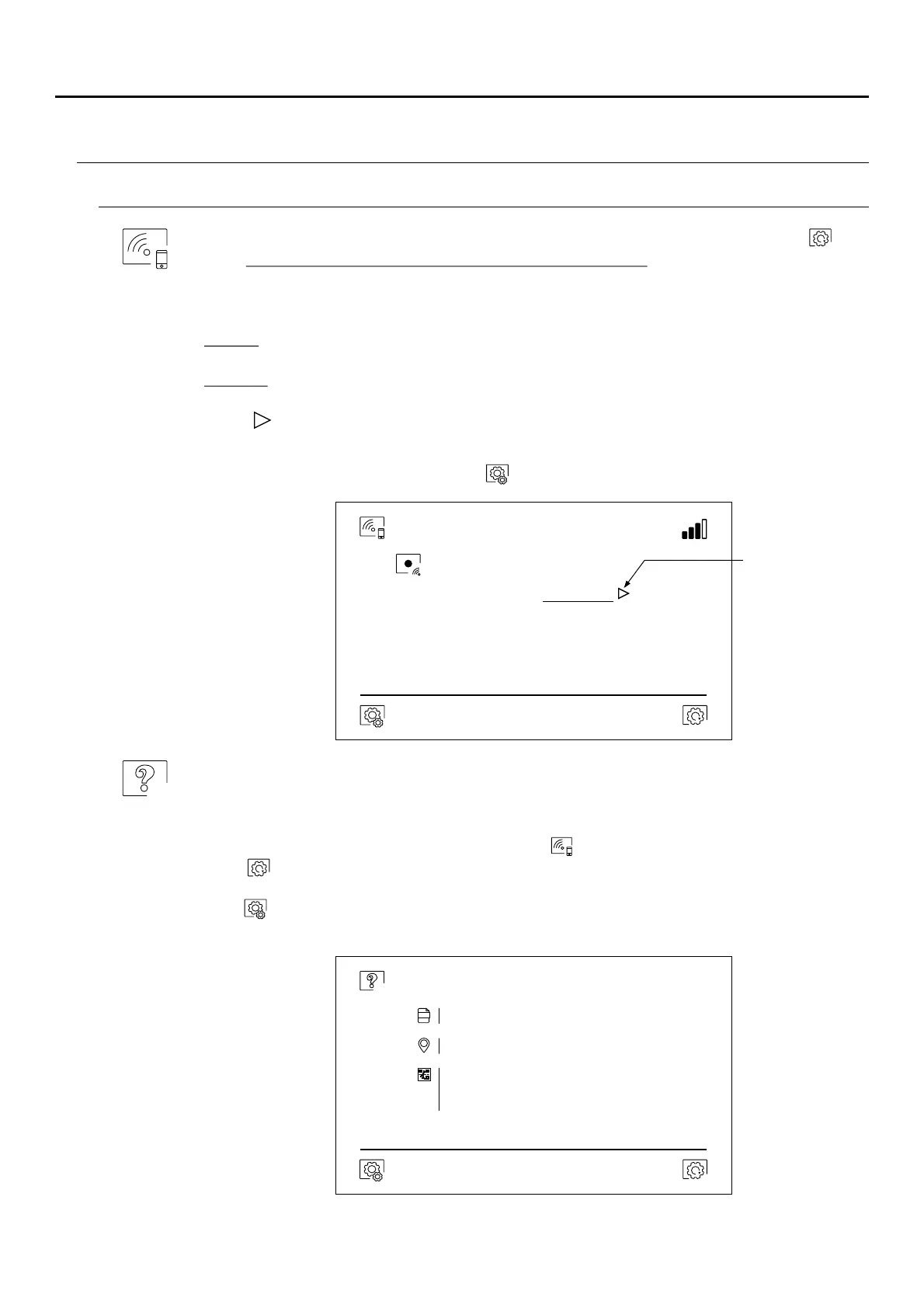
The Wi-Fi menu shows information about the identity of the monitor (UID), the name of the network to
which it is connected (SSID) and the signal strength. To connect the monitor to your Wi-Fi network,
you must use the app:
G2Call: ART 7W monitor with V.05 and previous. For the configuration and settings of the app, see
manual “TART 7W/G2+ EN REV.0120" (cód. 50122463).
G2Call+: ART 7W monitor with V.06 and later. For the configuration and settings of the app, see
manual “TAPP G2CALL+ G2+ ML REV.0121" (cód. 50123137).
Using icon , select the desired transfer mode ('instant' start of the call transfer to the mobile phone within 3
seconds of making the call on the door panel, 'No answer' start of the call transfer to the mobile phone 50
seconds after making the call on the door panel, 'Do not divert' there is no call transfer to the mobile
phone. Validate the changes made with icon , and the monitor will return to the settings menu.
Settings menu
Wi Fi-
Activate Wi-Fi
UID vpks9mfkrpxk
SSID - network
Golmar WiFi
Call transfer
No answer
Access the call
transfer modes:
Do not divert
Instant
FW
Monitor address
Instructions manual
Apps
001/M
1.06
Important: New settings menu with ART 7W G2+ monitor with V.04 and later.
ART MONITOR7W/G2+
( )
*
( )
*
( )
*



 To Next Page