Settings "guard monitor" mode:
The monitor/s to be configured as a guard monitor/s (up to 4 monitors) in the building, must be
configured with and as , , or . Then enter the special codeaddress 1 master slave 1 slave 2 slave 3
' ' in a master monitor (see special codes on pages 20 to 2 ), the monitor/s with address 1 will5001 2
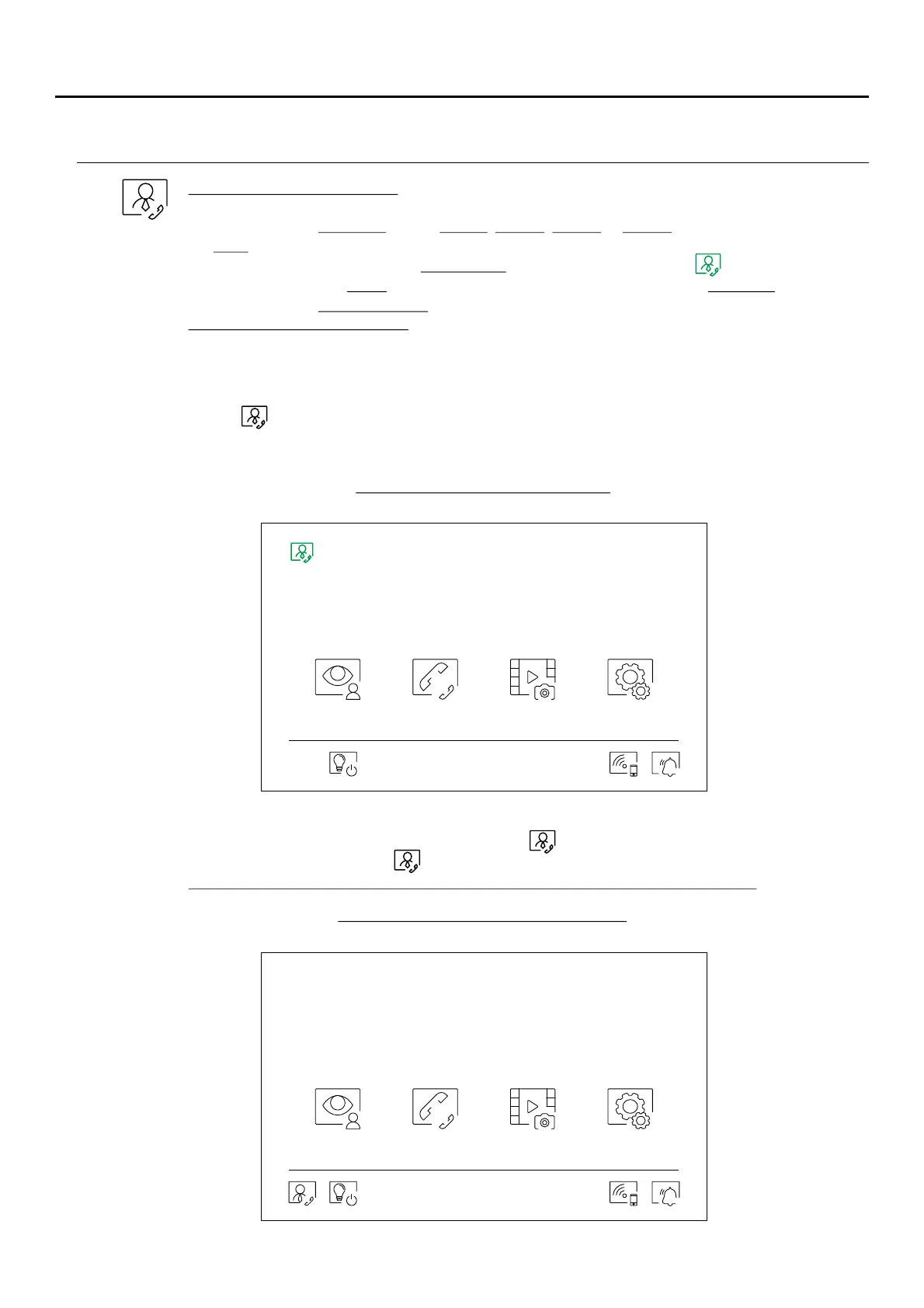
be now a guard monitor/s with and displaying the symbol at the top right of theaddress 129
main menu screen. The access door panel will auto-configure the on the soundNote: button P1
module with the .call address 129
Operation of the "guard monitor":
-The master and slave monitor(s) receive the call from the access door panel (by pressing button P1
on the sound module).
-The master and slave guard monitor(s) can be autoswitch-on with the access door panel.
- receives calls from the apartments (by pressing the button belowOnly the master guard monitor
icon on the main menu of the apartment monitor).
-The master and slave guard monitor(s) can be used to call the apartmets (intercom menu).
-It allows internal intercommunication between the guard monitors.
Guard monitor main menu screen
In the main menu monitor/s of the apartments, the icon of call to guard monitor will be displayed.
Press the button below the icon to make a call to the guard monitor.
Important: Only the master guard monitor will receive the call from the apartment.
Main menu monitor/s of the apartment
SETTINGS AND OPERATION OF THE GUARD MONITOR
19
ART MONITOR7W/G2+
09:27PM
07-04-2020 Tues
Door panel Intercom Recordings Settings
09:27PM
07-04-2020 Tues
Door panel Intercom Recordings Settings



 To Next Page