101
MONITOR PROGRAMMING
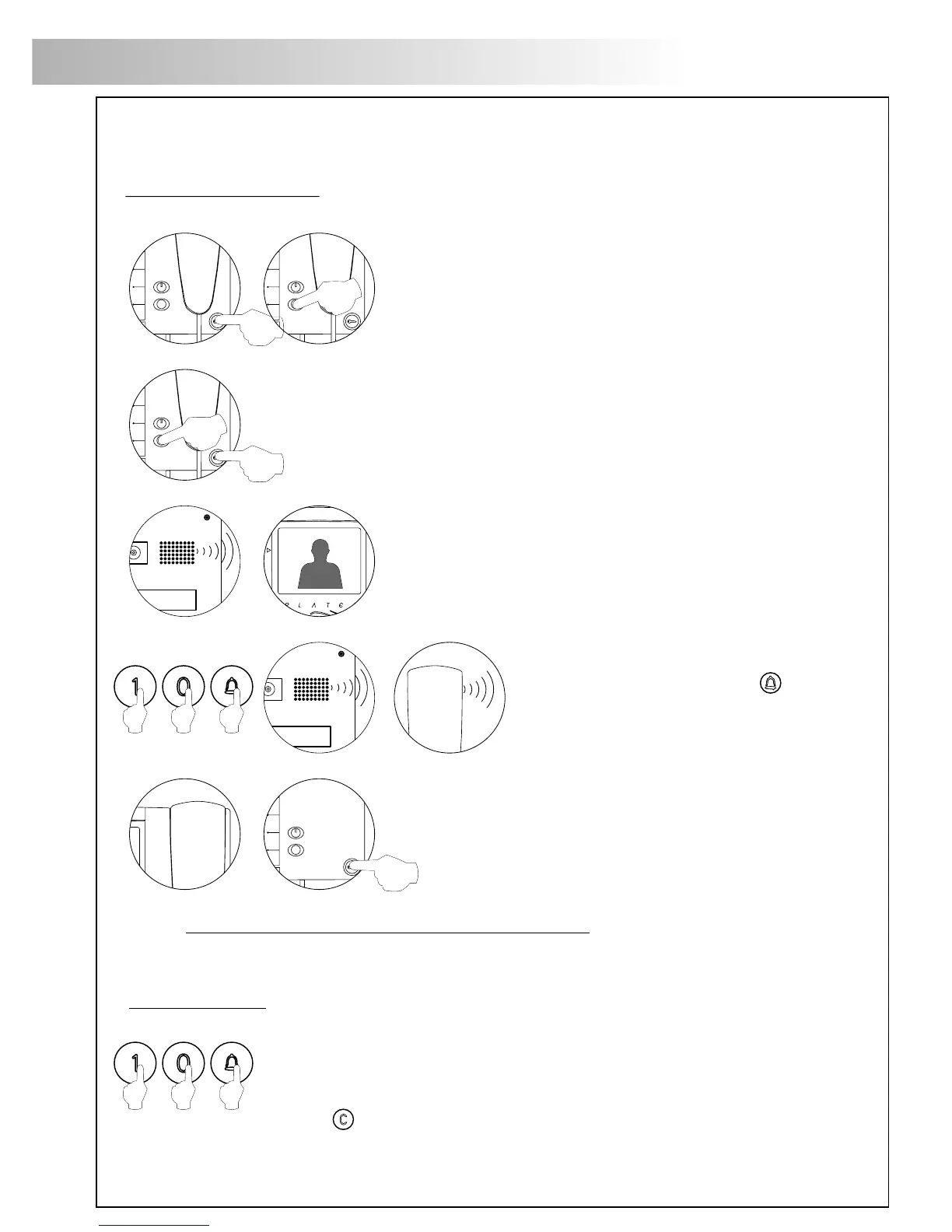
Make a call to make sure that the monitor has been properly programmed.
Program the other monitors in the same way.
At the end of the program process, exit the configuration menu by pressing
The key. If you forget to do this, the doorpanel will exit
automatically the menu after 90 seconds.
rogramming the monitors.
P
For Platea Uno monitors:
For both monitors:
Turn off the monitor to be set, by pressing the door opener
button during 1 second.
Once it has been turned off, press the autoswitch-on button.
Keep the autoswitch-on button pressed and without releasing it,
press the door opener button.
The doorpanel will produce tones to indicate that the
device is ready to be set up.
The monitor will show the image and it will be possible
to release the other buttons.
Lift the handset from the monitor.
To set up the monitor as the main one,
hang the handset up.
To set up the monitor as a slave one,
press the door opener button.
Each house must be equipped with just one main unit; if parallel-conected units exist,
they must be configured as slave, whether monitors or phones.
Enter the code of the monitor to be
programmed and press the key.
At this moment the panel will reproduce
a sound and the monitor led will blink.
102
T-940 TELEPHONE DESCRIPTION
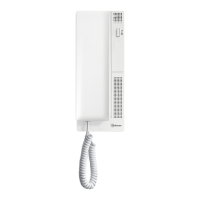
escription of the T-940 Plus/Uno telephone.
D
a.
b.
c.
d.
e.
f.
g.
h.
i.
Telephone handset.
Speaker grille.
Microphone hole.
Subjection hole.
Telephone cord connectors.
Function push buttons.
On-Off light indicator (only T-940 Plus).
Call reception volume control (only T-940 Plus).
Hook switch.
a
d
c
e
i
h
e
b
f
g
T-940 Plus telephone has a three positions
switch placed on the bottom part of the
telephone (closest to the telephone cord connector)
that allows to control the call reception level volume.
unction push buttons.
F
On-Off push button (only T-940 Plus).
After any telephone reset, and during the next 45 seconds,
all the telephone functions will be disabled, with the exception
of call reception.
This push button allows to make an intercom call when the handset
is not on the craddle. This function is described on page 110
(only T-940 Plus).
If the handset is hung up sends a panic call to the porter's
exchanges that have enabled the reception of this type of call
(only T-940 Plus).
If the handset is off the hook, allows to call to the master porter's
exchange.
During call reception and communication progresses allows
the lock release activation.
a.
b.
c.
a
b
c
Push button on
T-940 Uno








 To Next Page