14
Continued overleaf
ADVANCED PROGRAMMING (MONITOR FUNCTIONS)
Continued from previous page.
Men 3:u
Then adjust the settings as required:
- Repeating the ringtones: One repeat (default setting).
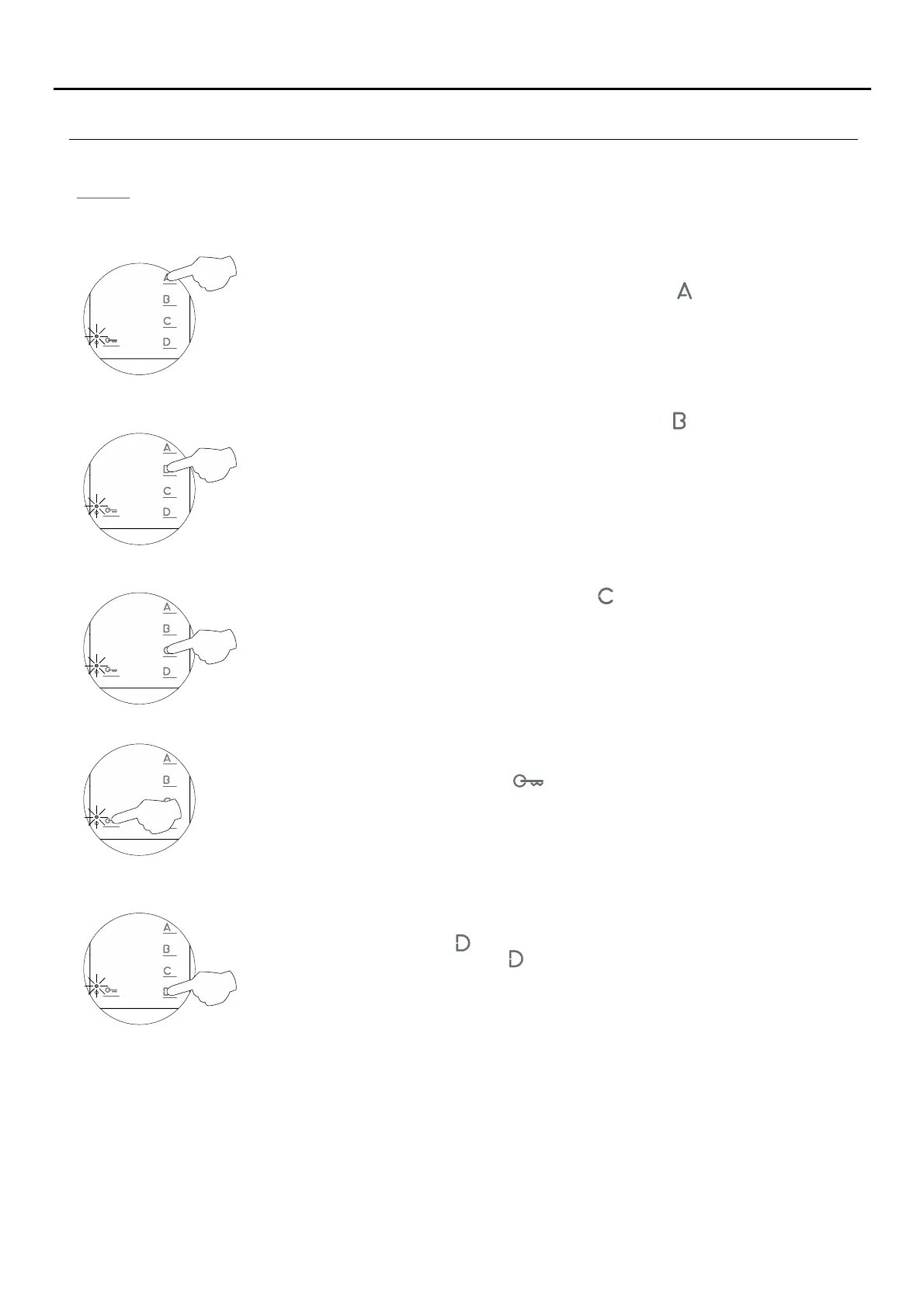
To 'repeat the ringtone' on the monitor: Each press on button selects a repeat of the
ringtones which is indicated with blinks (1 to 3 blinks) of the programming LED and in the
following order: 1, 2 or 3 repeats. When the final selection is reached, the following press
returns the user to the first selection and 1 blink of the programming LED (carousel mode).
- Setting the 'door panel communication time': 90 seconds (default setting).
Activating the in-call video: Press button and the programming LED will indicate with 2
blinks that the video will appear on the monitor when a call is received or with 1 blink that the
video will appear at the end of the ringtone.
- Activating the in-call video: The video appears when a call is received (default setting).
To set the 'door panel communication time': Each press on button selects a communication
time which is indicated with blinks (1 to 4 blinks) of the programming LED and in the
following order: 60, 90, 120 and 150 seconds. When the final selection is reached, the
following press returns the user to the first selection and 1 blink of the programming LED
(carousel mode). This setting can be performed on Nexa door panels with the EL632Note:
Plus and EL632 Plus P/T sound module.
(Please consult our technical service department for information about other models of door
panel).
- Setting the 'door panel call' time: 45 seconds (default setting).
To set the 'door panel call' time: Each press on button selects a call time which is indicated
with blinks (1 to 4 blinks) of the programming LED and in the following order: 30, 45, 60 and
90 seconds. When the final selection is reached, the following press returns the user to the
first selection and 1 blink of the programming LED (carousel mode). This setting canNote:
be performed on Nexa door panels with the EL632 Plus and EL632 Plus P/T sound module.
(Please consult our technical service department for information about other models of door
panel).
- Accessing 'Menu 4' or exiting programming mode:
To access 'Menu 4,' press button , and the programming LED will blink 4 times.
To exit programming mode, press button for 3 seconds, and the programming LED will turn
off (see p. 15).
TEKNA-S PLUS MONITOR


 To Next Page