Page 27
Technician Setup
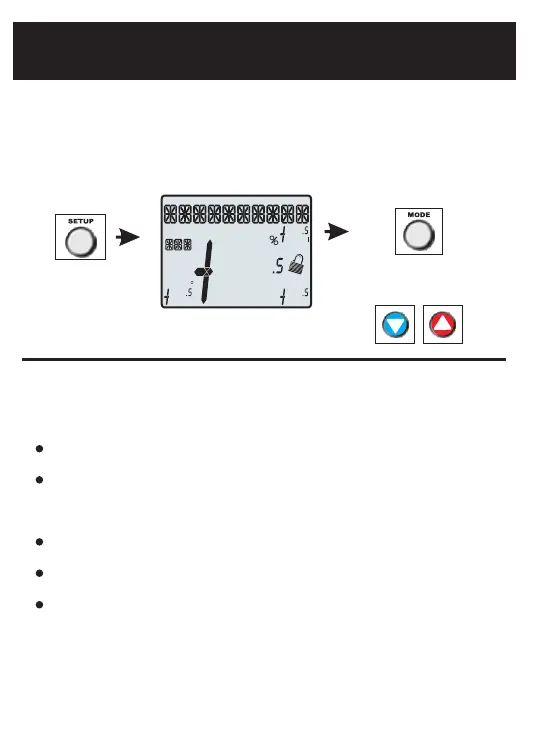
Hold for 5 seconds All icons appear Press MODE to advance
through the setup steps
Technician Setup is for diagnostic and testing purposes and is intended for use
by a qualified technician. See page 14 for more detailed instructions.
View the version number of the thermostat.
View the jumper setting of J1 (Gas/Electric or Heat Pump), J2 (Reversing Valve:
RV=O or RV=B), and J3 (Fan: Gas or Electric) jumpers located on the back of the
thermostat. (Remove thermostat from backplate for access)
View the state of the Dry Contact and Fault terminals.
Turn on equipment outputs for testing.
Calibrate thermostat and remote sensors.
Technician Setup contains the following options:
Program On
Outdoor
Fan On
A HEAT UX
Setup Step
2nd
Stage
Am
Pm
18:88
COOL
88
88
Lo
88
H
88
To enter Technician Setup, press and hold the SETUP button for 5 seconds.
After all the icons appear, press MODE. The version number of the thermostat
will appear in the scrolling text. Press MODE to advance to the next step. Use
the UP or DOWN buttons to adjust the value of your selection. To leave
Technician Setup, press SETUP.
Press UP or DOWN
to adjust the selection


 To Next Page