3.3 Playing Your Music
When your smartphone phone or tablet is paired to the cylinder speaker, use
your music app to playback your music.
1.
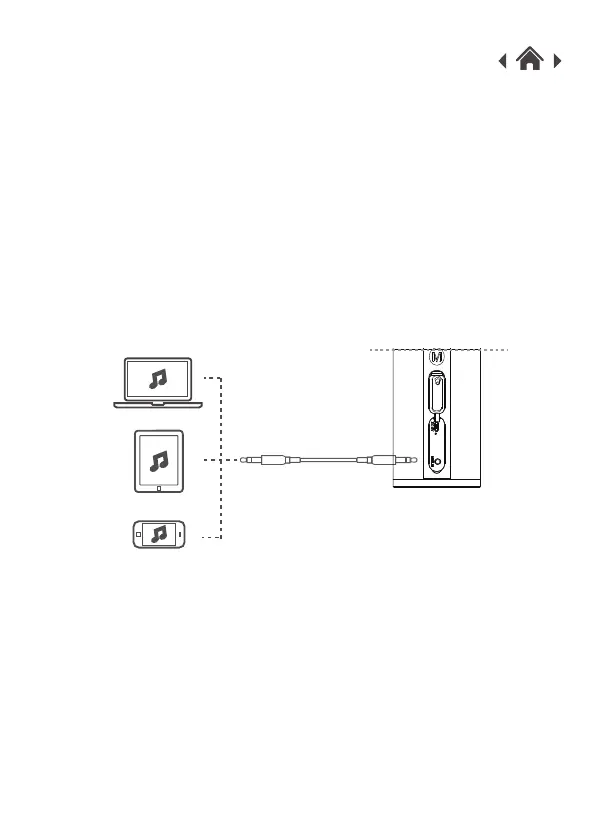
If your device doesn’t have Bluetooth, you also can use the Line-in connection.
2. Open the silicone control panel cover on the side of your cylinder speaker.
3. Connect the Line-in cable to the cylinder speaker and connect the other
end to your device.
4. Select your music on your device and Play.
3.4 Using the Line-in Connection
Note: When a Line-in cable is connected your cylinder speaker will
automatically disconnect from your Bluetooth devices.



 To Next Page