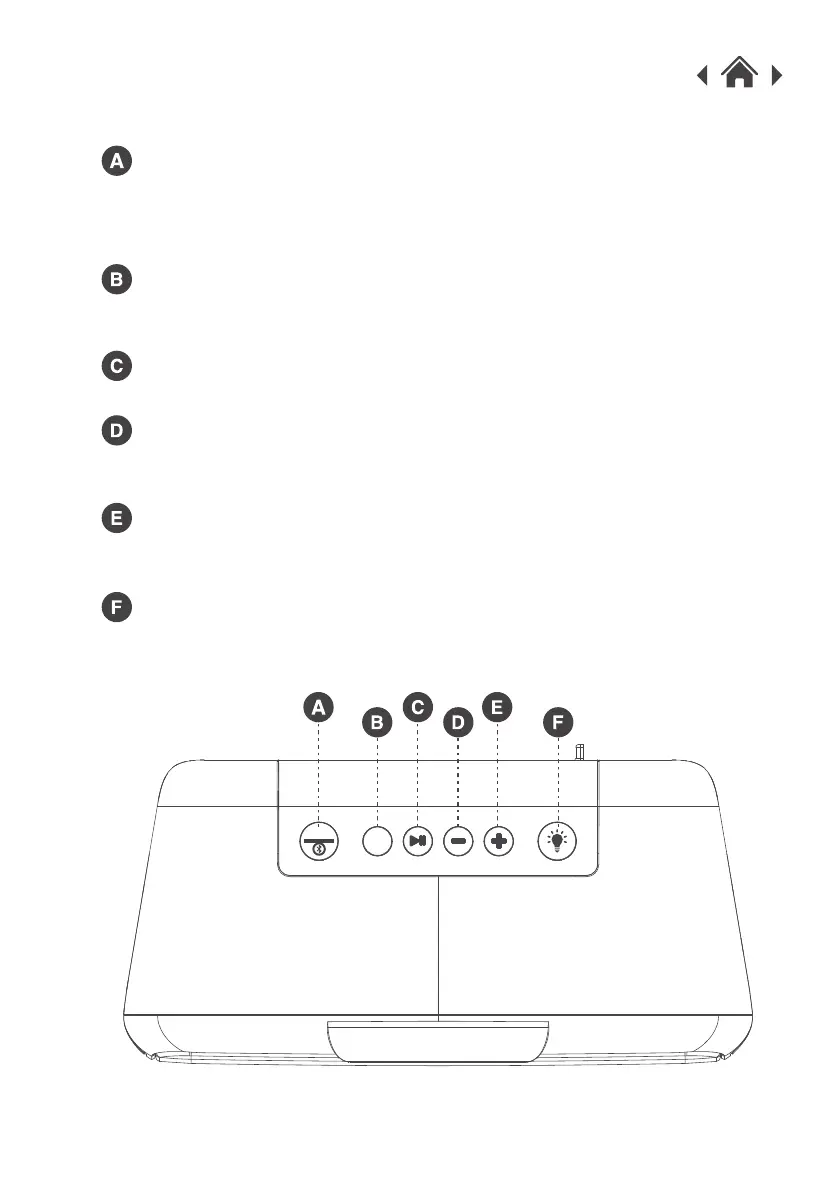
MODE Button
EQ Button
Play / Pause
Previous Track / Decrease Volume
2.2 Top View
Next Track / Increase Volume
LED light Mode Button
Short press the button to select between Bluetooth / USB / Line-in
mode.
Long press the button to disconnect Bluetooth.
Press the button once to go back to the previous track.
Long press the button to decrease volume.
Press the button once to go to the next track.
Long press the button to increase volume.
Press the button to change between Normal / Rock / Classic /
Jazz / Country.
Press the button once to Play/Pause the Music.
Press the button to switch the light mode On and Off.
EQ
MODE



 To Next Page