3.1 Charging your Bluetooth Waterproof Speaker
Note: When the battery is getting low, the low battery warning alert will
sound, when you hear this, please re-charge the battery.
Quick Setup
Your waterproof speaker has a built in rechargeable battery so it can be used anywhere
indoors or outdoors. Before using it for the first time please fully charge the battery.
When charging is completed, remove the USB cable and make sure that the silicon
cover is closed.
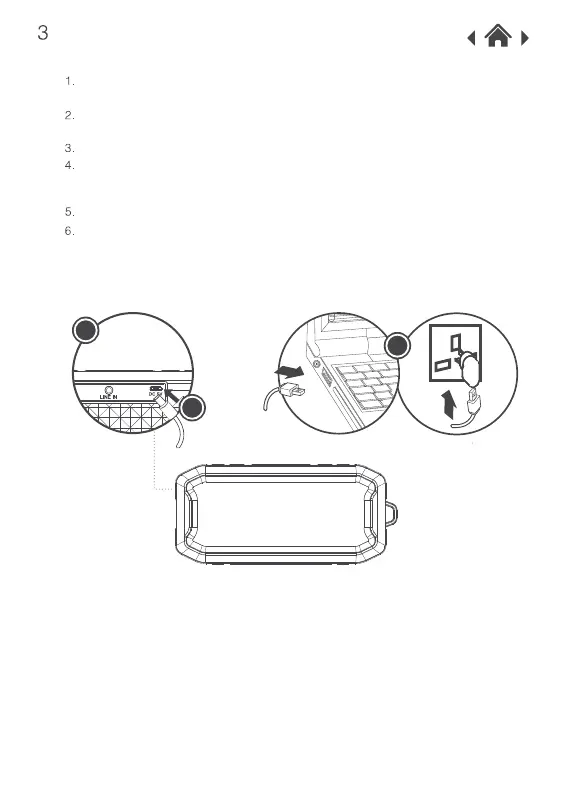
When the waterproof speaker is fully charged the RED LED indicator will turn off.
To charge, open the silicone control panel cover on the back side of your waterproof
speaker.
Connect the USB cable provided to the USB port on your waterproof speaker.
Connect the other end of the USB cable to a USB port on your computer, or a 5V 1A USB
wall charger. A wall charger is not included. When your waterproof speaker is charging
the LED indicator will be RED.
4
2
3



 To Next Page