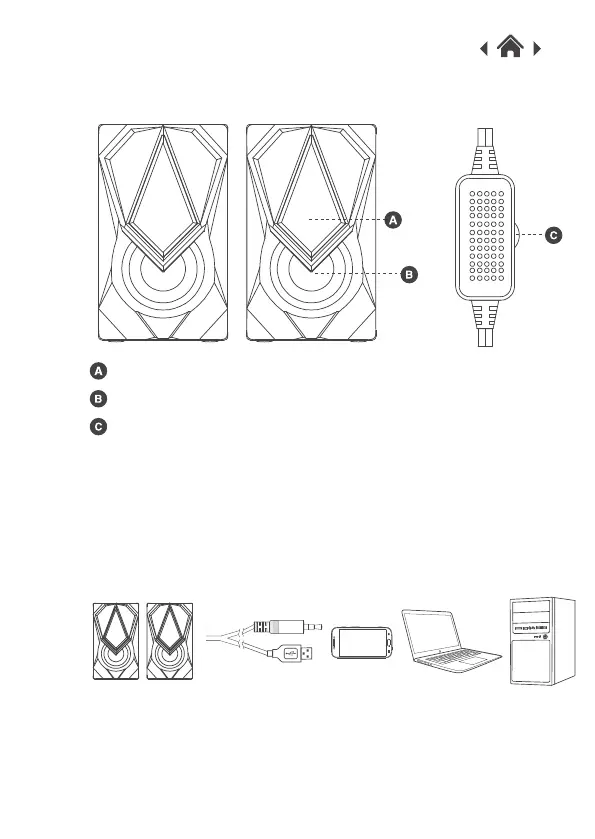
2.2 Front View
RGB LED Light
Speaker
Volume Controller
Connect the USB connector and 3.5mm AUX jack of the Gaming
Speakers to your PC, laptop or games console. The sound from
your device will automatically play through the speakers.
Quick Setup3
3.1Connect USB and AUX Cable
Connect the gaming speakers to your device and the LED lights
will automatically turn on.
Use the volume controller to adjust the volume level.
3.2Using the Gaming Speakers



 To Next Page