Quick Setup3
3.1 Charging Your Mood Light Speaker
Note: when the battery is getting low, the low battery
warning alert will sound, when you hear this, please
recharge the battery.
1. Your Mood Light Speaker has a built in recharge able
battery so it can be used anywhere. Before using it for the
first time please fully charge the battery.
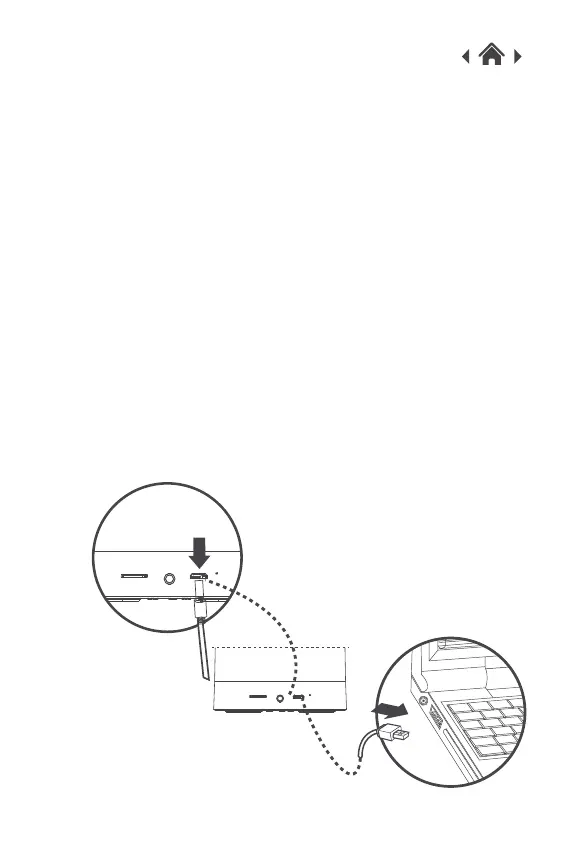
2. To charge, connect the USB cable provided to the USB
port on your Mood Light Speaker.
3. Connect the other end of the USB cable to a USB port on
your computer, or a 5V 1A USB wall charger. A wall charger
is not included. When your Mood Light Speaker is charging
the LED indicator will show RED.
4. When the Mood Light Speaker is fully charged the RED LED
indicator will turn off.
5. When charging is completed, remove the USB cable.


 To Next Page