8
4.1.1. Language
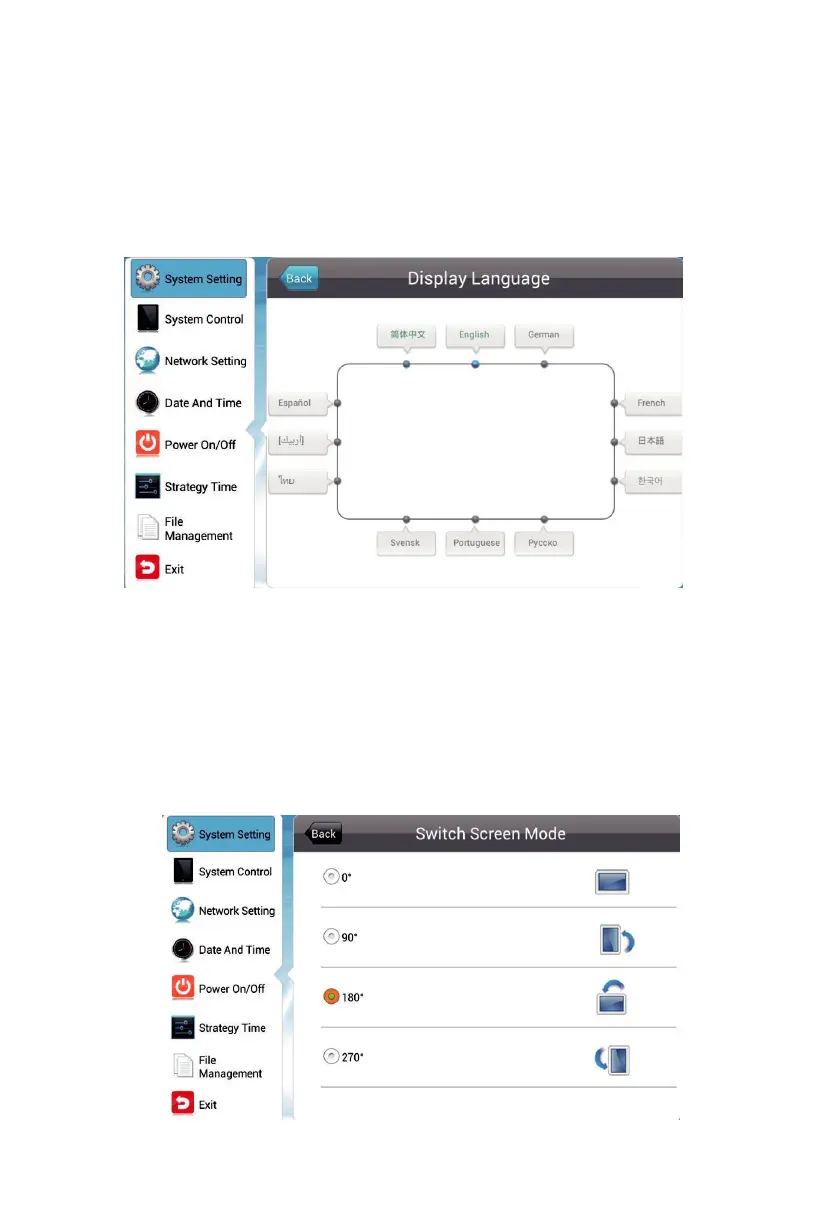
Move the cursor to "picture display language", press confirm key to set the display
language of the terminal screen, there are many options such as simplified Chinese
and English. Press the left and right arrow of the remote control to adjust the language
option, press the arrow to move the cursor to return, and return to the system settings
menu.
4.1.2. Switch Screen Mode
In the system setup menu, move the cursor to "screen mode switch.
The system screen can be set on this interface. When set to 0°, the screen will be
displayed horizontally. When set to 90°, the screen will be displayed vertically, 180 is
the opposite of 0°, 90°is the opposite of 270°. From 0° to 270°, the display is rotated
counterclockwise. (Note: The screen rotation angle defaults to 0° display)


 To Next Page