9
4.1.3. Resolution
1920*1080 by default
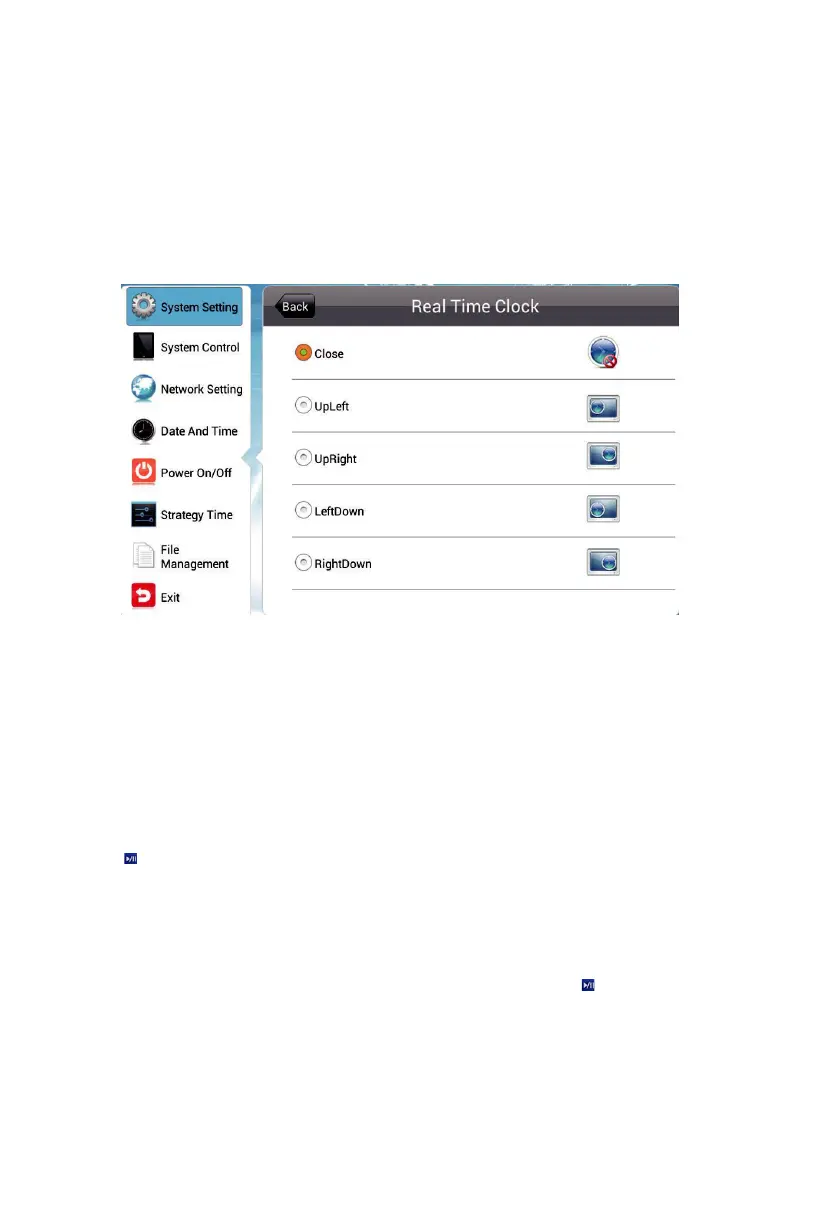
4.1.4 Real Time Clock
Terminal interface can display the current time, here can set the display position of the
real-time clock.
›Top Left/Right - displays the clock in the top left / right corner on the screen.
›Bottom Left/Right - displays the clock in the bottom left / right corner on the screen.
›Off - turns off this feature and do not display clock on the screen.
4.1.5 Play Log
Press to
turn on this feature to keep a log of playback and report it to the
management platform, or playback will not be logged.
4.1.6 USB
This menu allows you to enable or disable the USB port. Press to disable or enable
the USB port for external USB device connection.
4.1.7 Scroll Text
Rolll text Setting allows you to turn on or off the feature of scroll text.


 To Next Page