20
4.4.1 Date Setting
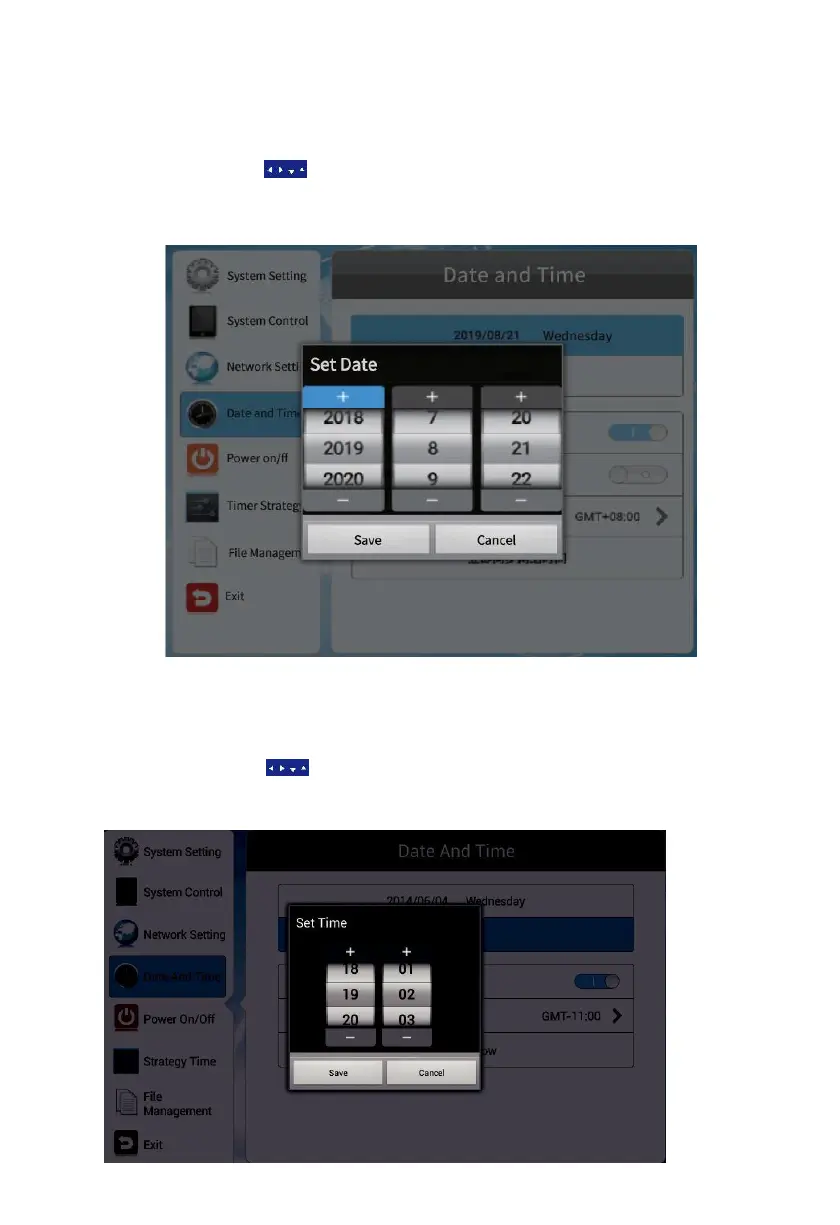
Date – press the date bar to open a panel to adjust the year and date.
Press the arrow buttons on the remote to navigate to the box you want to
operate. Press +/- to adjust the date.
Once satisfied, press Save to apply the changes.
4.4.2 Time Setting
Time – press the time bar to open a panel to adjust the time.
Press the arrow buttons on the remote to navigate to the box you want
to operate. Press +/- to adjust the date.
Once
satisfied, press Save to apply the changes.



 To Next Page