22
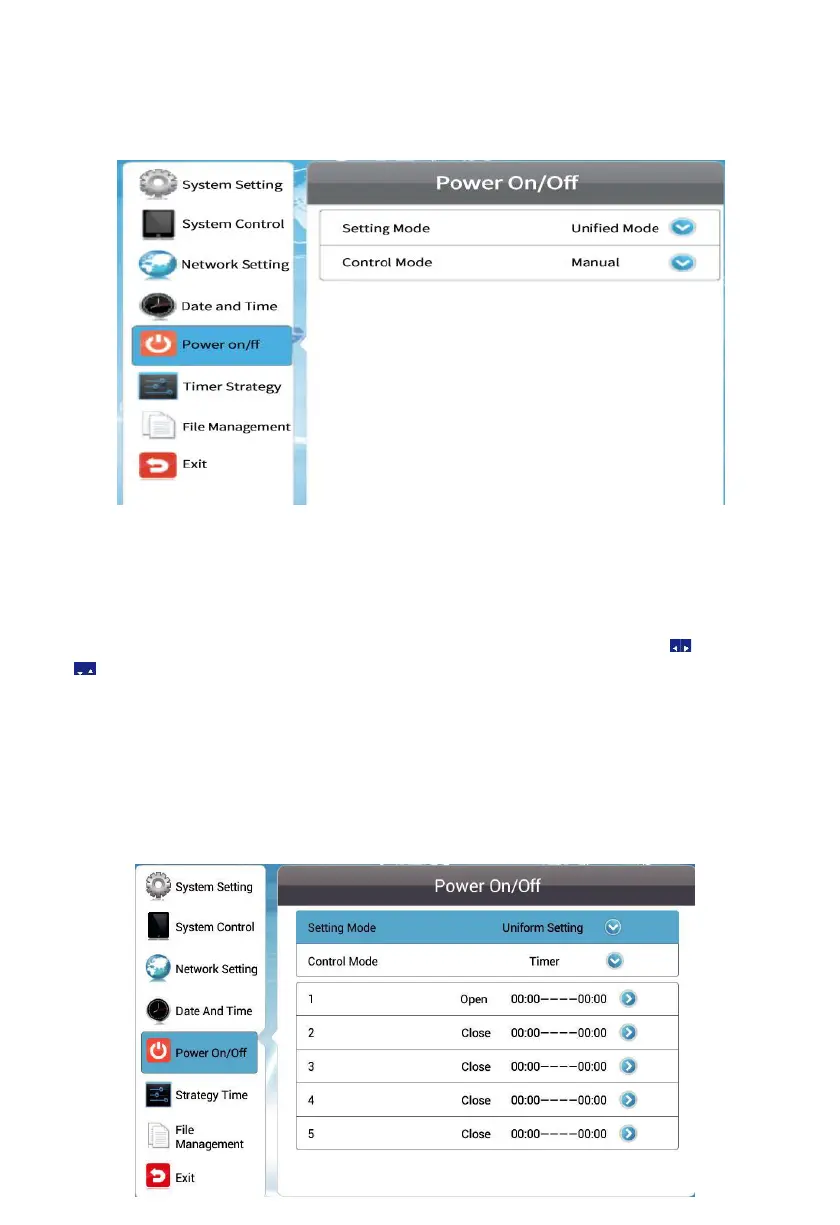
Uniform Setting (Default) - This mode will have the player turned on/off
automatically at your specified time every day. For example, you can have a
player on from 8:00 to 22:00 every day.
4.5.1 Uniform mode
Timer – On and off time can be defined respectively in 5 timers. Press the
arrows on the remote to move to a box and make adjusting.
Always On - The player, if powered, keeps being on all the time.
Always Off - The player
keeps being off and if turned on manually, it will
automatically turn off two minute later, if there is no operation.
Manual – allows you to control the on/off time manually.


 To Next Page