EasyManua.ls Logo

Goodwe GW-GW5000-EH - User Manual

Goodwe GW-GW5000-EH
18 pages
Print Icon
To Next Page IconTo Next Page
Loading...
APP (iOS)Official Website APP (Android)
EH SERIES USER MANUAL
HYBRID INVERTER
340-00308-01
Question and Answer IconNeed help?

Do you have a question about the Goodwe GW-GW5000-EH and is the answer not in the manual?

Summary

Introduction

Operation Modes Introduction

Explains the different operational modes of the EH system based on configuration and layout.

Safety and Warnings

Provides crucial safety rules, cautions, and symbol explanations for product installation, operation, and maintenance.

Product Overview

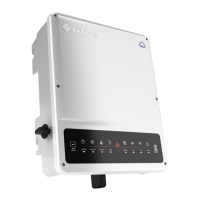
Details the physical components and features of the EH Series hybrid inverter, including indicator lights.

Installation Instructions

Unacceptable Installations

Lists configurations and connections that are not permitted for EH series inverters to ensure system integrity.

Packing List

Details the components included with the hybrid inverter for user verification upon receipt.

Mounting Guidelines

Provides rules and recommendations for selecting a suitable mounting location and method for the inverter.

PV Wiring Connection

Explains the correct procedure and requirements for connecting PV panels or strings to the inverter.

Battery Wiring Connection

Details the procedure for connecting batteries to the inverter, emphasizing safety and correct terminals.

On-Grid & Back-Up Connection

Covers the requirements and procedures for connecting the inverter to the grid and back-up loads.

Special Adjustable Setting

Mentions advanced settings available via special firmware for tripping points and curves.

Split Grid System Connection

Describes a solution for split grid systems where the inverter operates under On-Grid conditions.

Back-Up Function Declaration

Outlines policies and recommendations for using the Back-Up function and connecting loads.

Back-Up Load Declaration

Specifies acceptable loads for the inverter's Back-Up output and potential issues with certain load types.

Back-Up Overload Protection

Explains how the inverter handles overload protection and how to restart it immediately after an event.

Smart Meter & CT Connection

Details the connection and importance of the Smart Meter and CT for monitoring grid voltage and current.

DRED & Remote Shutdown Connection

Describes the connection of DRED for remote shutdown functions, compliant with safety requirements.

DRED Device Connection

Provides detailed steps for connecting the DRED device to the inverter's dedicated port.

Earth Fault Alarm Connection

Explains how the inverter detects and reports earth fault alarms according to IEC standards.

Wiring System Diagram

Illustrates the overall wiring system for EH Series hybrid inverters, including component connections.

System Connection Diagrams

Shows example connection diagrams for different grid systems, including Australia and New Zealand.

Manual Operation

Wi-Fi Configuration

Essential steps for connecting the inverter to a wireless network for monitoring and maintenance.

Wi-Fi Reset & Reload

Explains how to reset and reload the Wi-Fi module for troubleshooting connectivity issues.

PV Master App Operation

Guide to using the PV Master mobile application for system configuration, monitoring, and control.

CEI Auto-Test Function

Details the PV Auto-Test function integrated into the PV Master APP for Italy safety compliance.

Battery Function Activation

Instructions on how to activate the battery function for Battery-Ready inverters via PV Master.

Others

Questions & Answers

Addresses common user queries regarding Wi-Fi, battery operation, PV Master app, and system functionality.

Troubleshooting Common Issues

Provides solutions for common operational problems such as no discharge, battery not charging, or high power fluctuations.

Battery Settings and Communication

Covers critical aspects of battery settings, BMS communication, and safety country configuration within the system.

Wi-Fi Configuration Q&A

Answers specific questions related to connecting the inverter's Wi-Fi signal to a phone or router.

Battery Operation Q&A

Addresses queries about battery discharge, SOC jumps, charging limits, and tripping issues.

PV Master App Q&A

Explains potential issues with saving settings, data discrepancies, and missing information in the PV Master App.

Meter and Power Limit Q&A

Discusses questions about output power limits, CT current limits, and using third-party meters.

Technical Parameters and Certificates

Certifications and Standards

Lists the certifications and standards that the EH series inverters comply with, ensuring regulatory adherence.

Other Tests

Details additional tests required for Australian installations, specifically concerning THDi and Zref measurements.

Checking the Electrical Connection

Environment and Pollution Definitions

Defines environmental categories and pollution degrees relevant to the inverter's operating conditions and installation site.

Overview

The GoodWe EH Series Hybrid Inverter is a solar inverter designed for energy management in systems incorporating PV, battery, loads, and the grid. It aims to optimize self-consumption, charge batteries with excess PV power, and export remaining power to the grid. When PV power is insufficient, the battery supports loads, and if both PV and battery power are insufficient, the system draws power from the grid. The EH Series also includes Battery-Ready inverters, which require activation for battery functionality.

Function Description

The EH Series inverter manages energy flow across various components of a solar system. It supports several operation modes:

  • Mode I (Self-Consumption Optimization): PV energy is primarily used for self-consumption, with excess energy charging batteries and then being exported to the grid.
  • Mode II (Battery & Grid Support): When there is no PV power and the battery is sufficient, it can supply the load in conjunction with the grid.
  • Mode III (Back-Up Mode): In the event of a grid failure, the system automatically switches to Back-Up mode, where loads can be supported by PV and battery power.
  • Mode IV (Grid Charging): The battery can be charged by the grid, with flexible settings for charge time and power via the PV Master APP.

The inverter features LED indicators for various statuses:

  • SYSTEM: Indicates if the system is ready, starting up, or not operating.
  • BACK-UP: Shows if back-up power is ready or off.
  • BATTERY: Displays if the battery is charging, discharging, low, or disconnected.
  • GRID: Indicates if the grid is active, connected, or not active.
  • ENERGY: Shows if energy is being consumed from the grid (buying), supplied to the grid (zeroing/selling), or if the system is not operating.
  • COM: Indicates communication status for BMS and Meter.
  • WiFi: Shows WiFi connection status (connected, resetting, not connected to router, server problem, or not active).
  • FAULT: Indicates if a fault has occurred or if there is an overload on the back-up output.

The inverter also includes a DRED (Demand Response Enabling Device) port for Australia and New Zealand installations, which can also function as a remote shutdown in European countries. Earth fault alarm connection is supported, with an indicator LED and email notification.

Important Technical Specifications

The EH Series offers different models (GW3600-EH, GW5000-EH, GW6000-EH) with varying specifications:

Battery Input Data (Li-ion):

  • Battery Voltage Range: 85-450V
  • Start-up Voltage: 90V
  • Max. Charging/Discharging Current: 25A/25A
  • Max. Charging/Discharging Power: 3600W (GW3600-EH), 5000W (GW5000-EH), 6000W (GW6000-EH)

PV String Input Data:

  • Max. DC Input Power: 4800W (GW3600-EH), 6650W (GW5000-EH), 8000W (GW6000-EH)
  • Max. DC Input Voltage: 580V
  • MPPT Range: 100-550V
  • MPPT Range for Full Load: 150-550V (GW3600-EH), 210-550V (GW5000-EH), 250-550V (GW6000-EH)
  • Nominal DC Input Voltage: 380V
  • Max. Input Current: 12.5A/12.5A
  • No. of MPP Trackers: 2

AC Output/Input Data (On-grid):

  • Nominal Apparent Power Output to Utility Grid (VA): 3600/3960 (GW3600-EH), 4600/5000/5500 (GW5000-EH), 4600/5000/6000/6600 (GW6000-EH)
  • Nominal Output Voltage: 230V
  • Nominal Output Frequency: 50/60Hz
  • Max. AC Current Output to Utility Grid (A): 16/18.0 (GW3600-EH), 21.7/24.0 (GW5000-EH), 21.7/26.1/28.7 (GW6000-EH)
  • Max. AC Current From Utility Grid (A): 32A (GW3600-EH), 43.4A (GW5000-EH), 52.2A (GW6000-EH)

Back-up Output Data (UPS):

  • Max. Output Apparent Power (VA) (@Linear Load): 3600VA (GW3600-EH), 5000VA (GW5000-EH), 6000VA (GW6000-EH)
  • Peak Output Apparent Power (VA): 4320VA (60sec) (GW3600-EH), 6000VA (60sec) (GW5000-EH), 7200VA (60sec) (GW6000-EH)
  • Automatic Switch Time: <10ms
  • Nominal Output Voltage (V) (@Linear Load): 230V (±2%), single phase

Efficiency:

  • PV Max. Efficiency: 97.6%
  • PV Europe Efficiency: 97%
  • Battery Charged By PV Max. Efficiency: 98%
  • Battery Charge/discharge From/To AC Max. Efficiency: 96.6%

General Data:

  • Operating Temperature Range: -35 to 60°C
  • Relative Humidity: 0 to 95%
  • Protection Degree: IP65
  • Cooling: Nature Convection
  • Noise: <35dB
  • Communication: CAN (BMS), RS485 (Meter), Wi-Fi/Ethernet (Portal)
  • Weight: 17kg
  • Size (WidthHeightDepth): 354433147mm
  • Mounting: Wall Bracket
  • Standby Self Consumption: <10W

Usage Features

  • Mounting: The inverter should be installed on a solid, non-combustible surface, vertically or with a maximum 15° slope. It requires protection from direct sunlight and bad weather, and ambient temperature should be below 45°C. Specific clearance (Upward: 300mm, Downward: 500mm, Front: 300mm, Both sides: 200mm) is required for proper cooling and maintenance.
  • Electrical Wiring: Strict adherence to wiring instructions is crucial for safety and performance. This includes proper PV, battery, on-grid, back-up, Smart Meter, and CT connections. Specific cable types, cross-sections, and torque values are provided.
  • Battery-Ready Activation: For Battery-Ready inverters, battery function must be activated via an activation code in the PV Master APP before connecting the battery.
  • Smart Meter & CT Connection: A Smart Meter with CT is compulsory for EH system installation to detect grid voltage, current direction, and magnitude, instructing the inverter's operation via RS485 communication.
  • Wi-Fi Configuration: The inverter's Wi-Fi module can be configured via a web interface or the PV Master APP for online monitoring and after-sales maintenance. This involves connecting to the inverter's "Solar-WiFi" hotspot, logging in, and selecting the home router.
  • PV Master APP Operation: This external monitoring/configuration application for smartphones and tablets allows users to edit system configuration, monitor performance, and configure Wi-Fi.
  • CEI Auto-Test Function: Integrated into the PV Master APP for Italy safety country requirements.
  • Back-Up Load Management: The inverter can supply overload output in Back-Up mode, with specific guidelines for inductive and capacitive loads. Overload protection includes automatic restarts and a manual reset option via the PV Master APP.
  • Special Adjustable Settings: The inverter supports adjustable settings for tripping points, tripping times, reconnect times, and QU/PU curves via special firmware from GoodWe.

Maintenance Features

  • Periodic Maintenance: The inverter requires periodic maintenance to ensure optimal performance and longevity.
  • Isolation: Before any wiring connection or electrical operation, all battery and AC power must be disconnected for at least 5 minutes to ensure the inverter is totally isolated and to avoid electric shock.
  • Heat Sink Cleaning: The heat sink should be cleaned with a clean towel once a year.
  • Torque Check: AC and DC wiring connections should be tightened with a torque wrench once a year according to specified torque values.
  • DC Breaker Check: DC breakers should be checked regularly by activating them 10 times in a row once a year to clean contacts and extend their lifespan.
  • Water-proof Covers: Water-proof covers for RS485 and other ports should be checked for fastening once a year.
  • Installation Integrity: To maintain the IP65 rating, the inverter must be sealed well, and all unused terminals/holes must be sealed to prevent water and dust ingress.
  • Troubleshooting: The manual provides a comprehensive list of error messages, their reasons, and corresponding solutions to assist with troubleshooting common issues.

Goodwe GW-GW5000-EH Specifications

General IconGeneral
BrandGoodwe
ModelGW-GW5000-EH
CategoryInverter
LanguageEnglish

Related product manuals