Need help?
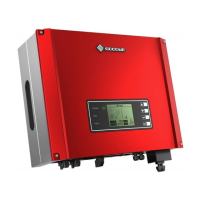
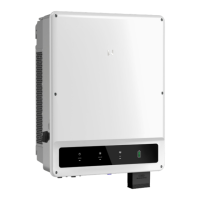
Do you have a question about the Goodwe GW09K-DT and is the answer not in the manual?
The TrackSo IoT Gateway is a device designed to monitor solar PV plants, specifically those using GoodWe inverters. It facilitates data collection from inverters and transmits it to a monitoring system, enabling users to track the performance of their solar installations.
The primary function of the TrackSo IoT Gateway is to act as a bridge between GoodWe solar inverters and the TrackSo monitoring platform. It collects data from multiple inverters via an RS485 connection and sends this data to the cloud using a GPRS network. This allows for remote monitoring and analysis of the PV plant's performance.
The gateway supports continuous numbering of inverters, starting from 1 up to 247, ensuring scalability for various plant sizes. It operates with a default Baud Rate of 9600bps, which is configurable to 19200 or 38400bps, to match the inverter communication settings. Data transmission parameters include 8 data bits, 1 stop bit, and no parity.
The device also includes a SIM card slot for GPRS connectivity. Once powered on and connected to the inverters, it establishes a network connection to transmit data. The gateway's LEDs provide visual feedback on its operational status, including power, GSM network status, and data transmission/reception activity.
The installation process involves ensuring correct connections as detailed in the installation guide and inserting a SIM card into the device. The gateway requires a minimum 12V/1A power input.
Before connecting to the gateway, GoodWe inverters need to be configured. This includes setting a unique inverter ID for each inverter in the PV plant to ensure they can be correctly identified by the gateway. The Baud Rate of the inverters must also match the gateway's settings, with 9600bps being the default for GoodWe inverters. For the last inverter in an RS485 connection, the termination resistor dip switch must be switched ON. For single inverter setups, the termination resistor on the inverter should also be ON.
For accurate statistics and monitoring, the date and time on the inverters must be correctly set. The gateway facilitates this by allowing users to set the date and time via its interface.
The gateway allows for configuration of Modbus settings, including the inverter address (ADDR). Users can set the address, shadow ON/OFF, LVRT ON/OFF, and PF Adjust.
Users can check the exact network status of the gateway by sending an SMS command (*2222#<Stat.gsm>) to the device's mobile number. The gateway will respond with details such as IMEI, network type, signal strength, GPRS connection status, and connection to the TrackSo server.
Once the gateway is operational and transmitting data, users can log in to the TrackSo online platform (www.trackso.in) using their username and password. The platform allows users to view their installed units, check their status (e.g., "Receiving" for active data flow), and access event ingestion logs.
The gateway features LED indicators for quick status checks:
If the GSM light flashes 5 times, it indicates a successful connection to the GPRS network. If the device status on the online platform remains "Not receiving" for more than 10 minutes, users can check the "Event Ingestion Logs" on the TrackSo platform. These logs provide details on any data transmission issues, such as "Invalid request. Event should contain data."
In case of persistent data transmission issues or if no logs are generated, restarting the device is recommended.
For complex issues or if troubleshooting steps do not resolve the problem, users are advised to contact technical support at we@freespirits.in.
The device requires a SIM card for GPRS connectivity. Users need to ensure the SIM card is correctly inserted and that the GPRS network is available at the installation location for the gateway to send data.
While not explicitly detailed as a user-accessible feature, the system's reliance on a monitoring platform suggests potential for remote firmware updates to enhance functionality and address issues.
The TrackSo IoT Gateway is designed for ease of use and reliable data transmission, providing essential monitoring capabilities for solar PV plant owners and operators.
 General
| Model | GW09K-DT |
|---|---|
| Rated AC Power | 9000 W |
| Start Voltage | 200 V |
| MPPT Voltage Range | 200-800 V |
| Number of MPPT | 2 |
| AC Voltage Range | 180-280 V |
| Rated Grid Frequency | 50/60 Hz |
| AC Output Frequency | 50/60 Hz |
| Total Harmonic Distortion (THDi) | <3 % |
| Protection Degree | IP65 |
| Max. AC Apparent Power | 9900 VA |
| Max. DC Input Power | 12000 W |
| Input Voltage Range | 200-850 V |
| AC Output Voltage | 230 V |
| Power Factor | 0.8 leading to 0.8 lagging |
| Protection Class | Class I |
| Operating Temperature Range | -25°C to 60°C |
| Communication | RS485 |

 To Next Page