EasyManua.ls Logo

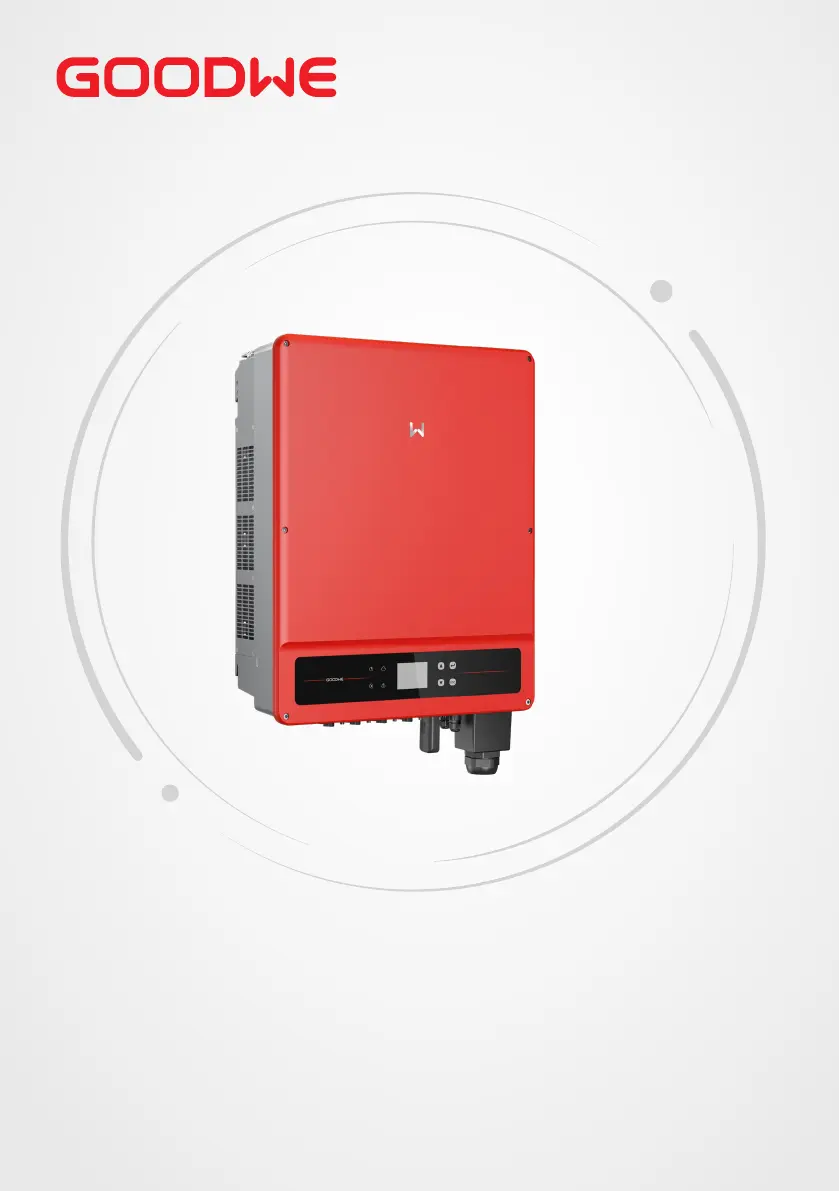
Goodwe GW36K-MT - User Manual

Goodwe GW36K-MT
64 pages
Print Icon
To Next Page IconTo Next Page
Loading...
User Manual
Grid-Tied PV Inverter
SMT Series
V1.3-2023-01-31

Questions and Answers

  • B
    Benjamin MelendezAug 18, 2025
    What to do if my Goodwe Inverter shows System Failure?
    • B
      Benjamin Gentry Jr.Aug 18, 2025
      If your Goodwe Inverter is showing a System Failure, here are a few things you can check: 1. First, disconnect the DC switch and take off the DC connector. Then, check the impedance between PV (+) & PV (-) to earth. 2. If the impedance is less than 100 kΩ, check the insulation of the PV string wiring to the earth. 3. If the impedance is larger than 100 kΩ, check AC wiring after taking off the AC connector and measuring the impedance between neutral and PE. If it is larger than 10 kΩ, check AC wiring.
  • C
    Craig CampbellAug 20, 2025
    What should I do if my Goodwe GW36K-MT Inverter has Utility Loss?
    • S
      Shannon GonzalezAug 20, 2025
      If your Goodwe Inverter reports a Utility Loss, follow these steps: 1. Disconnect the DC switch and take off the AC connector. 2. Measure the voltage between line and neutral in the connector to ensure it conforms to the grid-connected specification of the inverter. 3. If it doesn't, check if the distribution switch is connected and the grid is normal. 4. If it does, reconnect the AC connector and DC connector.
  • M
    Michael McconnellAug 22, 2025
    What to do if Goodwe GW36K-MT Inverter displays AC Voltage Failure?
    • A
      Alex LiAug 22, 2025
      If your Goodwe Inverter displays an AC Voltage Failure, here’s what you can do: 1. Disconnect the DC switch and take off the AC connector. 2. Measure the voltage between line and neutral in the connector to ensure it conforms to the grid-connected specification of the inverter. 3. If it doesn't, check the grid wiring. 4. If it does, connect the AC connector and reconnect the DC switch; the inverter will connect automatically.
  • J
    Joshua GarrettAug 26, 2025
    What to do if Goodwe Inverter shows Ground I Failure?
    • J
      James HallAug 26, 2025
      If your Goodwe Inverter shows a Ground I Failure, try the following: 1. Disconnect the DC switch. 2. Check the insulation of the PV string wiring to earth. 3. Reconnect the DC switch again.
  • W
    wduncanAug 28, 2025
    What to do if my Goodwe GW36K-MT Inverter has AC Frequency Failure?
    • J
      Jeffrey JonesAug 28, 2025
      If your Goodwe Inverter is experiencing an AC Frequency Failure, the PV inverter will automatically restart when the frequency returns to normal.
  • J
    James HarrisonAug 30, 2025
    What to do if my Goodwe GW36K-MT Inverter is not displaying anything?
    • B
      Brianna Maldonado MDAug 30, 2025
      If your Goodwe Inverter has no display, take these steps: 1. Disconnect the DC switch and take off the DC connector. 2. Measure the voltage of the PV string. 3. Plug in the DC connector and reconnect the DC switch. 4. If the voltage is less than 70 V, check the PV string configuration.
  • H
    huffstephanieSep 1, 2025
    What to do if my Goodwe GW36K-MT Inverter shows 'Vac Failure'?
    • J
      Julie CallahanSep 1, 2025
      If your Goodwe Inverter displays a 'Vac Failure', the inverter will automatically restart within 5 minutes if the grid returns to normal. Also, ensure that the grid voltage conforms to the specifications and that the neutral (N) wire and PE wire are properly connected.
  • D
    Dr. Sara Townsend MDSep 4, 2025
    What should I do if my Goodwe Inverter displays 'Utility Loss'?
    • L
      Linda DavisSep 4, 2025
      If your Goodwe Inverter is showing a 'Utility Loss' error, make sure that it is connected to the grid. Check if the power grid cable is connected and verify the availability of the power grid.
  • R
    reyesheatherSep 6, 2025
    What does 'Fac Failure' mean on my Goodwe GW36K-MT Inverter and how to fix it?
    • C
      Cassandra GibsonSep 7, 2025
      If your Goodwe Inverter displays 'Fac Failure', it indicates that the grid is not connected. Check the grid connection cables and verify the availability of the grid.
  • T
    tadamsSep 9, 2025
    What to do if Goodwe GW36K-MT shows 'Ground I Failure'?
    • B
      benjamin73Sep 9, 2025
      If your Goodwe Inverter is showing a 'Ground I Failure', it means that the ground current is too high. Unplug the inputs from the PV generator and check the peripheral AC system. After clearing the problem, reconnect the PV panel and check the Inverter status.

Summary

Safety Precaution

2.1 General Safety

Outlines fundamental safety rules and general precautions for operating and installing the inverter.

2.2 DC Side

Details safety precautions specific to the DC input side connections and components.

2.3 AC Side

Covers safety measures and recommendations for the AC output connection and grid interface.

2.4 Inverter Installation

Specifies safety guidelines and warnings to be observed during the physical installation process.

2.5 Personal Requirements

Defines the qualifications, training, and personal protective equipment required for personnel.

Installation

5.1 Installation Requirements

Specifies environmental conditions and site requirements for safe and effective inverter installation.

Mounting Support Requirements

Details the specifications and requirements for the mounting structure to support the inverter.

5.2 Inverter Installation

Covers the overall process of installing the inverter, including moving and mounting.

5.2.2 Installing the Inverter

Step-by-step guide for physically mounting the inverter onto the prepared installation surface.

Installing the Inverter

Visual guide showing how to attach the inverter unit to the installed mounting bracket.

Electrical Connection

6.1 Safety Precautions

Critical safety rules and warnings to follow before and during all electrical connection procedures.

6.2 Connecting the PE Cable

Instructions for establishing the protective earth (PE) cable connection to the inverter.

6.3 Connecting the PV Input Cable

Detailed steps for connecting the DC input cables from the solar panels to the inverter.

QC4.10 PV Connectors

Guide for connecting QC4.10 type PV connectors, specific to certain product versions.

MC4 PV Connectors (1000 V)

Step-by-step guide for connecting MC4 type PV connectors rated for 1000V.

Vaconn PV Connectors

Instructions for connecting Vaconn type PV connectors to the inverter's DC input.

MC4 PV Connectors (1000 V) Connecting the DC Input Cable

Demonstrates the process for connecting MC4 type PV connectors to the DC input.

6.4 Connecting the AC Output Cable

Instructions for connecting the AC power output cable to the grid.

Connecting the AC output cable

Visual guide for AC cable termination, routing, and securing the connection.

Equipment Commissioning

7.1 Check Items Before Switching Power ON

List of essential checks to perform before energizing the inverter and connecting to the grid.

7.2 Power On

Step-by-step instructions for safely powering on the inverter and its connected systems.

System Commissioning

Maintenance

9.1 Power Off the Inverter

Critical steps to safely power down the inverter before performing any maintenance operations.

Troubleshooting Faults and Solutions

Detailed table listing common faults, alarms, and their corresponding troubleshooting steps.

Technical Parameters

Goodwe GW36K-MT Specifications

General IconGeneral
ModelGW36K-MT
Number of MPPT2
Nominal AC Voltage400V
Nominal Frequency50/60Hz
Total Harmonic Distortion<3%
DC SwitchYes
Protection ClassIP65
AC Output Voltage400V
AC Output Frequency50/60 Hz
Rated Output Power36 kW
Cooling MethodFan cooling
Operating Temperature Range-25°C to 60°C
CommunicationRS485, Wi-Fi, GPRS

Related product manuals