EasyManua.ls Logo

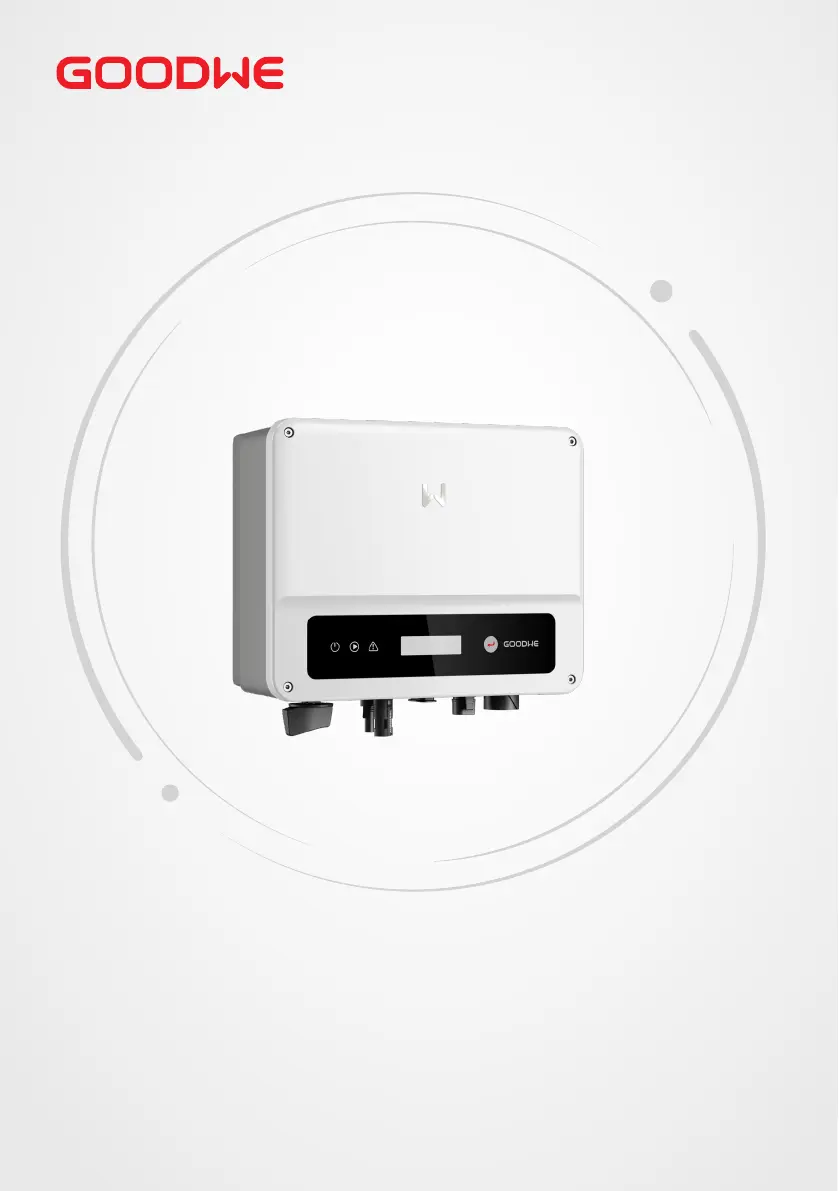
Goodwe GW3000-XS - User Manual

Goodwe GW3000-XS
55 pages
Print Icon
To Next Page IconTo Next Page
Loading...
User Manual
V1.0-2022-10-30
Grid-Tied PV Inverter
MS Series
0.7-3.3kW

Other manuals for Goodwe GW3000-XS

Questions and Answers

  • A
    Alyssa OsborneAug 20, 2025
    How to fix a Goodwe GW3000-XS Wi-Fi module that fails to connect to the network?
    • S
      Sheila ButlerAug 20, 2025
      If the Wi-Fi module fails to connect to the network after entering the correct router hotspot and password, the password might contain unsupported special characters. Change the password to include only Arabic numerals or uppercase/lowercase letters.
  • S
    stephanie72Aug 22, 2025
    What to do if my Goodwe GW3000-XS shows 'Utility Loss'?
    • D
      diazjesseAug 22, 2025
      If your Goodwe Inverter displays a 'Utility Loss', it could be due to these reasons: 1. The inverter is not connected to the grid. 2. The power grid cable is not connected. 3. The power grid is unavailable. Check these connections and the availability of the power grid.
  • J
    Jordan WardAug 25, 2025
    Why does my Goodwe GW3000-XS Inverter show 'Over Temperature'?
    • S
      Shawn MartinezAug 25, 2025
      The 'Over Temperature' error on your Goodwe Inverter indicates that the internal temperature is higher than the specified normal value. To resolve this: 1. Reduce the ambient temperature around the inverter. 2. Move the inverter to a cooler location.
  • E
    elizabeth68Aug 27, 2025
    What to do if my Goodwe GW3000-XS displays 'Ground I Failure'?
    • K
      Kevin StokesAug 27, 2025
      If your Goodwe Inverter is showing a 'Ground I Failure', it means the ground current is too high. Here’s how to address it: 1. Unplug the inputs from the PV generator and inspect the peripheral AC system. 2. Once the problem is resolved, reconnect the PV panel and monitor the inverter status.
  • S
    Spencer CookAug 27, 2025
    What to do if my Goodwe Inverter displays 'Vac Failure'?
    • R
      Robert LaraAug 27, 2025
      If your Goodwe Inverter is showing a 'Vac Failure': 1. The PV Inverter will automatically restart within 5 minutes if the grid returns to normal. 2. Ensure that the grid voltage conforms to the specified requirements. 3. Verify that the neutral (N) wire and PE wire are properly connected.
  • M
    michellethomasAug 29, 2025
    What to do if my Goodwe Inverter displays 'Isolation Failure'?
    • N
      Nicole WhiteAug 30, 2025
      If your Goodwe Inverter shows an 'Isolation Failure', follow these steps: 1. Disconnect the DC switch and remove the DC connector, then check the impedance between PV (+) & PV(-) to earth. 2. If the impedance is less than 100 kΩ, inspect the insulation of the PV string wiring to earth.
  • M
    Mikayla LynchAug 31, 2025
    What to do if my Goodwe GW3000-XS displays 'Fac Failure'?
    • M
      Mia WeeksAug 31, 2025
      If your Goodwe Inverter displays 'Fac Failure' because the grid is not connected: 1. Check grid connection cables. 2. Check availability of grid.
  • P
    Patrick LittleSep 2, 2025
    What to do if my Goodwe GW3000-XS has no display?
    • C
      Christopher GonzalezSep 2, 2025
      If your Goodwe Inverter has no display: 1. Turn off the DC switch, remove the DC connector, and measure the voltage of the PV array. 2. Plug in the DC connector and turn on the DC switch. 3. If the PV array voltage is lower than 250V, check the configuration of the inverter module.
  • E
    evillanuevaSep 4, 2025
    What to do if my Goodwe GW3000-XS Inverter shows a Vac Failure?
    • T
      Theresa MccarthySep 4, 2025
      If your Goodwe Inverter displays a Vac Failure, it indicates a grid voltage issue. First, the inverter will automatically restart within 5 minutes if the grid returns to normal. Ensure the grid voltage conforms to the specified requirements and that the neutral (N) and PE wires are securely connected.
  • W
    Wayne WolfeSep 6, 2025
    What causes a Utility Loss error on a Goodwe GW3000-XS Inverter?
    • M
      Matthew RobertsSep 6, 2025
      A Utility Loss error on your Goodwe Inverter means it is not connected to the grid. Check if the power grid cable is connected and verify the availability of the power grid.

Summary

Important Safety Instructions

General Safety Guidelines

Covers essential safety precautions applicable to all operations and installations.

DC Side Safety Precautions

Specific safety measures and warnings related to the DC electrical side of the inverter.

AC Side Safety Precautions

Key safety instructions and warnings for the AC electrical side of the inverter.

Inverter Installation Safety

Critical safety considerations during the physical installation process of the inverter.

Personnel Requirements for Operation

Specifies the qualifications and training required for personnel handling the inverter.

Product Introduction

Installation

Installation Requirements

Details environmental, mounting support, and angle requirements for proper installation.

Electrical Connection

Electrical Connection Safety

Essential safety guidelines for performing all electrical connections.

Equipment Commissioning

System Commissioning

Setting Inverter Parameters

Guides on using the LCD interface, button operations, and parameter introductions for configuration.

Maintenance

Troubleshooting Common Issues

Guides for diagnosing and resolving various fault types like isolation, voltage, and communication errors.

Technical Parameters

Input Specifications

Details on max input power, voltage, current, MPPT range, and startup voltage.

Output Specifications

Specs for nominal output power, voltage, current, frequency, and protection.

Appendix

Appendix Input Specifications

Technical input data for the -11 series inverters.

Goodwe GW3000-XS Specifications

General IconGeneral
ModelGW3000-XS
Rated Power3000 W
Max. DC Input Power4500 W
Start Voltage80 V
Number of MPPT2
Nominal AC Output Power3000 W
Max. AC Apparent Power3000 VA
Nominal AC Voltage230 V
AC Voltage Range180-280V
Nominal Grid Frequency50/60Hz
Power Factor>0.99
THDi< 3%
Max Efficiency97.5%
DC SwitchYes
Protection ClassIP65
Cooling MethodNatural cooling
Weight12 kg
MPPT Voltage Range80 V - 500 V
Max. Output Current13.0 A
Operating Temperature Range-25 °C to +60 °C
CommunicationWiFi / RS485

Related product manuals