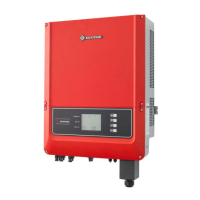
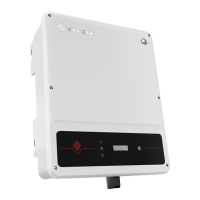
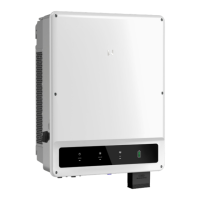
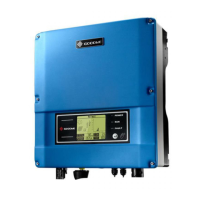
This document describes the DT/Smart DT Series User Manual for GoodWe solar inverters, providing comprehensive information on their function, technical specifications, usage, and maintenance.
Function Description:
The GoodWe DT/Smart DT series inverters (SDT: Smart Dual-MPPT, Three-Phase, covering 4kW/5kW/6kW; DT: Dual-MPPT, Three-Phase, covering 09kW/10kW/12kW/15kW/17kW/20kW/25kW) are designed to convert direct current (DC) electricity from photovoltaic (PV) arrays into alternating current (AC) electricity for grid connection. These inverters strictly conform to relevant safety rules in design and testing, ensuring reliable and safe operation. They are suitable for various grid structures including TN-S, TN-C-S, and TT. The inverters are equipped with communication functions (USB, RS485, WiFi) to allow users to monitor system status and performance remotely.
Important Technical Specifications:
DT Series (e.g., GW09K-DT to GW25K-DT):
- Max. DC Power: Ranges from 9200W (GW09K-DT) to 25800W (GW25K-DT).
- Max. DC Voltage: 1000V for all models.
- MPPT Voltage Range: 260~850V.
- Starting Voltage: 250V.
- Max. DC Current: Varies by model, e.g., 22/11A (GW09K-DT) to 27/27A (GW25K-DT).
- No. of MPPTs: 2 (can parallel for some models).
- Nominal AC Power: Ranges from 9000W (GW09K-DT) to 25000W (GW25K-DT).
- Max. AC Current: Varies by model, e.g., 15A (GW09K-DT) to 37A (GW25K-DT).
- Nominal AC Output: 50/60Hz; 400Vac.
- Max. Efficiency: 98.0% to 98.2%.
- Euro Efficiency: >97.5%.
- MPPT Adaptation Efficiency: 99.9%.
- Dimensions (WxHxD): 516650203mm.
- Weight: 39kg to 41kg.
- Protection Degree: IP65.
- Ambient Temperature Range: -25~60°C (>45°C derating).
- Cooling: Fan cooling.
- Communication: USB2.0; RS485 or WiFi.
- Certifications: VDE0126-1-1, VDE-AR-N 4105, G59/3, EN50438, AS4777.2&.3, IEC62109-2, NRS097-2-1, RD1699, MEA, PEA, ERDF-NOI-RES_13E, G83/2.
Smart DT Series (e.g., GW4000-DT to GW6000-DT):
- Max. DC Power: Ranges from 4200W (GW4000-DT) to 6200W (GW6000-DT).
- Max. DC Voltage: 1000V.
- MPPT Voltage Range: 200~800V.
- Starting Voltage: 180V.
- Max. DC Current: 11/11A.
- No. of MPPTs: 2 (can parallel).
- Nominal AC Power: Ranges from 4000W (GW4000-DT) to 6000W (GW6000-DT).
- Max. AC Current: Ranges from 7A (GW4000-DT) to 10A (GW6000-DT).
- Max. Efficiency: 97.8%.
- Euro Efficiency: >96.7%.
- MPPT Adaptation Efficiency: 99.9%.
- Dimensions (WxHxD): 516474192mm.
- Weight: 24kg.
- Cooling: Natural Convection.
- Communication: USB2.0; RS485 or WiFi.
Usage Features:
- Installation: Inverters should be installed vertically or tilted backward by a maximum of 15°, with the connection area pointing downwards. Optimal performance is achieved when the ambient temperature is kept below 45°C. Installation at eye level is recommended for easy LCD display checking and maintenance. Avoid direct sunlight, rain, snow, and proximity to inflammable/explosive items or strong electromagnetic equipment.
- Electrical Connection: Ensure proper grid voltage and frequency, and select a suitable safety standard. Install a breaker or fuse on the AC side (1.25 times rated AC output current). Connect the PE line to earth with impedance less than 10 ohms. Use provided DC connectors (MC4/SUNCLIX) and ensure correct polarity. Maximum open circuit voltage of PV strings must not exceed the inverter's input voltage Vmax.
- User Interface and Controls: The inverter features an LCD display and buttons for operation.
- LED Lights: Yellow (POWER) indicates electrification, green (RUN) indicates normal operation, and red (FAULT) indicates abnormal conditions. Flashing yellow light indicates WiFi connection status (0.5s for abnormal connection to router, 2.5s for abnormal connection to Web Server).
- LCD Display: Displays system status, power generation (daily, total, real-time), time, and error codes. It has three levels of menus for detailed information, settings (time, language), and historical data (histogram).
- Button Operations: "DOWN" and "UP" keys navigate menus, "ENTER" confirms selections or locks interfaces, and "ESC" returns to previous menus. Long pressing "ENTER" in specific menus allows setting safety country, resetting/reloading WiFi, or setting Modbus address.
- Communication:
- USB: Connects to a computer for monitoring via EzExplorer software.
- RS485: Connects to EzLogger for remote monitoring, supporting cable lengths up to 800m.
- WiFi: For WiFi models, detailed configuration instructions are provided for creating PV stations via the GoodWe website.
- Error Codes: The LCD displays specific error codes (e.g., SPI Failure, EEPROM R/W Failure, Isolation Failure, PV Over Voltage) to help diagnose and troubleshoot issues.
Maintenance Features:
- Safety Precautions: Before any installation or maintenance, switch off the DC switch, disconnect DC and AC terminals, and wait at least 5 minutes to ensure residual voltage has drained. Do not touch the inverter during operation as some parts may exceed 60°C. Keep children away. Unauthorized opening of the front cover or touching/replacing components (except connectors) is prohibited.
- Fan Cleaning: DT series inverters are equipped with two fans.
- Yearly Cleaning: Clean fan intakes and handle covers with a vacuum cleaner.
- Thorough Cleaning: For deeper cleaning, disconnect AC and DC, wait 10 seconds, then disassemble the fans by loosening screws and removing connectors. Clean the ventilation grid and fans with a soft brush, paint brush, cloth, or compressed air. Reassemble after cleaning.
- DC Switch Check: The DC switch does not require maintenance but it is recommended to activate it 10 times in a row once a year. This action cleans the contacts and extends the switch's life.
- Troubleshooting Guide: The manual provides a detailed troubleshooting table with possible actions for common issues like Isolation Failure, Ground I Failure, Vac Failure, Fac Failure, Utility Loss, PV Over Voltage, Over Temperature, and various internal failures. This guides users on initial diagnostic steps before contacting local service.

 Need help?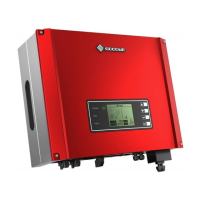

 To Next Page
 General