EasyManua.ls Logo

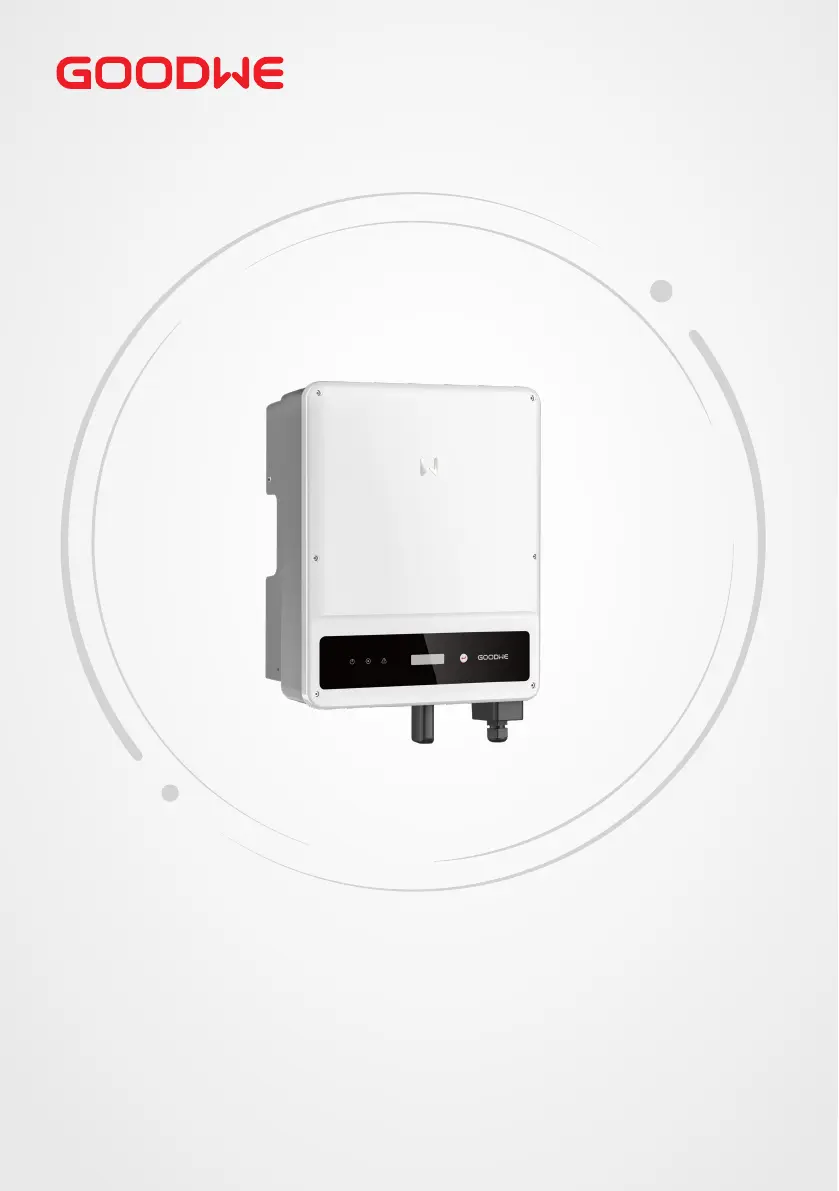
Goodwe GW8500-MS - User Manual

Goodwe GW8500-MS
50 pages
Print Icon
To Next Page IconTo Next Page
Loading...
User Manual
V1.0-2022-11-15
Grid-Tied PV Inverter
MS Series
5-10kW

Other manuals for Goodwe GW8500-MS

Questions and Answers

  • W
    Willie CarlsonAug 19, 2025
    What to do if my Goodwe Inverter shows 'PV Over Voltage'?
    • A
      anthony58Sep 12, 2025
      If your Goodwe Inverter displays a 'PV Over Voltage' error, follow these steps: First, turn off the DC switch, then disconnect both the AC and DC connectors. Check the PV string voltage to see if it exceeds the input voltage specified for your inverter. If it does, reconfigure the PV panel string. If the problem persists, contact your local service office for assistance.
  • B
    Brett VelazquezAug 21, 2025
    What to do if my Goodwe GW8500-MS Inverter shows 'Utility Loss'?
    • J
      Jessica CampbellAug 21, 2025
      If your Goodwe Inverter shows a 'Utility Loss' message, take these steps: Begin by turning off the DC switch and disconnecting both the AC and DC connectors. Measure the voltage between the live line and neutral wire in the connector to ensure it meets grid-connected specifications. If it does not conform, check the distribution switch and grid for normal operation. If the voltage is within specification, reconnect the AC and DC connectors. Should the issue persist, contact your local service office.
  • C
    Christopher ThompsonAug 23, 2025
    What to do if my Goodwe GW8500-MS displays 'Isolation Failure'?
    • K
      karenmontgomeryAug 23, 2025
      If your Goodwe Inverter is showing an 'Isolation Failure', here’s what to do: First, turn off the DC switch, then disconnect both the DC and AC connectors. Check the impedance between PV (+) & PV (-) to earth. If the impedance is less than 100K Ohms, inspect the insulation of the PV string wiring to the earth. If the impedance is greater than 100K Ohms, contact your local service office. Also, disconnect the AC connector and measure the impedance between the neutral wire and PE line; if it is greater than 10K Ohms, check the AC wiring.
  • L
    Lauren MurrayAug 26, 2025
    What should I do if my Goodwe Inverter shows 'Ground I Failure'?
    • M
      mosslaurenAug 26, 2025
      If your Goodwe Inverter is displaying a 'Ground I Failure', follow these steps: First, turn off the DC switch, then disconnect both the DC connector and AC connector. Check the insulation of the PV string wiring to the earth. Restart the DC switch. If the problem continues, please contact your local service office.
  • B
    brendamartinAug 27, 2025
    What should I do if my Goodwe GW8500-MS shows 'Vac Failure'?
    • T
      tamara53Aug 28, 2025
      If your Goodwe Inverter is displaying a 'Vac Failure', follow these steps: First, turn off the DC switch, then disconnect the AC connector and DC connector. Measure the voltage between the live line and neutral wire in the connector, and check if it conforms to the grid-connected specification of the inverter. If it does not, check the grid wiring. If it conforms to the specification, reconnect the AC connector and restart the DC switch to allow the inverter to connect to the grid automatically. If the problem persists, contact your local service office.
  • B
    benjaminwilliamsAug 29, 2025
    What to do if Goodwe GW8500-MS has no display?
    • C
      Crystal PetersonAug 30, 2025
      If your Goodwe Inverter has no display, follow these steps: Turn off the DC switch and disconnect the DC connector, then measure the voltage of the PV array. Plug in the DC connector and turn on the DC switch. If the PV array voltage is lower than 150V, check the configuration of the invert module. If the voltage is higher than 150V and the issue remains, please contact your local office.
  • C
    Calvin BushSep 1, 2025
    How to resolve 'Over Temperature' error on Goodwe Inverter?
    • S
      Steve MooreSep 1, 2025
      To resolve an 'Over Temperature' error on your Goodwe Inverter: 1. Turn off the DC switch, then disconnect the AC and DC connectors. 2. Reduce the ambient temperature around the inverter. 3. Move the inverter to a cooler location. If the problem continues, contact your local service office for further assistance.
  • S
    Shelby RossSep 3, 2025
    What to do if my Goodwe GW8500-MS Inverter shows Utility Loss?
    • J
      Jennifer SandersSep 3, 2025
      If your Goodwe Inverter displays a 'Utility Loss' error, first turn off the DC switch, then disconnect both the AC and DC connectors. Measure the voltage between the live line and neutral wire in the connector to ensure it meets the inverter's grid-connected specifications. If it doesn't, check the distribution switch and grid for normal operation. If it does meet specifications, reconnect the AC and DC connectors. If the problem persists, further assistance is needed.
  • W
    wongamandaSep 5, 2025
    What to do if Goodwe GW8500-MS Inverter displays PV Overvoltage?
    • B
      Brad CainSep 5, 2025
      If your Goodwe Inverter is showing a 'PV Overvoltage' error, begin by turning off the DC switch and disconnecting the AC and DC connectors. Check the PV string voltage to ensure it doesn't exceed the input voltage specified for your inverter. If it does, reconfigure the PV panel string. If the issue continues, seek further assistance.
  • A
    Angela NixonSep 7, 2025
    What to do if Goodwe GW8500-MS Inverter displays Vac Failure?
    • J
      Jacob MedinaSep 7, 2025
      If your Goodwe Inverter shows a 'Vac Failure', first turn off the DC switch and disconnect the AC and DC connectors. Measure the voltage between the live line and neutral wire in the connector to ensure it conforms to the inverter's grid-connected specification. If it does not, check the grid wiring. If it conforms, reconnect the AC connector and restart the DC switch, allowing the inverter to connect to the grid automatically. If the problem continues, further assistance is needed.

Summary

About This Manual

Applicable Model

Lists inverter models this manual covers.

Target Audience

Identifies the intended users for this manual.

Symbol Definition

Explains the meaning of warning symbols used in the manual.

Updates

Details revisions and changes made to the document.

IMPORTANT SAFETY INSTRUCTIONS

General Safety

Provides essential safety guidelines for operating the inverter.

DC Side Safety

Outlines safety precautions specific to the DC side connections.

AC Side Safety

Details safety measures for AC side connections.

Inverter Installation Safety

Covers critical safety instructions related to inverter installation.

Personal Requirements

Specifies qualifications and safety gear for personnel.

Product Introduction

Application Scenarios

Describes how the inverter is used in PV systems.

Supported Grid Types

Lists the grid connection types the inverter supports.

Inverter Appearance Overview

Overview of the physical design and components of the inverter.

IMPORTANT SAFETY INSTRUCTIONS

DC Side Safety

Outlines safety precautions specific to the DC side connections.

AC Side Safety

Details safety measures for AC side connections.

Inverter Installation Safety

Covers critical safety instructions related to inverter installation.

Personal Requirements

Specifies qualifications and safety gear for personnel.

IMPORTANT SAFETY INSTRUCTIONS

Inverter Installation Safety

Covers critical safety instructions related to inverter installation.

Personal Requirements

Specifies qualifications and safety gear for personnel.

IMPORTANT SAFETY INSTRUCTIONS

Personal Requirements

Specifies qualifications and safety gear for personnel.

EU Declaration of Conformity

Lists EU directives the inverter complies with.

Product Introduction

Application Scenarios

Describes how the inverter is used in PV systems.

Supported Grid Types

Lists the grid connection types the inverter supports.

Parts Identification

Identifies and describes the different parts of the inverter.

Product Introduction

Dimensions

Provides the physical measurements of the inverter.

Product Introduction

Indicator Status

Explains the meaning of various indicator lights on the inverter.

Nameplate Information

Details the information found on the inverter's nameplate.

Check and Storage

Check Before Receiving

Instructions for inspecting the product upon delivery.

Deliverables

Lists all items included in the product package.

Check and Storage

Storage Guidelines

Recommendations for storing the inverter correctly.

Installation

Installation Requirements

Specifies environmental and location requirements for installation.

Installation

Installation Requirements

Specifies environmental and location requirements for installation.

Mounting and Angle Requirements

Details how to mount the inverter and its acceptable angles.

Installation

Installation Tool Requirements

Lists the tools needed for installing the inverter.

Installation

Inverter Mounting and Installation

Step-by-step guide for physically installing the inverter.

Moving the Inverter

Instructions and precautions for moving the inverter unit.

Electrical Connection

Electrical Safety Precautions

Critical safety guidelines before making electrical connections.

Connecting the PE Cable

Instructions for connecting the protective earth (PE) cable.

Electrical Connection

Connecting the PE Cable

Instructions for connecting the protective earth (PE) cable.

Connecting the PV Input Cable

Details how to connect the DC input cables from the PV array.

Electrical Connection

Connecting the PV Input Cable

Details how to connect the DC input cables from the PV array.

Electrical Connection

Connecting the PV Input Cable

Details how to connect the DC input cables from the PV array.

Electrical Connection

Connecting the AC Output Cable

Instructions for connecting the AC output cable to the grid.

Electrical Connection

Connecting the AC Output Cable

Instructions for connecting the AC output cable to the grid.

Electrical Connection

Communication Connections

Guides on connecting communication modules and cables.

Communication Network Introduction

Explains the power limit communication network.

Optional Communication Cable Connections

Details optional communication cable connections.

Electrical Connection

Connecting the RS485 Cable

Instructions for connecting the RS485 communication cable.

Connecting the CT Cable

Instructions for connecting the Current Transformer (CT) cable.

Electrical Connection

Connecting the DRED or Remote Shutdown Cable

Instructions for connecting DRED/Remote Shutdown cables.

Electrical Connection

Installing Communication Module

Guide to installing optional communication modules.

Equipment Commissioning

Pre-Power-On Checklist

Pre-commissioning checklist for the inverter.

Inverter Power-On Sequence

Steps to safely power on the inverter.

System Commissioning

Indicators and Buttons

Explains the inverter's indicators and buttons.

Setting Inverter Parameters via LCD

Guide to configuring inverter settings using the LCD interface.

System Commissioning

Setting Inverter Parameters via LCD

Guide to configuring inverter settings using the LCD interface.

System Commissioning

Setting Inverter Parameters via LCD

Guide to configuring inverter settings using the LCD interface.

System Commissioning

Inverter Parameter Introduction

Detailed explanation of various inverter parameters and their functions.

Firmware Upgrade via USB

Steps to update the inverter's firmware using a USB drive.

Setting Parameters via SolarGo App

How to configure settings using the SolarGo mobile application.

Monitoring via SEMS Portal

Information on monitoring the system using the SEMS Portal.

System Commissioning

Firmware Upgrade via USB

Steps to update the inverter's firmware using a USB drive.

Setting Parameters via SolarGo App

How to configure settings using the SolarGo mobile application.

Monitoring via SEMS Portal

Information on monitoring the system using the SEMS Portal.

Maintenance

Power Off the Inverter

Procedure for safely powering down the inverter for maintenance.

Removing the Inverter

Steps for safely detaching the inverter from its mounting.

Disposing of the Inverter

Guidelines for proper disposal of the inverter.

Troubleshooting

Steps to diagnose and resolve common inverter issues.

Maintenance

Troubleshooting

Steps to diagnose and resolve common inverter issues.

Maintenance

Troubleshooting

Steps to diagnose and resolve common inverter issues.

Routine Maintenance

Scheduled tasks for maintaining the inverter's performance.

Maintenance

Routine Maintenance

Scheduled tasks for maintaining the inverter's performance.

Technical Parameters

Input Specifications

Details on input voltage, current, and power ratings for the inverter.

Output Specifications

Details on output voltage, current, and power ratings for the inverter.

Efficiency Ratings

Information on the inverter's energy conversion efficiency.

Technical Parameters

Protection Features

Lists the various protection mechanisms integrated into the inverter.

General Data

Covers operating conditions, dimensions, and communication protocols.

Technical Parameters

Technical Parameters (GW8500-MS;GW10 K-MS)

Technical specifications for higher capacity inverter models.

Technical Parameters

Protection and General Data (GW8500-MS;GW10 K-MS)

Protection features and general data for higher capacity models.

Technical Parameters

Technical Parameters (GW7000-MS for Brazil)

Specific technical data for the GW7000-MS model in Brazil.

Technical Parameters

Technical Parameters (GW7000-MS Brazil) - Continued

Further technical specifications for the GW7000-MS model in Brazil.

Technical Parameters

General Data and Notes

General information, dimensions, and important footnotes for the technical parameters.

Technical Parameters

Technical Parameters (GW8500-MS;GW10 K-MS) - Efficiency & Protection

Efficiency and protection details for higher capacity models.

Technical Parameters

Technical Parameters (GW7000-MS Brazil) - Efficiency & Protection

Efficiency and protection specifications for the GW7000-MS model in Brazil.

Technical Parameters

Technical Parameters (GW7000-MS Brazil) - Protection & General Data

Protection and general data for the GW7000-MS model in Brazil.

Technical Parameters

General Data and Notes

Final general data and important notes for technical parameters.

Goodwe GW8500-MS Specifications

General IconGeneral
BrandGoodwe
ModelGW8500-MS
CategoryInverter
LanguageEnglish

Related product manuals