EasyManua.ls Logo

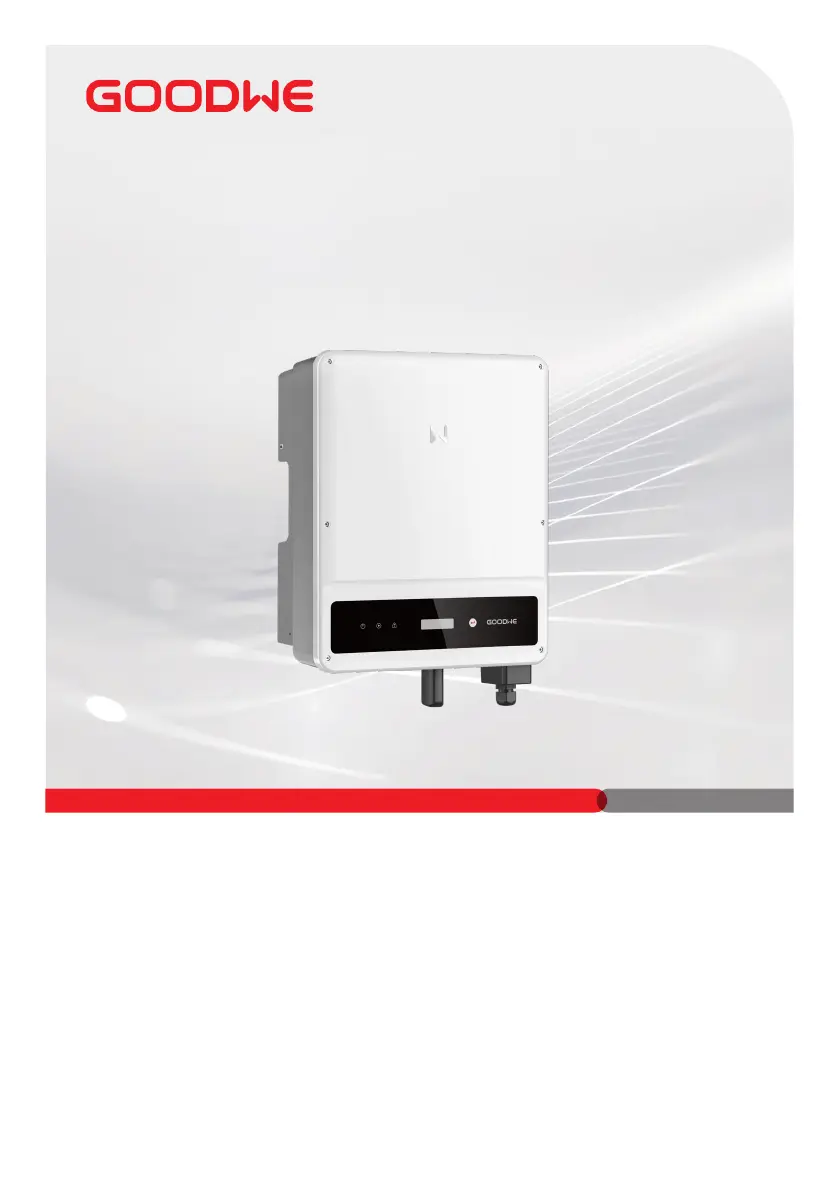
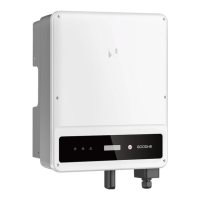
Goodwe GW8000-MS - User Manual

Goodwe GW8000-MS
83 pages
Print Icon
To Next Page IconTo Next Page
Loading...
V1.0-2022-06-20
(GW5000-MS | GW6000-MS | GW7000-MS | GW8000-MS |
GW8500-MS | GW9000-MS | GW10K-MS)
MS Series
Quick Installation Guide
Grid-Tied PV Inverter

Questions and Answers

  • I
    Ian WilliamsAug 19, 2025
    What to do if my Goodwe GW8000-MS shows 'PV Over Voltage'?
    • D
      Dustin RomeroAug 19, 2025
      If your Goodwe Inverter displays a 'PV Over Voltage' error, follow these steps: First, turn off the DC switch, then disconnect both the AC and DC connectors. Check the PV string voltage to see if it exceeds the input voltage specified for your inverter. If it does, reconfigure the PV panel string. If the problem persists, contact your local service office for assistance.
  • D
    dianathomasAug 21, 2025
    What to do if my Goodwe Inverter shows 'Utility Loss'?
    • P
      pdickersonAug 21, 2025
      If your Goodwe Inverter shows a 'Utility Loss' message, take these steps: Begin by turning off the DC switch and disconnecting both the AC and DC connectors. Measure the voltage between the live line and neutral wire in the connector to ensure it meets grid-connected specifications. If it does not conform, check the distribution switch and grid for normal operation. If the voltage is within specification, reconnect the AC and DC connectors. Should the issue persist, contact your local service office.
  • G
    Gregory CrossAug 23, 2025
    What to do if my Goodwe Inverter displays 'Isolation Failure'?
    • R
      Ronnie AndersonAug 23, 2025
      If your Goodwe Inverter is showing an 'Isolation Failure', here’s what to do: First, turn off the DC switch, then disconnect both the DC and AC connectors. Check the impedance between PV (+) & PV (-) to earth. If the impedance is less than 100K Ohms, inspect the insulation of the PV string wiring to the earth. If the impedance is greater than 100K Ohms, contact your local service office. Also, disconnect the AC connector and measure the impedance between the neutral wire and PE line; if it is greater than 10K Ohms, check the AC wiring.
  • J
    Jay WeaverAug 26, 2025
    What should I do if my Goodwe GW8000-MS shows 'Ground I Failure'?
    • J
      Jordan ClarkAug 26, 2025
      If your Goodwe Inverter is displaying a 'Ground I Failure', follow these steps: First, turn off the DC switch, then disconnect both the DC connector and AC connector. Check the insulation of the PV string wiring to the earth. Restart the DC switch. If the problem continues, please contact your local service office.
  • M
    Melissa SanchezAug 28, 2025
    What should I do if my Goodwe GW8000-MS Inverter shows 'Vac Failure'?
    • M
      Mr. Bradley MartinezAug 28, 2025
      If your Goodwe Inverter is displaying a 'Vac Failure', follow these steps: First, turn off the DC switch, then disconnect the AC connector and DC connector. Measure the voltage between the live line and neutral wire in the connector, and check if it conforms to the grid-connected specification of the inverter. If it does not, check the grid wiring. If it conforms to the specification, reconnect the AC connector and restart the DC switch to allow the inverter to connect to the grid automatically. If the problem persists, contact your local service office.
  • W
    Wendy FryAug 29, 2025
    What to do if Goodwe GW8000-MS has no display?
    • A
      ashley65Aug 30, 2025
      If your Goodwe Inverter has no display, follow these steps: Turn off the DC switch and disconnect the DC connector, then measure the voltage of the PV array. Plug in the DC connector and turn on the DC switch. If the PV array voltage is lower than 150V, check the configuration of the invert module. If the voltage is higher than 150V and the issue remains, please contact your local office.
  • T
    Trevor HernandezSep 1, 2025
    How to resolve 'Over Temperature' error on Goodwe Inverter?
    • S
      Sergio DavisSep 1, 2025
      To resolve an 'Over Temperature' error on your Goodwe Inverter: 1. Turn off the DC switch, then disconnect the AC and DC connectors. 2. Reduce the ambient temperature around the inverter. 3. Move the inverter to a cooler location. If the problem continues, contact your local service office for further assistance.
  • S
    Stacey HendersonSep 3, 2025
    What to do if my Goodwe Inverter shows Utility Loss?
    • T
      Tammy GriffinSep 3, 2025
      If your Goodwe Inverter displays a 'Utility Loss' error, first turn off the DC switch, then disconnect both the AC and DC connectors. Measure the voltage between the live line and neutral wire in the connector to ensure it meets the inverter's grid-connected specifications. If it doesn't, check the distribution switch and grid for normal operation. If it does meet specifications, reconnect the AC and DC connectors. If the problem persists, further assistance is needed.
  • M
    Mr. Tyler White DDSSep 5, 2025
    What to do if Goodwe Inverter displays PV Overvoltage?
    • S
      sharoncoxSep 5, 2025
      If your Goodwe Inverter is showing a 'PV Overvoltage' error, begin by turning off the DC switch and disconnecting the AC and DC connectors. Check the PV string voltage to ensure it doesn't exceed the input voltage specified for your inverter. If it does, reconfigure the PV panel string. If the issue continues, seek further assistance.
  • R
    Raymond KnightSep 7, 2025
    What to do if Goodwe Inverter displays Vac Failure?
    • S
      Stephanie OrtizSep 8, 2025
      If your Goodwe Inverter shows a 'Vac Failure', first turn off the DC switch and disconnect the AC and DC connectors. Measure the voltage between the live line and neutral wire in the connector to ensure it conforms to the inverter's grid-connected specification. If it does not, check the grid wiring. If it conforms, reconnect the AC connector and restart the DC switch, allowing the inverter to connect to the grid automatically. If the problem continues, further assistance is needed.

Goodwe GW8000-MS Specifications

General IconGeneral
ModelGW8000-MS
Rated Power8000 W
Number of MPPT Trackers2
Max. Short Circuit Current per MPPT15 A
Nominal AC Power8000 W
Max. AC Power8000 W
Max. AC Current36.4A
AC Output Voltage Range180-280V
AC Voltage Range180-280V
Nominal Grid Frequency50 Hz / 60 Hz
AC Output Frequency50 Hz / 60 Hz
Total Harmonic Distortion (THD)< 3%
Max Efficiency98.4%
DC Connection TypeMC4
AC Connection TypeTerminal Block
Protection DegreeIP65
TopologyTransformerless
Nominal AC Voltage220V/230V
Operating Temperature Range-25 °C to +60 °C
CoolingNatural Convection
Power Factor>0.99 (Adjustable 0.8 leading to 0.8 lagging)
Cooling MethodNatural Convection

Related product manuals