88 89
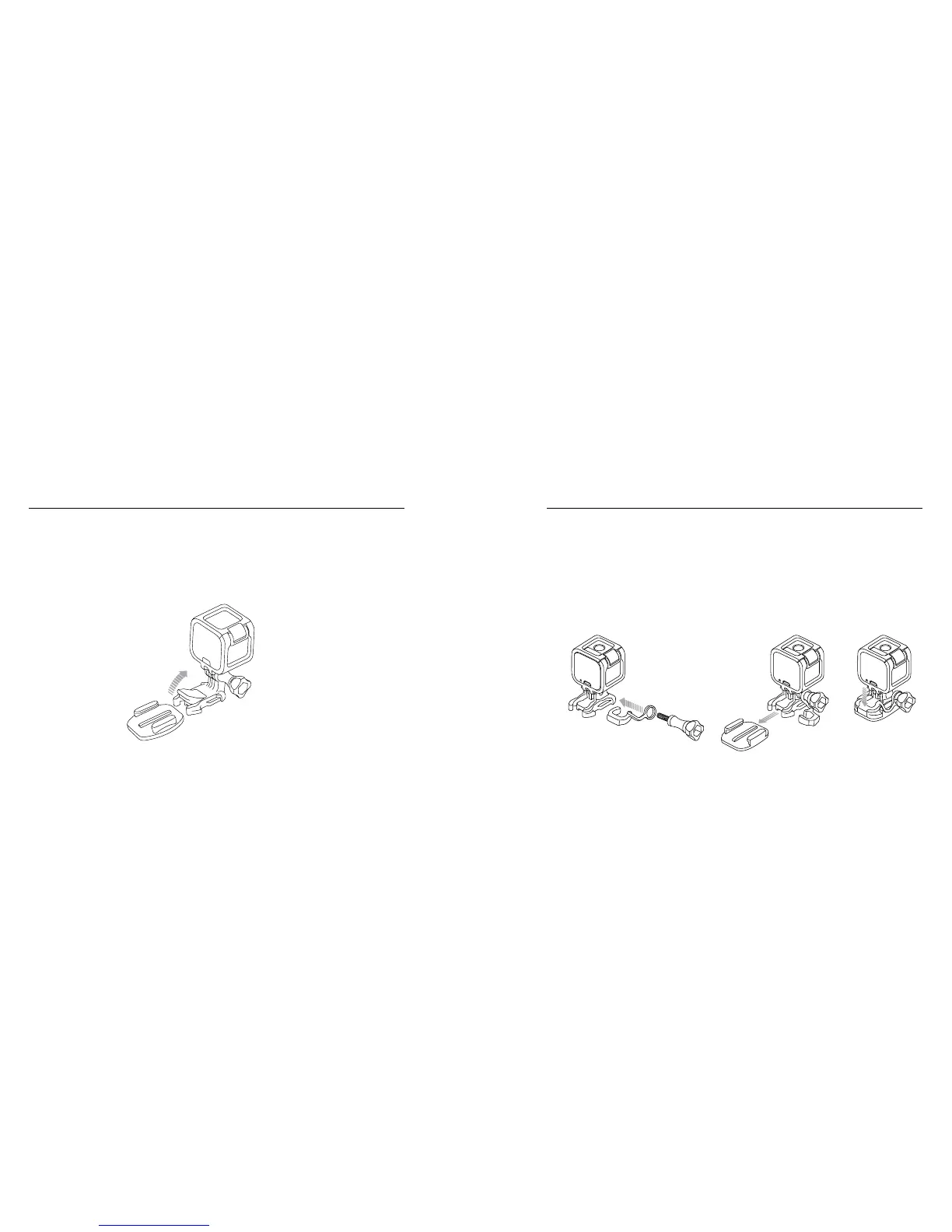
To Secure the Integrated Locking Plug:
1. Flip up the plug.
2. Slide the buckle into the mount until it clicks into place.
3. Press down on the plug so that it sits flush with the buckle.
/ Mounting Your Camera
To Attach the White Locking Plug:
1. Loop the circular ring over the thumb screw. The circular ring acts
as a leash to prevent dropping or losing the locking plug.
2. Slide the Mounting Buckle into the mount until it clicks into place.
3. Press the U-shaped part of the plug into the U-shaped space in the
Mounting Buckle.
/ Mounting Your Camera



 To Next Page