12 13
Getting Started
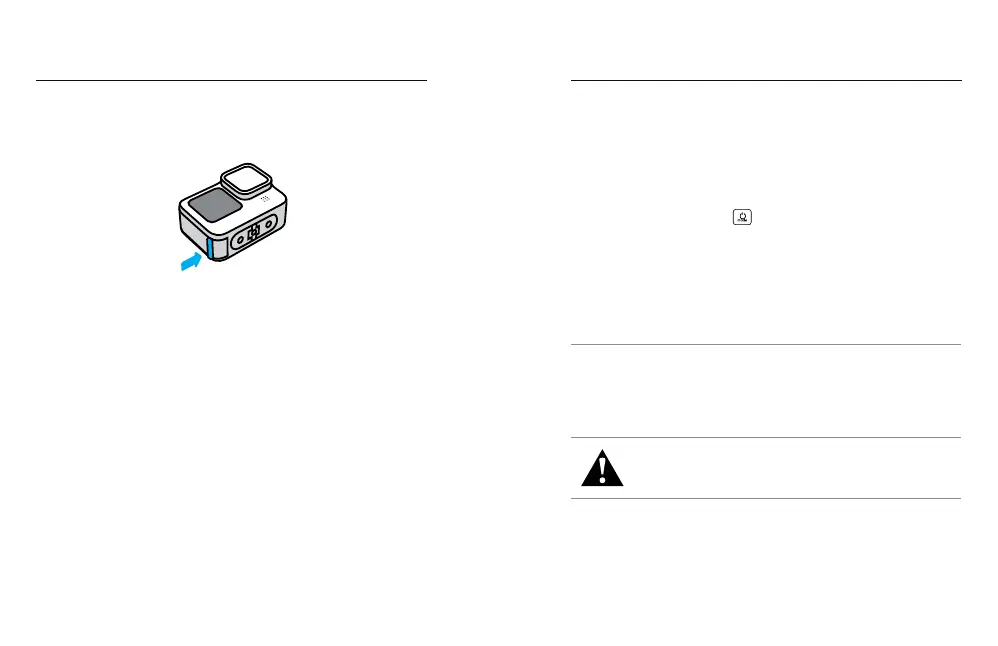
5. Unplug the cable and shut the door when charging is complete.
Be sure the door latch is closed and locked before using your
camera.
NOTE: Your camera’s door is removable. Be sure that the door is
securely locked and sealed after closing.
UPDATING YOUR CAMERA
You must update your camera before you can use it.
Updating With the GoPro Quik App
1. Download the app to your phone from the Apple
©
App Store
©
or
Google Play
™
.
2. Make sure your have internet access, then turn on your GoPro by
pressing the Mode button
.
3. Follow the app’s on-screen instructions to complete the update.
Updating Manually
1. Visit gopro.com/update.
2. Choose HERO12 Black from the list of cameras.
3. Select Update your camera manually and follow the instructions.
PRO TIP: The app will check for the latest camera software every time
it connects to your GoPro. This helps ensure that you'll always have the
latest features and best performance from your GoPro. If new software is
available, the app will tell you how to install it.
WARNING: Do not remove your battery or SD card from your
GoPro while the update is in progress. Removing your battery
or SD card during an update may permanently damage
your GoPro.
Getting Started



 To Next Page