EasyManua.ls Logo

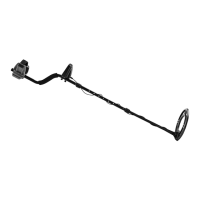
Gordon 58892 - User Manual

Gordon 58892
12 pages
Print Icon
To Next Page IconTo Next Page
Loading...
Owners Manual & Safety Instructions
Save This Manual Keep this manual for the safety warnings and precautions, assembly,
operating, inspection, maintenance and cleaning procedures. Write the product’s serial number in the
back of the manual (or month and year of purchase if product has no number). Keep this manual and the
receipt in a safe and dry place for future reference. 22h
When unpacking, make sure that the product is intact
and undamaged. If any parts are missing or broken,
please call 1-888-866-5797 as soon as possible.
Copyright
©
2021 by Harbor Freight Tools
®
. All rights reserved.
No portion of this manual or any artwork contained herein may be reproduced in
any shape or form without the express written consent of Harbor Freight Tools.
Diagrams within this manual may not be drawn proportionally. Due to continuing
improvements, actual product may differ slightly from the product described herein.
Tools required for assembly and service may not be included.
Read this material before using this product.
Failure to do so can result in serious injury.
SAVE THIS MANUAL.

Questions and Answers

Summary

WARNING SYMBOLS AND DEFINITIONS

General Power Tool Safety Warnings

General safety rules for operating power tools to prevent injury.

Metal Detector Safety Warnings

Specific safety precautions for using metal detectors.

SPECIFICATIONS

SETUP - BEFORE USE

Components

Identifies the main parts of the metal detector for assembly.

Tool Set Up

Assembling Shaft

Instructions for connecting the different shaft sections.

Attaching Search Coil

Guide on how to attach the search coil to the lower shaft.

Installing Batteries

Steps for correctly inserting batteries into the control box.

Attaching Control Box

How to mount and connect the control box to the shaft.

Using Headphones

Instructions for connecting and safely using headphones with the detector.

Control Panel Overview

Control Panel Buttons

Explanation of each button's function on the control panel.

LCD Display Icons

Visual guide to the icons displayed on the LCD screen.

Modes and Testing

Instructions for initial testing and selecting operating modes.

Operating Modes

A-M Mode

Mode for detecting all types of metal objects.

DISC Mode

Mode for discriminating and ignoring specific metal types.

General Operating Instructions

MEMORY Mode

Mode for detecting metal types similar to a previously saved object.

JEWELRY Mode

Mode for detecting non-ferrous (iron) metal types like jewelry.

Pinpoint Target Object

How to use the pinpoint function to locate detected objects accurately.

Tips for Searching in Different Environments

MAINTENANCE AND SERVICING

CLEANING AND MAINTENANCE

Procedures for cleaning and routine maintenance of the detector.

Troubleshooting

Solutions for common problems encountered during operation.

PARTS LIST AND DIAGRAM

Parts List

Inventory of all parts included with the metal detector.

Assembly Diagram

Illustration showing how the different parts assemble together.

LIMITED 90 DAY WARRANTY

Gordon 58892 Specifications

General IconGeneral
BrandGordon
Model58892
CategoryMetal Detector
LanguageEnglish