EasyManua.ls Logo

Gordon 91956 User Manual

Gordon 91956
18 pages
To Next Page IconTo Next Page
Page #1 background imageLoading...
Page #1 background image
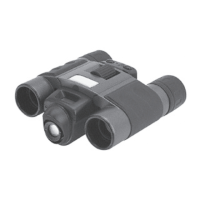
8 X 22 BINOCULAR
DIGITAL CAMERA
91956
SET UP AND OPERATING INSTRUCTIONS
Copyright
©
2008 by Harbor Freight Tools
®
. All rights reserved. No portion of this manual or any
artwork contained herein may be reproduced in any shape or form without the express written
consent of Harbor Freight Tools. Diagrams within this manual may not be drawn proportionally.
Due to continuing improvements, actual product may differ slightly from the product described
herein. Tools required for assembly and service may not be included.
Distributed exclusively by Harbor Freight Tools
®
.
3491 Mission Oaks Blvd., Camarillo, CA 93011
Visit our website at: http://www.harborfreight.com
Brought to You by www.snapwhole.com

Other manuals for Gordon 91956

Question and Answer IconNeed help?

Do you have a question about the Gordon 91956 and is the answer not in the manual?

Gordon 91956 Specifications

General IconGeneral
BrandGordon
Model91956
CategoryDigital Camera
LanguageEnglish

Summary

Introduction

Features

System Requirements

Getting to know your binoculars

How to use your binoculars

Provides instructions on adjusting the interpupillary distance (IPD) and focusing the binoculars for optimal viewing.

Taking Photos / Videos

Taking photos

Instructions for powering on the camera and centering the subject to capture still images.

Taking Video

Steps for selecting video mode, holding the camera steady, and starting/stopping video recording.

Software Installation

Installing the e-BinoCam software to your computer

Guide on connecting the USB cable and running the software from the CD-ROM for installation.

Using as a PC Camera

Instructions on connecting the binoculars to the PC via USB to use it as a webcam.

Download and Expansion to 1.3M

Connecting the binoculars to the Computer's USB port

Steps for powering off the binoculars and connecting them to the computer using the appropriate USB cable.

Download the captured image

Expansion and change the settings

Specification

Trouble shooting

Display resolution adjustment

Steps to adjust Windows display settings for optimal viewing of the camera's output.

LOSS OF IMAGES

Troubleshooting tip for image loss, suggesting battery checks and compartment security.

EXCESSIVE DRAINAGE of BATTERY POWER

Solution for rapid battery depletion, recommending alkaline batteries and power-off when not in use.

SOFTWARE PROBLEM

Maintenance

Safety