SKU 91956 Page 13
Expansion and change the settings.•
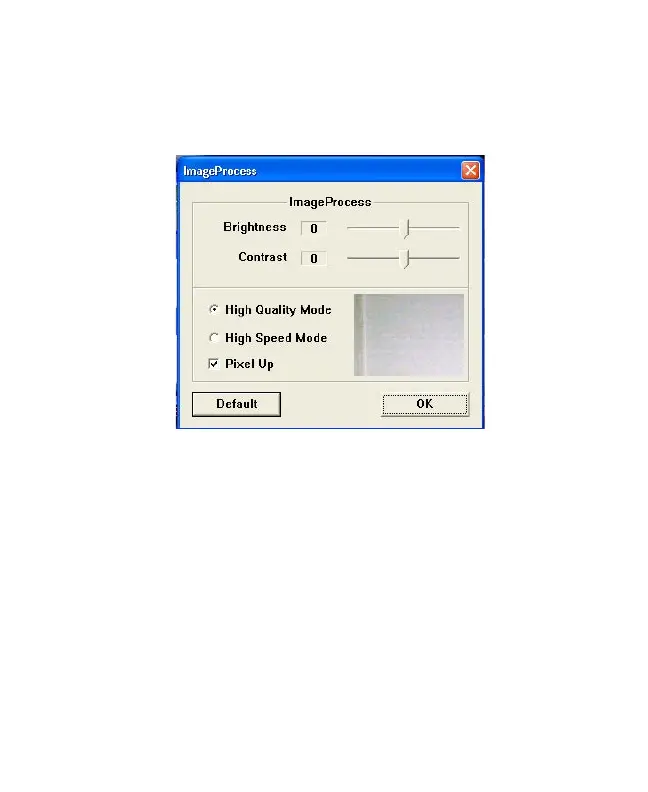
You can change the download settings by clicking a.
SETTINGS to call out the settings manual after run
the download program.
YoucanchangebelowsettingandclipOKtoconrm.b.
Brightness – to change the brightness of captured images.
Contrast – to change the contrast of captured images.
High Quality Mode – Download the captured image on
High Quality.
High Speed Mode – Download the image fast.
Pixel Up – Interpolate the captured image to higher
resolution as VGA to 1.3M or QVGA to
VGA.
c. After setting, select the downloaded images and then
clip disk icon to store the selected image.
d. Now the stored images will be same as what you set.
Brought to You by www.snapwhole.com


 To Next Page