SKU 91956 Page 6
For digital camera part.
Insert 2 “AAA” ALKALINE batteries correctly into battery a.
compartment, and then close the battery door (Use
ALKALINE batteries only).
Turn on by pressing and hold MODE button 1 seconds, b.
the choosing your setting / LCD read out.
Point the camera to want object and hold the camera c.
stably, then press shutter to capture the image or video.
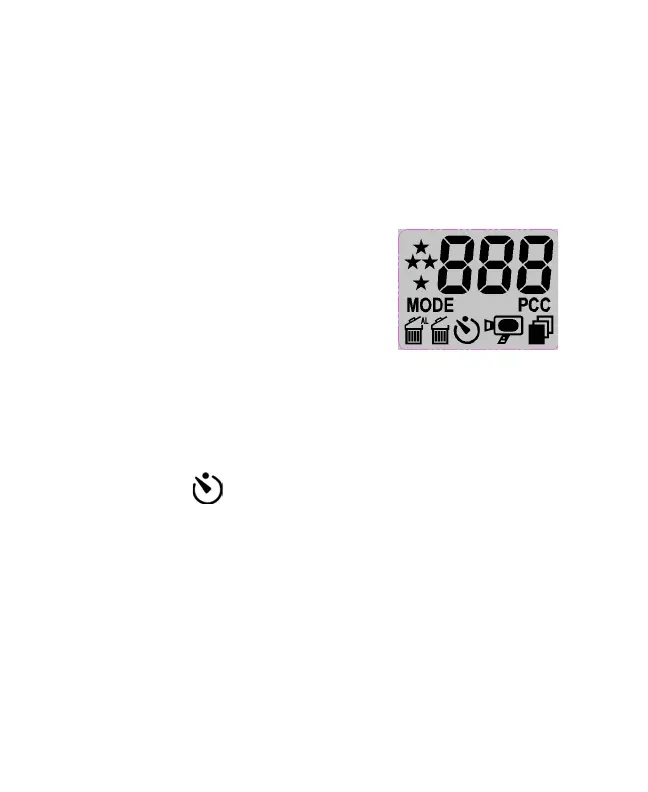
LCD DISPLAY :
The mode setting operation is a cycle
loop by press the mode to select the
functions then press Shutter button
eachtimetoconrmthengotothe
next mode sequentially.
Choosing your setting/LCD read out by Clicking Mode
Button
Descriptions for each Icon on the LCD panel.
Self-timer• : Self-timer to delay a short time then take a
snap shot.
Set up your shot using a camera tripod if necessary.a.
Select Self-timer function by clicking MODE button b.
thenpressSHUTTERbuttontoconrm.
Press the SHUTTER once. The buzzer keeps beeping c.
about 10 seconds.
The picture is captured and LCD counter will increase d.
one.
Brought to You by www.snapwhole.com


 To Next Page