SKU 91956 Page 15
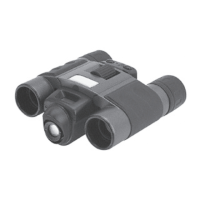
BINOCULARS:•
Magnication: 8xo
Objective Lens: 22mm in Diametero
Close Focus Distance: 5 Meter / 17feeto
Angle of View: 7.0 Degreeo
Trouble shooting.1.
Display resolution adjustment:•
For optimum display set the display resolution to 16 bit
color or higher. Refer to display card manual or follow the
procedure below:
Go to Control Panel of your WINDOWS operating a.
system. (For all version of WINDOWS)
Click on Display Icon (For XP switch to Classic View b.
if the default is on Category View)
Click on Setting Tab.c.
Set Color Quality to 16 bit or Higher (Choose from the d.
list box)
Click OK e.
LOSS OF IMAGES: •
If you continue to loose images over and over, Change
the Battery or make sure that the battery compartment is
secure.
EXCESSIVE DRAINAGE of BATTERY POWER:•
USE Alkaline Batteries to overcome this problem. And
turn the Camera OFF while not being used.
Brought to You by www.snapwhole.com


 To Next Page