SKU 91956 Page 12
Download the captured image.•
Power on the your binoculars.a.
Connect the camera to your PC by provided USB b.
cable. The camera will be power on automatically and
LCD display shows the quantity of captured image.
Then clip to open the MyDSC2 folder form desk of c.
you PC.
The clip the MyDSC2 icon to run the download
d.
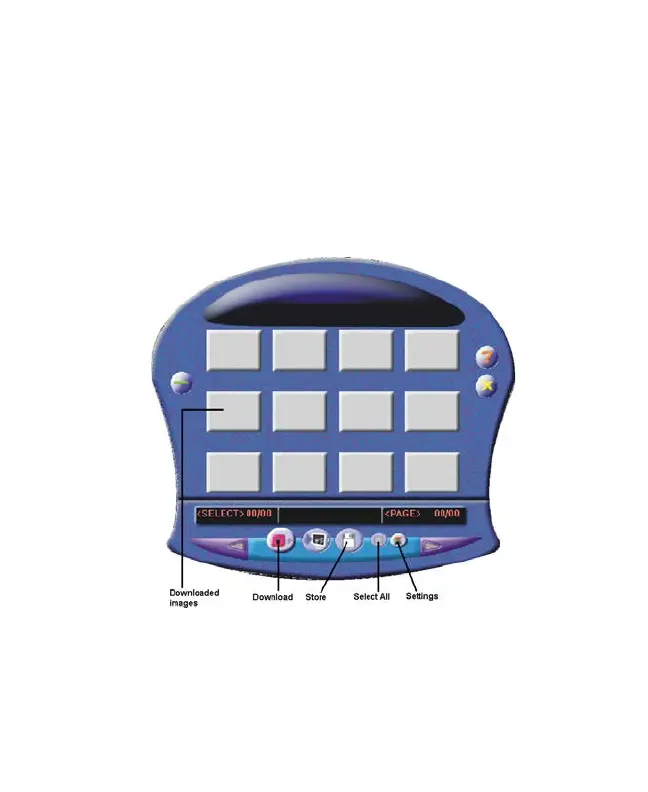
program. The PC’s screen will pop out a download
window as below:
Just clip the DOWNLOAD icon to download the e.
image.
Then select the downloaded images and then clip f.
STORE icon to store the selected image.
Brought to You by www.snapwhole.com


 To Next Page