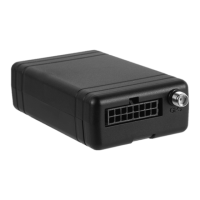
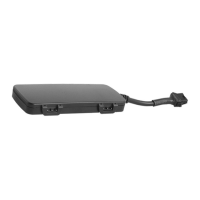
After receipt of this command, device will reply you a piece of message in UUM:30M;G;T SMS
Format. At each wakeup, device would send you a location report message in this format.
If device is in positive real-time work mode (upload operating cycle 00S or 00M or 00H), only one
piece of location report message will be sent by device; if updated location report is in demand
thereafter, please send another command then device will response accordingly.
Operating Cycle:
xxxS: Seconds upload range (30 ~ 900 seconds)
xxxM: Minute upload range (15 ~ 59 minutes)
xxxH: Hour upload range (1 ~ 240 hours)
Work Modes:
O: Cancel Upload
G: if there is GPS data, send GPS based location. If not, send GSM base station (LBS) data.
S: Always update with GSM base station (LBS)
Message Types:
T: Text format (SMS)
W: Text format with hyperlink (SMS with hyperlink)
Example:
1234,UUM;30S;G;T
Reply:
G626 V1.05
UUM:30S;G;T
3.4 Set Message Center Number
Command format
**** , SCN ; +XXXYYYYYYYYYYYYY
Explanations:
****: user password (4-digit)
, : command delimiter
SCN: Command Control Word
; : command delimiter
+XXXYYYYYYYYYYY: Message center number (XXX= country code, YYYYYYYYYYYY = center number)
After receipt of this command the device will reply with message SCN:+XXXYYYYYYYYY.
Example:
1234,SCN;+8613800200500
Reply:
G626 V1.05
SCN:+8613800200500
3.5 Set APN
Command format
**** , APN ; CMNET ; internet ; internet



 To Next Page