Installation Manual
Stationary Trailer Refrigeration Unit
71.01.121 / 00
Page
39
Copyright by GOVI GmbH 2013. The reproduction of this document or any part there of is prohibited! The right is reserved to make technical changes in the course of further development!
2.
Press the button ON/OFF to activate the trailer refrigeration unit. The symbol
ON/OFF blinks until the controller is on. The current temperature is displayed.
3.
If “LoC” is displayed, it means the buttons are locked. In order to unlock them,
keep any button pressed until “UnL” is displayed.
4.
Briefly press the button SET.
5.
The display shows the preset nominal value already set.
6.
To change the nominal value, press the button UP or DOWN.
CAUTION!
You shall immediately unplug the refrigeration unit at the power supply if
you detect smoke, unusual smells or strange noises around the refrigera-
tion unit.
Call for service before operating the refrigeration unit again.
7.
Check that no unusual noises occur such as the sheet metal vibrating or rub-
bing of moving parts.
NOTICE
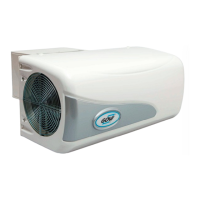
Ensure adequate air circulation for the refrigeration unit during the operation
process. Do not obstruct the air intake on the bottom of the refrigeration unit or
the air outlet on the left side.
Always choose a safe and horizontal parking position for the refrigerated trail-
er. Allow adequate space to branches of trees and alike.
501 N. Grandview Avenue #135
Daytona Beach, FL 32118
Email: sales@govitrailerrefrigeration.com
Inc.
govitrailerrefrigeration.com
GOVI Inc.
Inc.
GOVI Inc. (USA)
GOVI GmbH (Germany)


 To Next Page