
 Need help?
Do you have a question about the Grace Digital Encore GDI-IRC7500 and is the answer not in the manual?
Select your Wi-Fi network and enter the password if required.
Complete Wi-Fi connection and learn how to search for radio stations.
Explains the purpose and operation of each button on the remote control.
Connect AC power, turn on, and initiate network scanning.
Select Wi-Fi network and input WEP/WPA key.
Access the 'Settings' menu to generate a unique registration code (key).
Enter the registration key on the Grace website to associate the radio with your account.
Power cycle the radio to complete the registration process.
Scan for new networks or manually configure network parameters.
Obtain registration key and name your radio for remote access.
Provides steps to resolve common issues with Wi-Fi network connection.
 General
| Type | Internet Radio |
|---|---|
| Brand | Grace Digital |
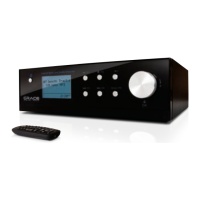
| Model | Encore GDI-IRC7500 |
| Connectivity | Wi-Fi, Ethernet |
| Alarm Clock | Yes |
| Power Source | AC Adapter |
| Remote Control | Yes |
| Audio Output | Headphone Jack |
| Streaming Services | Pandora, Spotify, iHeartRadio, TuneIn |
| Supported Audio Formats | MP3, WMA, AAC, FLAC |



 To Next Page