pg. 13
Step 10: Adjusting the Rail Holder Brackets
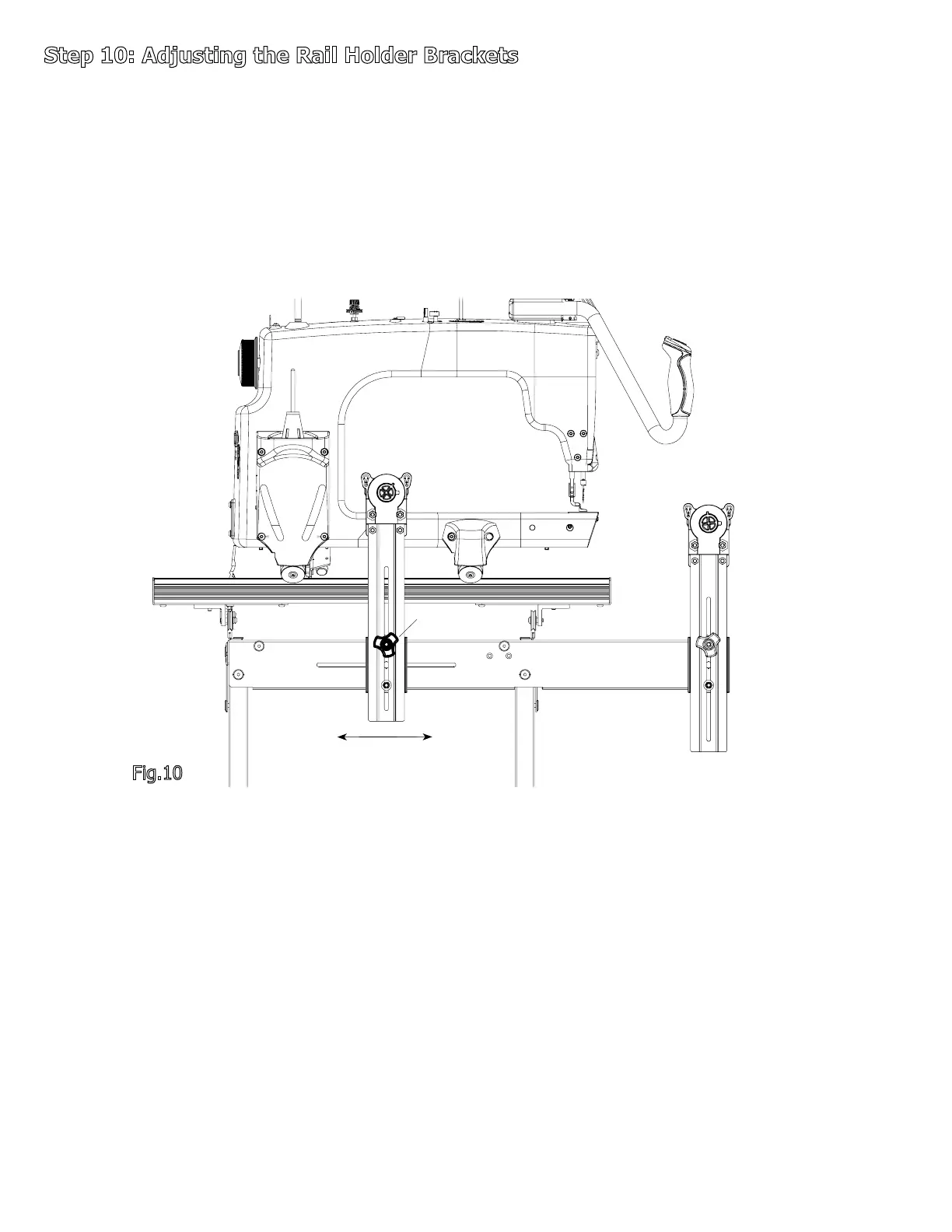
10-1: Position the Sewing Machine in the center of the Carriage.
10-2: Loosen the Wing Knobs on each of the Rear Rail Holder Brackets.
10-3: Adjust the Rear Rail Holder Brackets until the Take-Up Rail is centered in the
throat of the Sewing Machine. Then Re-tighten the Wing Knobs, see Fig 10.
Fig.10
Wing Knob



 To Next Page