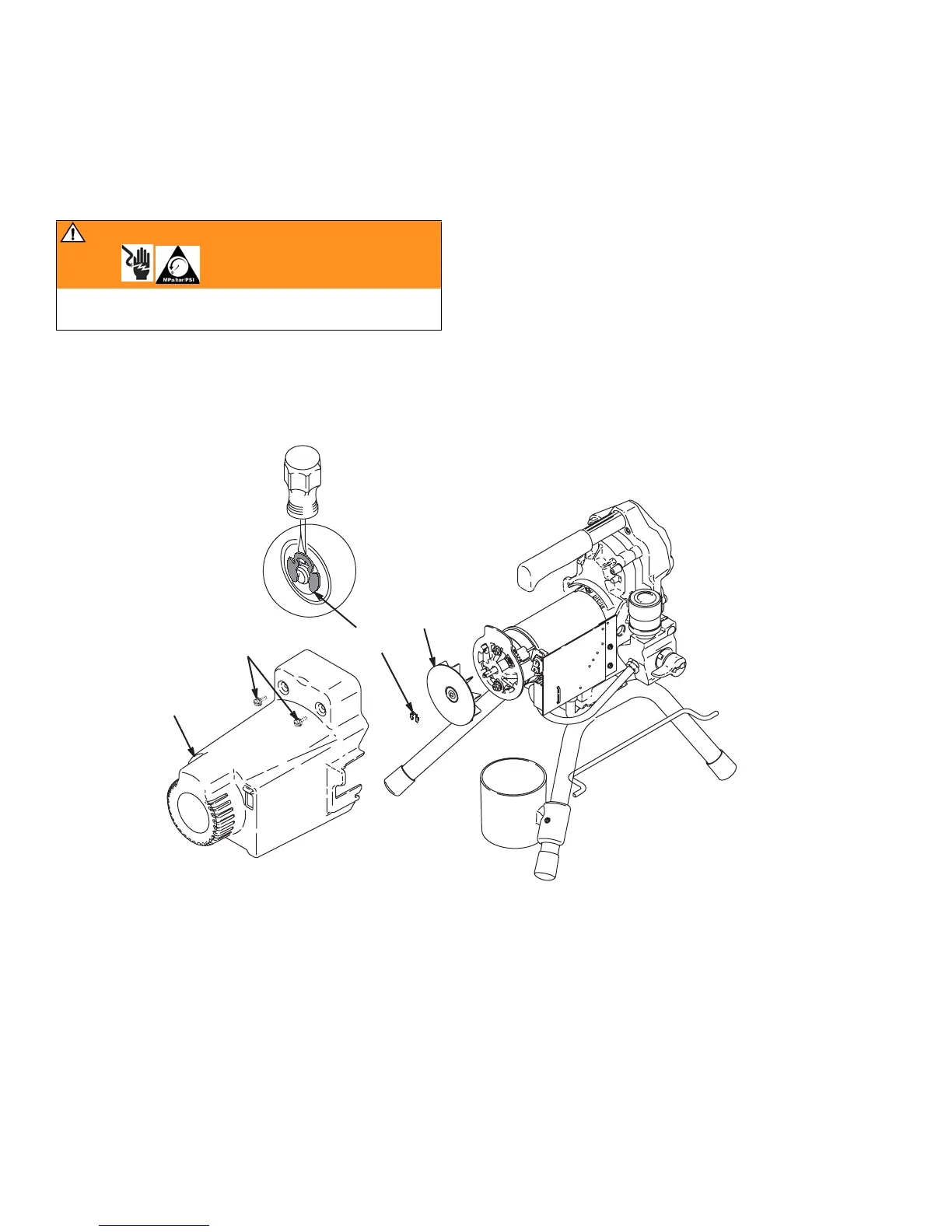
Fan Replacement
18 310824D
Fan Replacement
Removal
1. Relieve pressure, page 8. Disconnect power cord
from outlet.
2. Remove two screws (30) and shroud (29).
3. Remove spring clip (101) on back of motor.
4. Pull off fan (100).
Installation
1. Slide new fan (100) in place on back of motor. Be
sure blades of fan face motor as shown.
2. Install spring clip (101).
3. Replace shroud (29) and two screws (30).
WARNING
Read Electric Shock Warning, page 3 and Pressure
Relief Procedure, page 8.
101
100
30
29
ti5769a



 To Next Page