765041642 12
Visual and acoustic settings
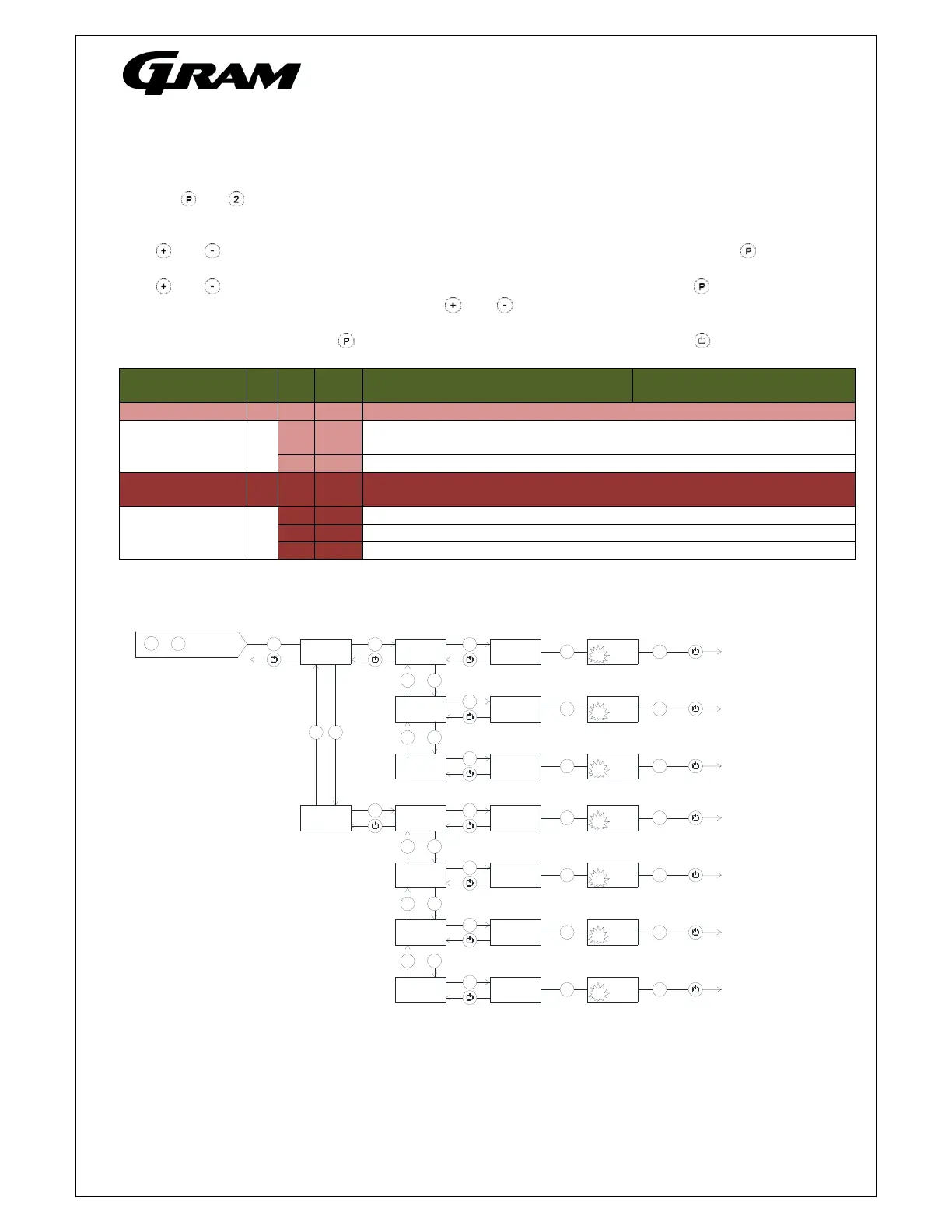
Push on and buttons at the same time in more than 6 sec. and the menu item [ A ] appears in the
display.
With and buttons it’s possible to look through the main menu item [ A ] and [ P ]. Push on button to
enter the submenu from the main menu items.
With and buttons it’s possible to look through the submenus menu items. Push on button to enter
the desired menu item and adjust the setting with and buttons.
To confirm the new setting, push button. Leave the menu item and submenu with the button.
Menu access P+2
Alarm setup A A1 [° C] In case of condenser overheat, compressor protection cycle is started.
A2 [° C] Condenser temperature, which disconnects the compressor protection
cycle.
A3 [min]. Re-enter time for acoustic alarm (min.)
Display
presentation
P P1 [min.] Temperature freeze after defrosting end.
P2 [° K] Temperature freeze around setpoint. Temperature fluctuation filter.
P3 [sec.] Display updating frequency.
P4 Selection of Celsius or Fahrenheit temperature scale.
+
P
>6 sek.
2
+
1 x
P
P
+/-
5
+
-
P
A
P
+/-
+
-
P
5
A1
5
65
5
A2
5
40
5
64
5
41
P
+/-
P
5
A3
5
5
5
4
3 x
3 x
3 x
P
P
+/-
5
+
-
P
P
P
+/-
+
-
P
5
P1
5
30
5
P2
5
3
5
31
5
4
P
+/-
P
5
P3
5
10
5
11
3 x
3 x
3 x
+
-
P
+/-
P
5
P4
5
C
5
F
3 x
+
-



 To Next Page