765041642 16
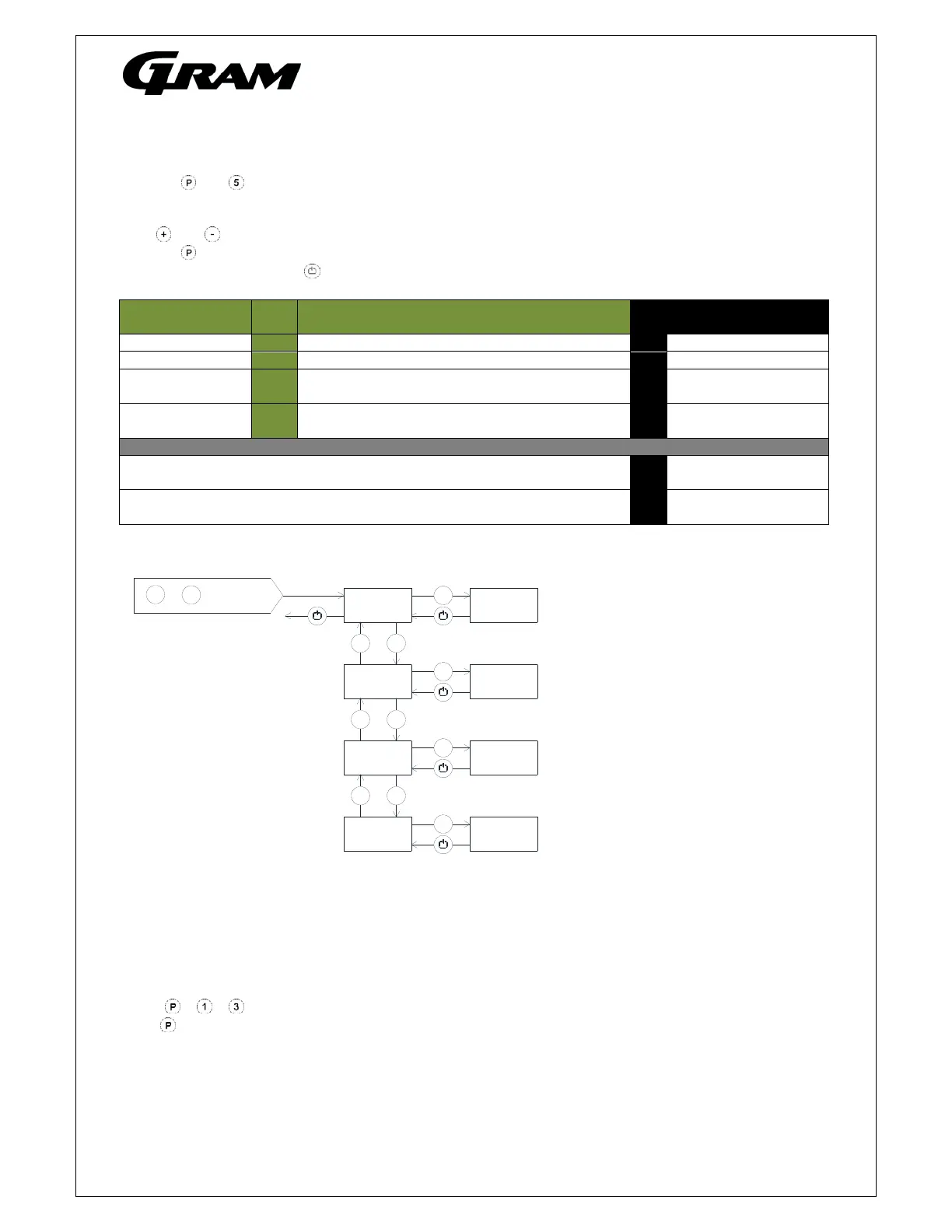
Display of current sensor inputs
Push on and buttons at the same time in more than 6 sec. and the menu item [ P-A ] appears in the
display.
With and buttons its possible to look through each menu items to check each sensor in the cabinet.
Push on button to activate the actual sensor and the display shows the actual temperature.
Leave the program with the button.
Menu access P+5
P-key [° C] Display message and
cause
Room senso
P-
Room sensor measurement is displa
ed F1 Room sensor error
Evaporator sensor P-b Evaporator sensor measurement is displayed F2 Evap.sensor error
Condenser sensor
1
P-C Condenser sensor 1 measurement is displayed F3 Condenser sensor 1
error
Condenser sensor
2
P-d Condenser sensor 1 measurement is displayed F4 Condenser sensor 2
error
*
An overheated condenser could be caused by a clogged air filter. Can be
triggered by both C and d sensor.
F7 Overheated
condenser 1 and 2
By open door this symbol is displayed. In event of a too long door opening,
an alarm is triggered [ A1].
-0- Open door symbol
Reset the controller to factory setting
To reset the controller to factory settings:
Push + + for more than 6 seconds. The display shows [ RES ].
Push , and a beep sounds for confirmation”.
+
P
>6 sek.
5
+
-
P
+
-
P
5
P-A
5
5
5
P-b
5
5
P
5
P-C
5
5
+
-
P
5
P-d
5
5



 To Next Page