24
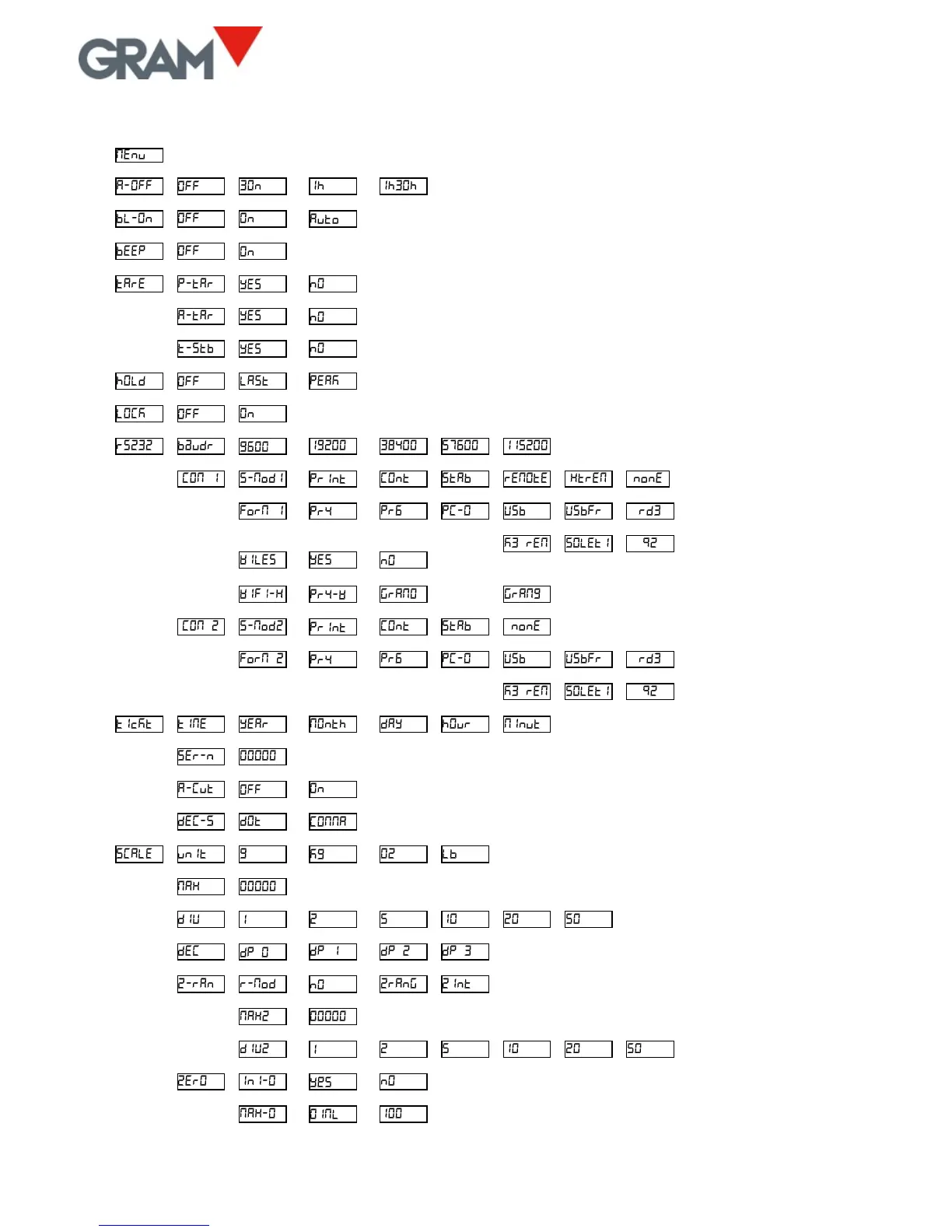
La siguiente tabla resume las diferentes opciones de configuración y ajuste:
Options for automatically switching off the unit
Options for backlighting the LCD display
Activating sound when pressing on a key
Activating automatic tare
Requiring stability for performing a tare
Operational style in “hold” mode
Transmission speed of serial port
Serial port 1: Data transmission mode
Format of frame data sent
Serial port 1: “Wireless” option installed
Serial port 1: Wi-Fi network selection
Serial port 2: Data transmission mode
Format of frame data sent
Decimal separator for USB keypad adapter
Measurement unit of the scale
Maximum capacity (Max
1
in the event of 2 ranges and intervals)
Position of decimal point
Activating double range or double interval option
Max
2
in the event of 2 ranges / intervals
e
2
in the event of double range
Activating initial auto-zero
Action range of zeroing device



 To Next Page