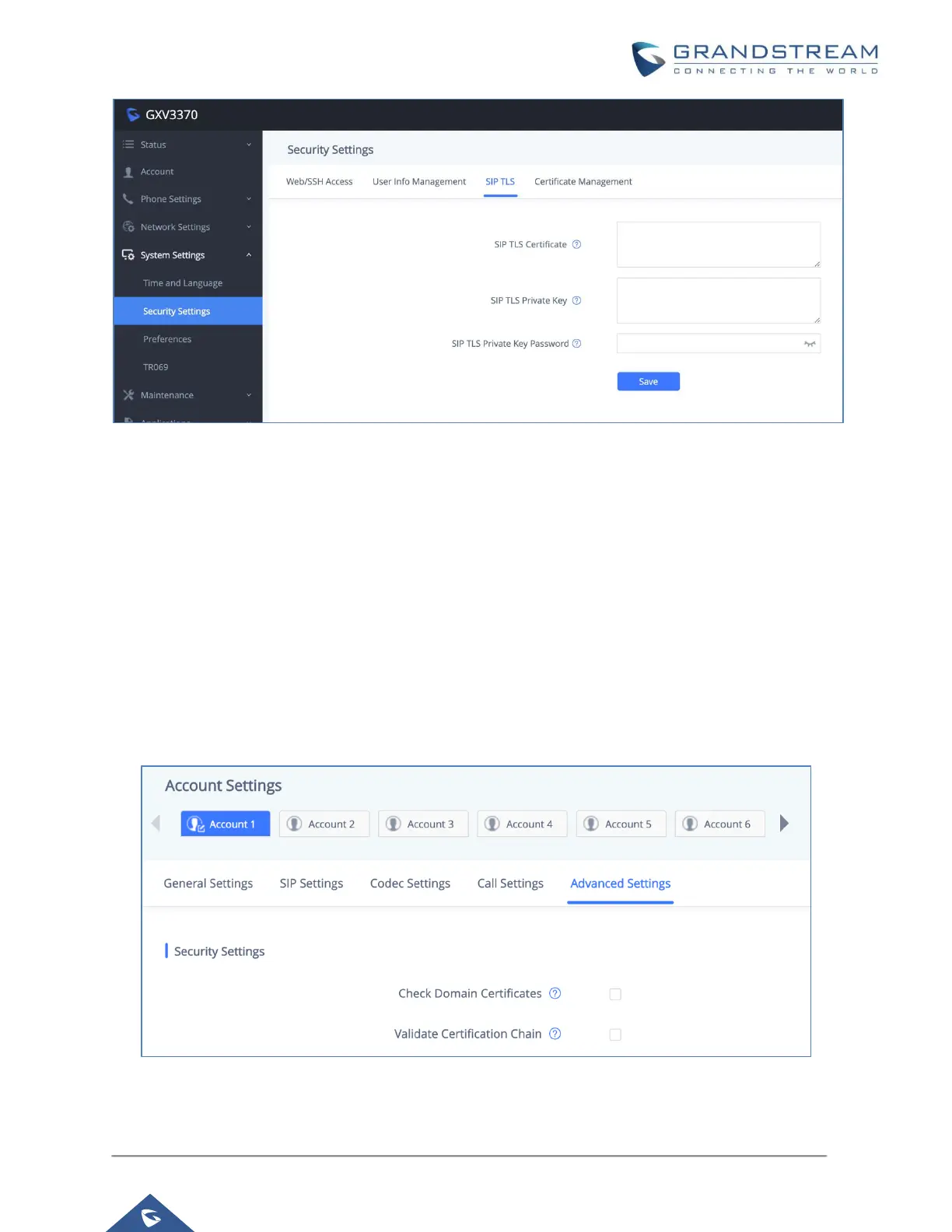
Figure 9: SIP TLS Settings on GXV3370
When SIP TLS is used, the GXV3370 also offers additional configurations to check domain certificate
and validate certificate chain. These settings can be found under web UI → Account → Account x →
Advanced Settings.
- Check Domain Certificate:
If enabled, the GXV3370 will check the domain certificate when TLS/TCP is used for SIP transport.
The default setting is “No”.
- Validate Certification Chain:
If enabled, the GXV3370 will validate server’s certification chain when TLS/TCP is used for SIP
transport. The default setting is “No”.
Figure 10: Additional SIP TLS Settings


 To Next Page
 Loading...