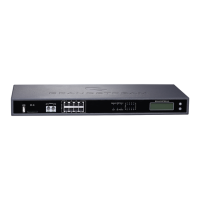
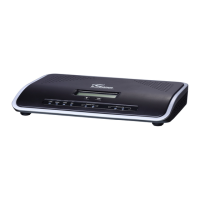
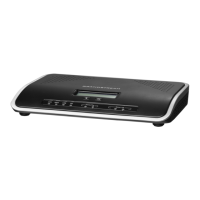
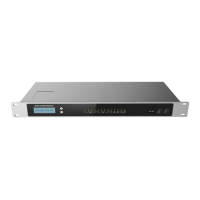
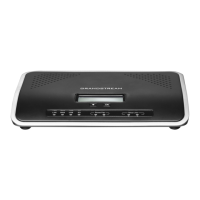
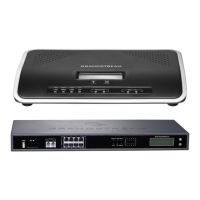
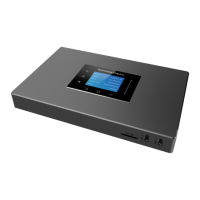
The Grandstream UCM6300 series IP PBX, including models UCM6301, UCM6302, UCM6304, and UCM6308, is a powerful and versatile communication solution designed for enterprises of all sizes. Based on the Asterisk 16 system, this IP PBX offers a comprehensive suite of features for efficient communication and remote work.
Function Description:
The UCM6300 series IP PBX serves as a central communication hub, providing a wide range of PBX features. It supports audio/video calling, video conferencing, and video surveillance, making it a complete solution for unified communications. The device also includes robust PBX data management and analysis capabilities, allowing businesses to monitor and optimize their communication infrastructure. A key feature is the UCM RemoteConnect service, which enables seamless remote access and connectivity for users. This service is facilitated through the Grandstream Device Management System (GDMS), offering quick setup for remote work scenarios. Users can leverage the GS Wave web app (using WebRTC) and the Wave mobile app (for Android and iOS) to communicate, join meetings, sync extensions, manage alerts and reports, and view/manage cloud storage. The UCM RemoteConnect service allows IP phones located behind NAT to register to the UCM6300 series and communicate with other devices without requiring complex network configurations.
Important Technical Specifications:
- System: Based on Asterisk 16.
- Extension Capacity: Supports up to 3000 extensions.
- RemoteConnect Service: Utilizes Grandstream Device Management System (GDMS) for remote management and connectivity.
- RemoteConnect Information: Requires STUN Address, UCM Public Address, and Public TLS Port for IP phone registration. These details are available on the UCM6300 web GUI under "Value-added Features" > "UCM RemoteConnect" > "Plan" page.
- SIP Transport: For RemoteConnect, SIP transport is configured as "TLS."
- STUN Server: The STUN server is configured as the address of the UCMRC TURN service.
- TLS Version: Minimum and Maximum TLS Versions are set to 1.2 for security.
- Supported Endpoints: The RemoteConnect service is compatible with various Grandstream devices, including:
- GXV3350/GXV3370/GXV3380 (IP Video Phones)
- GXP series (IP Phones)
- GRP series (Carrier-Grade IP Phones)
- WP820 (Portable Wi-Fi IP Phone)
- DP750 (DECT Base Station)
- GVC series (Video Conferencing Systems)
Usage Features:
- Remote Management: The UCM6300 series offers a user-friendly interface for remote management, simplifying administration tasks.
- Easy Expansion: The system is designed for easy expansion, accommodating the growth of businesses.
- Quick Remote Work Setup: The UCM RemoteConnect service provides a quick and straightforward way for users to start working remotely.
- Unified Communication: Supports integrated audio/video calling and video conferencing for a comprehensive communication experience.
- Mobile and Web Access: Users can communicate and join meetings via the GS Wave web app (WebRTC) and the Wave mobile app (Android/iOS).
- Extension Management: Allows for syncing and managing extensions remotely.
- Alerts and Reports: Provides alerts and reports for system monitoring and performance analysis.
- Cloud Storage Management: Enables viewing and managing storage via the cloud.
- IP Phone Configuration via GDMS: Administrators can remotely configure IP phones for RemoteConnect using the GDMS platform. This includes assigning SIP accounts, specifying the UCMRC server address, and configuring SIP transport (TLS) and STUN server settings.
- Manual IP Phone Configuration: Users can also manually configure account information on their IP phones if remote management via GDMS is not preferred. This involves logging into the IP phone's web UI, navigating to "Account" > "Basic Settings" to configure the SIP Server (UCM Public Address: Public TLS Port) and NAT Traversal (STUN). Additionally, SIP transport must be set to "TLS" under "Account" > "SIP Settings," and the STUN server address configured under "Phone Settings" > "General Settings." Security settings for TLS (Minimum and Maximum TLS Version 1.2) are also crucial.
- Making Calls: After configuration, IP phones can be used to make audio/video calls and participate in GS Wave audio/video conferences.
Maintenance Features:
- GDMS Platform: The Grandstream Device Management System (GDMS) is central to managing the UCM6300 series and its RemoteConnect service. It provides tools for device remote management and cloud storage management.
- Configuration Management: GDMS allows for single or batch configuration of IP phones, simplifying the deployment and maintenance of multiple devices.
- Automatic Configuration: When configuring the UCMRC server address via GDMS, the system automatically issues necessary configurations to the phone, such as setting SIP transport to TLS and configuring the STUN server.
- Configuration Cleanup: Deleting a phone's UCMRC server account via GDMS automatically clears the phone's STUN server configuration, ensuring clean removal of settings.
- Troubleshooting: The document provides guidance on checking phone configurations directly on the device if registration or call issues arise after assigning an account via GDMS.
- Firmware Updates: While not explicitly detailed in the provided text, a robust management system like GDMS typically facilitates firmware updates for connected devices, ensuring security and feature enhancements.
- Monitoring and Analytics: The PBX features include data management and analysis, which can be used for monitoring system health and performance.

 Need help?
 General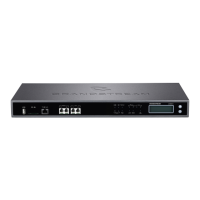


 To Next Page